Go to login.navigate.uk.com
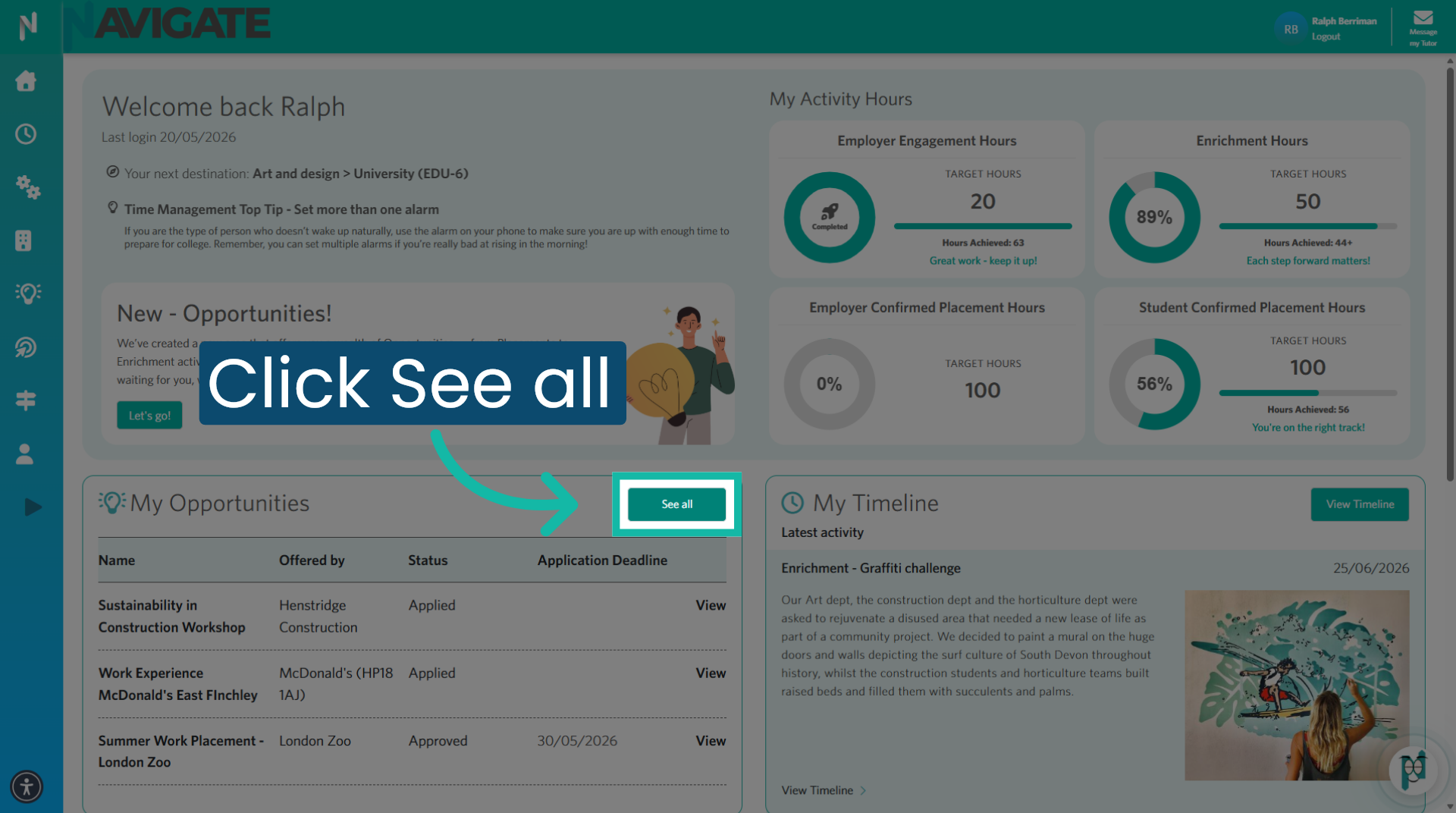
1. View All Opportunities
Once logged in, in the opportunities card, click 'see all'.
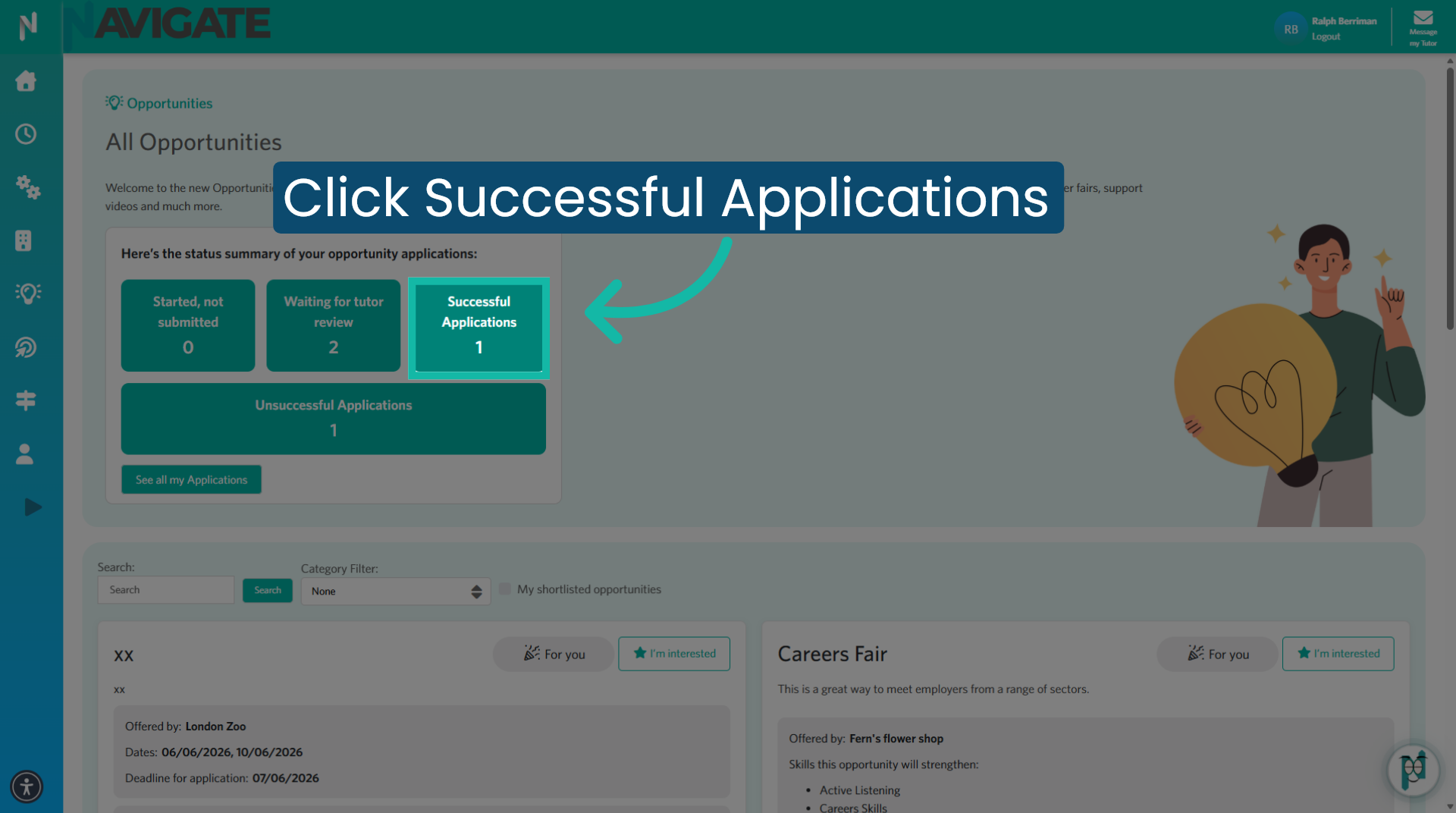
2. Access Successful Applications
Click on successful applications to view your applications that have been successful.
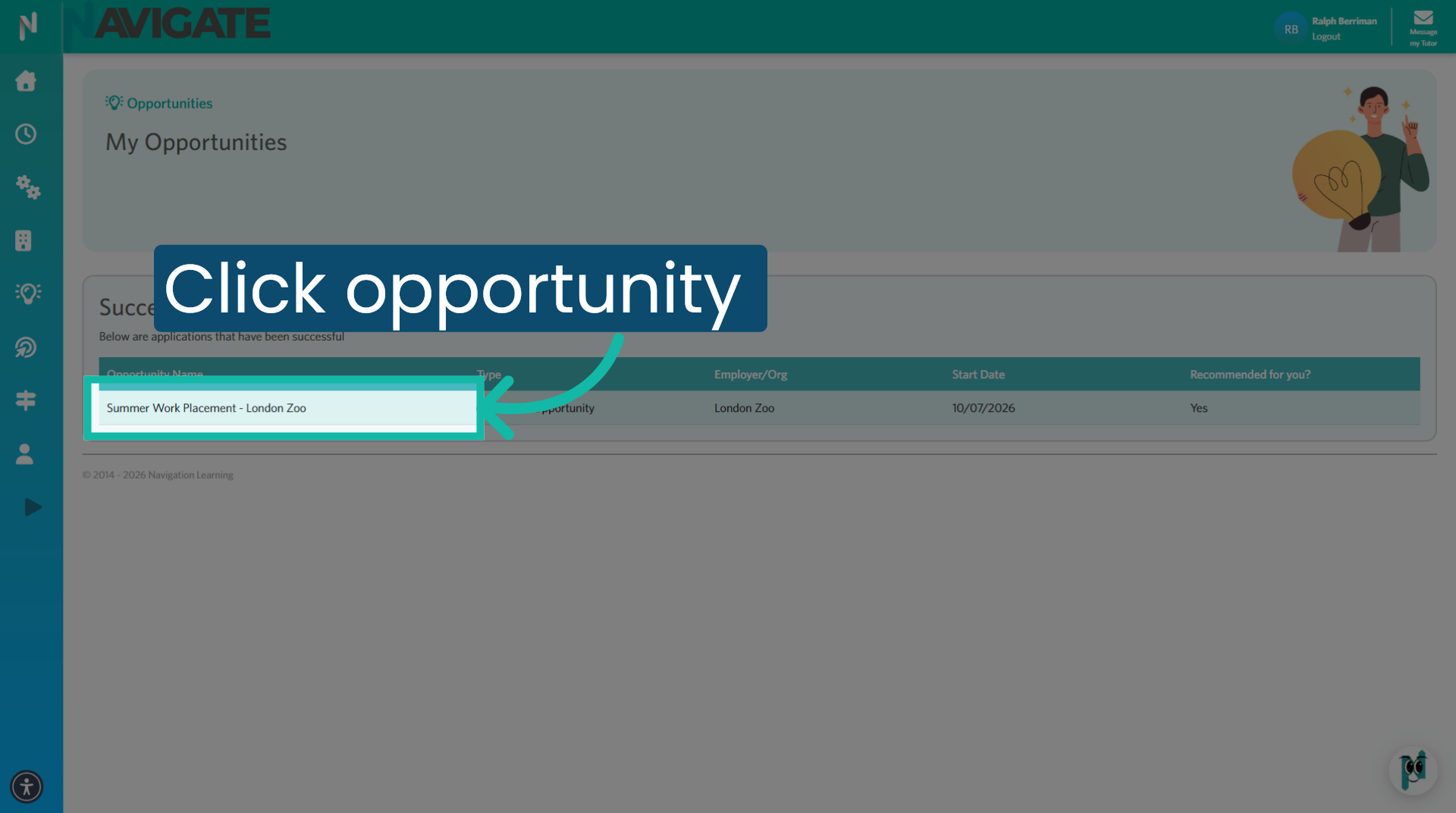
3. Open Specific Opportunity
Click into the opportunity you wish to withdraw from.
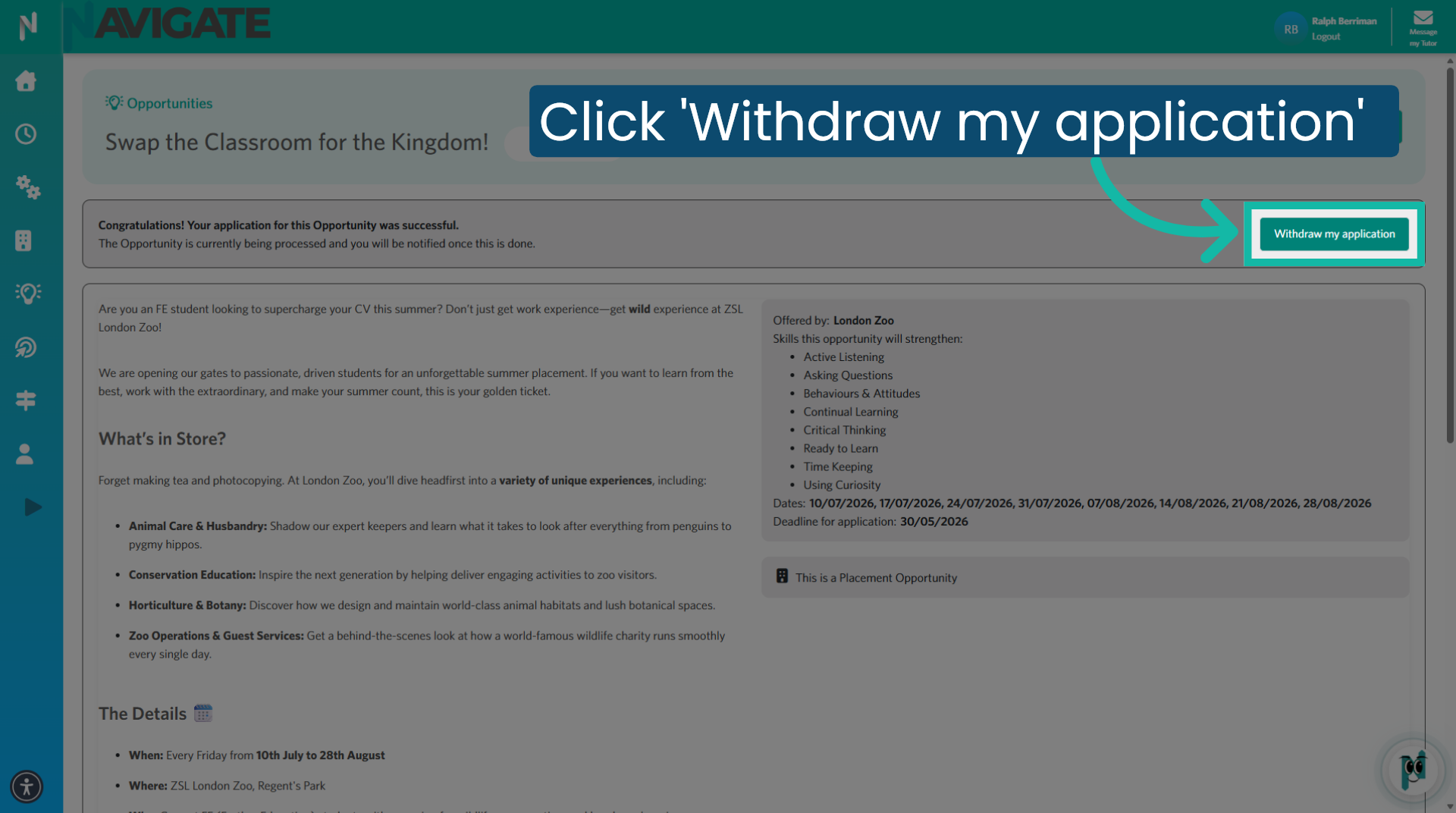
4. Click 'Withdraw my application'
Click 'Withdraw my application' to begin the process of withdrawing your application from this opportunity.
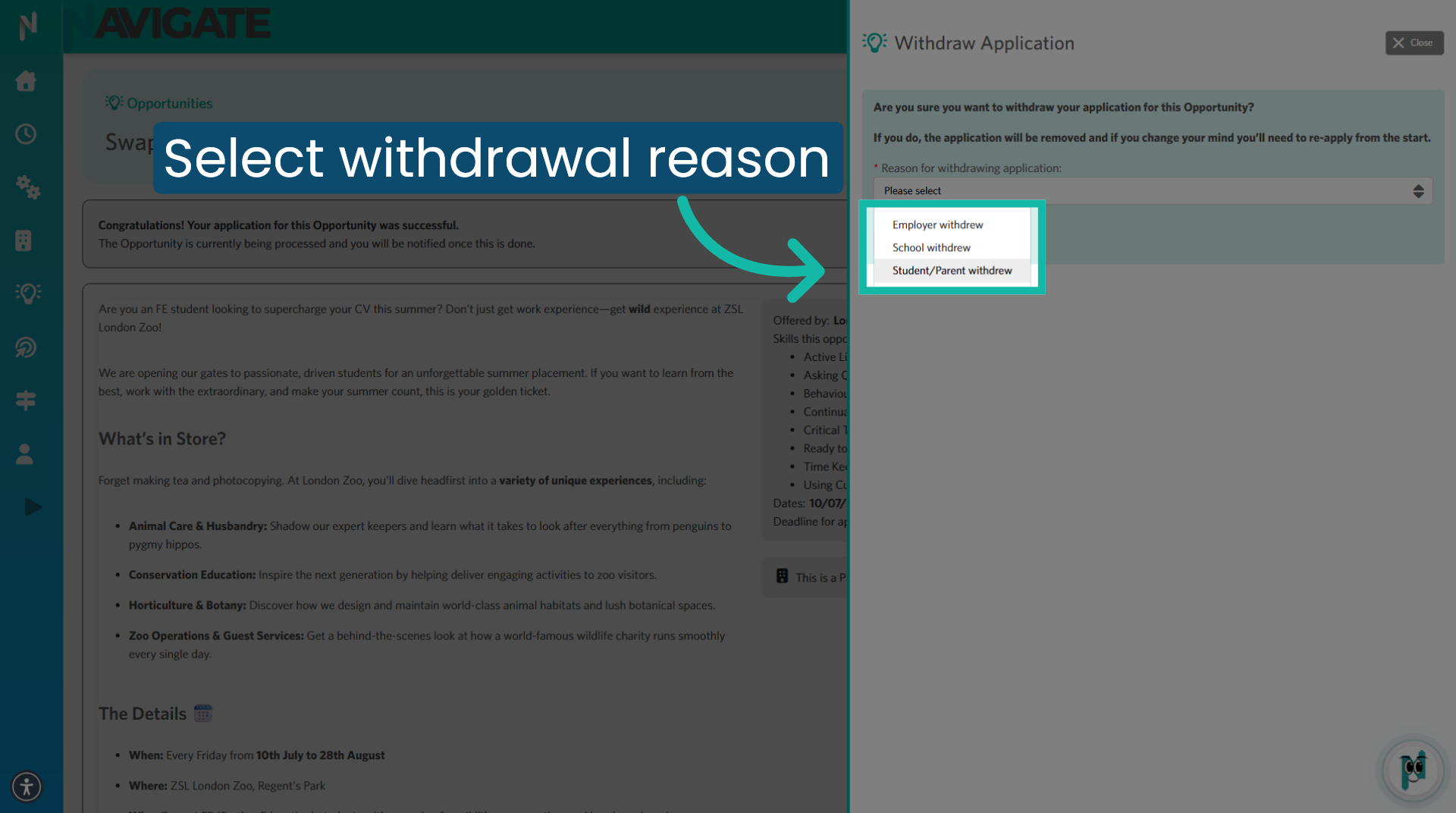
5. Select Withdrawal Reason
Select the reason for withdrawal from the drop-down menu. To inform the college that you are withdrawing from this application, you would select student slash parent withdrew.
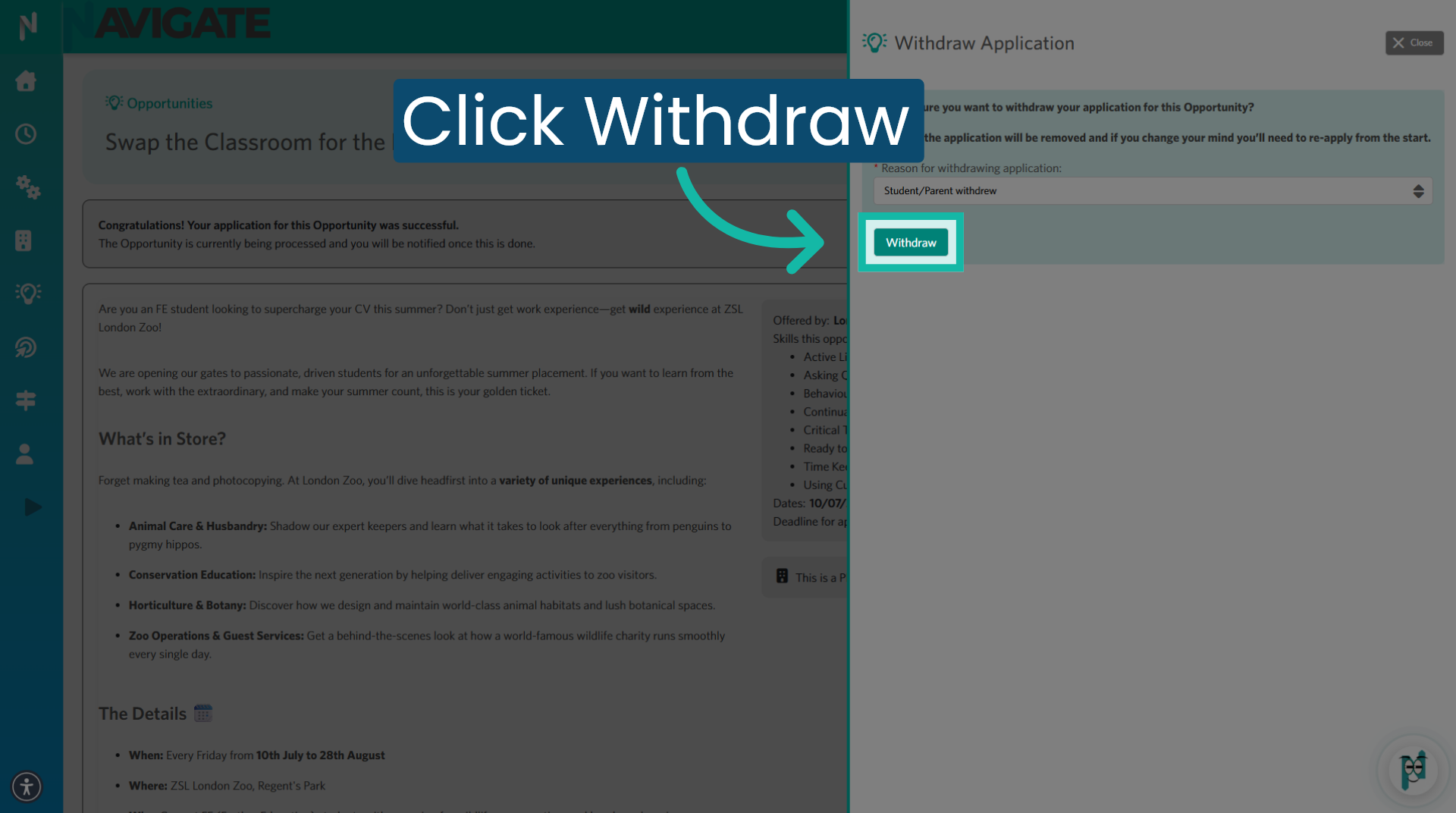
6. Confirm Withdrawal Action
Click 'Withdraw' to confirm the withdrawal.
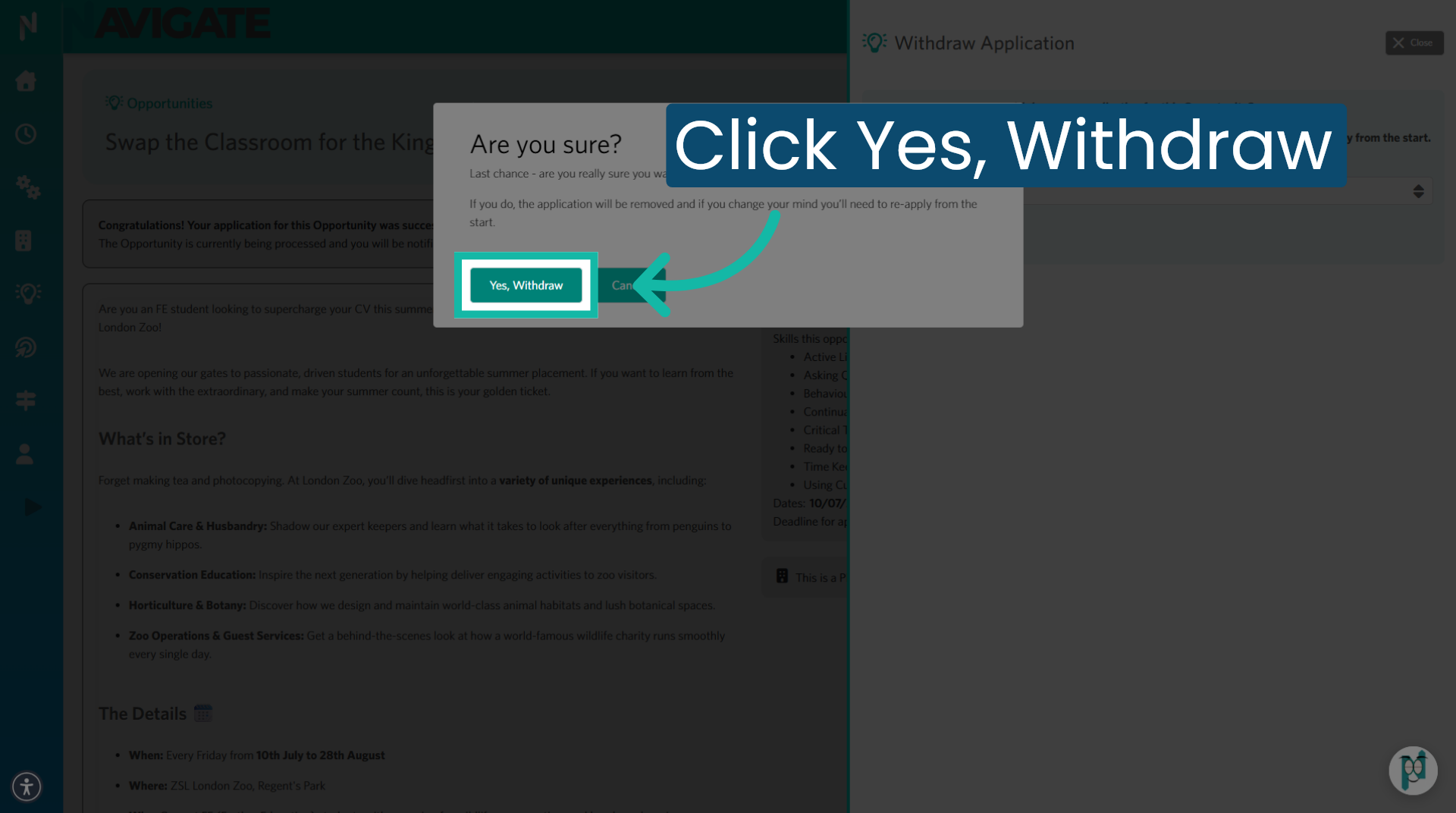
7. Finalise Withdrawal Confirmation
Click yes withdraw to finalise and submit your withdrawal request.
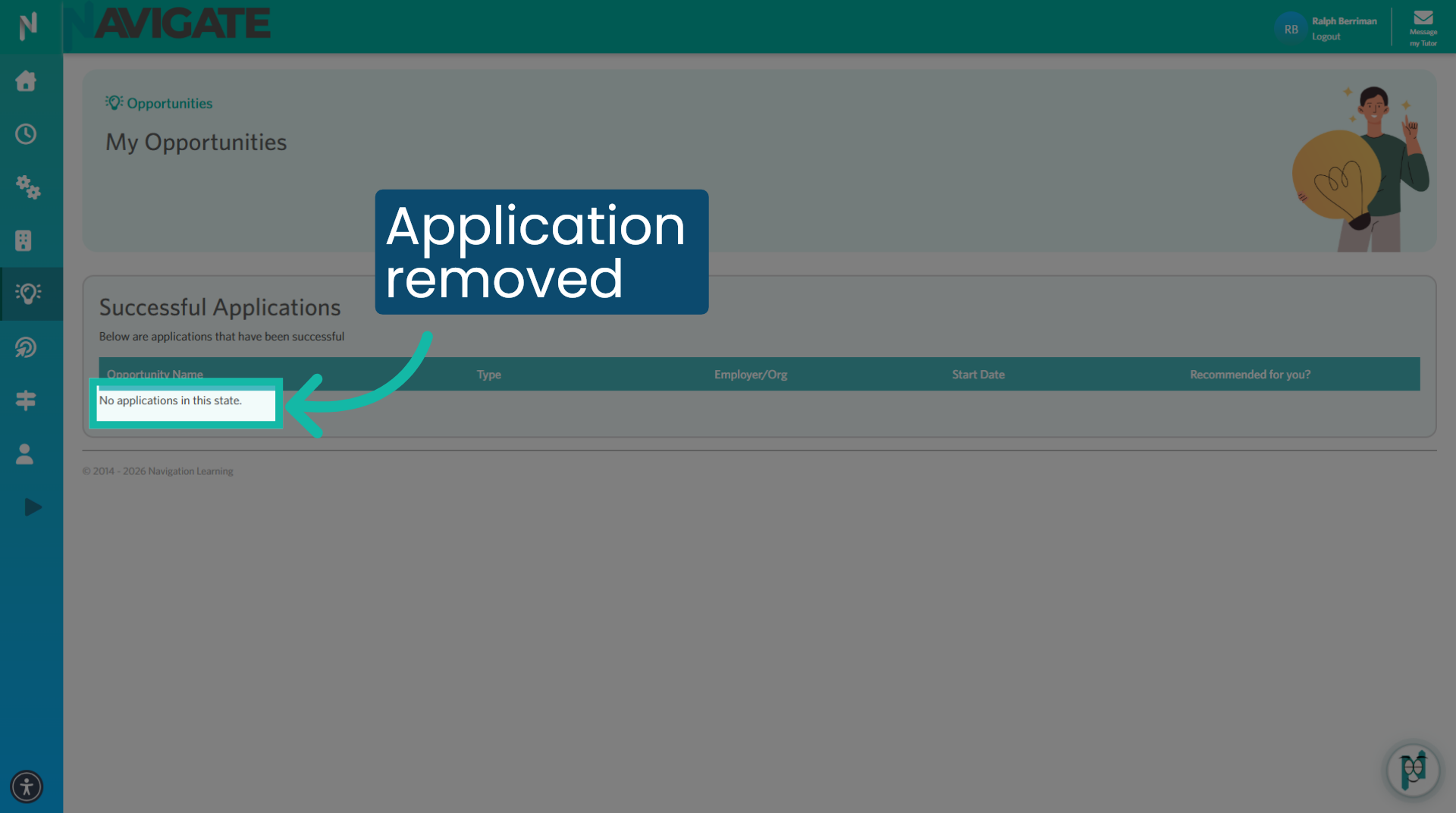
8. Opportunity removed
You have now been withdrawn from the opportunity, and your application is no longer in your successful applications folder.
Was this article helpful?
That’s Great!
Thank you for your feedback
Sorry! We couldn't be helpful
Thank you for your feedback
Feedback sent
We appreciate your effort and will try to fix the article