In this tutorial you will learn how to apply for a range of opportunities on Navigate.
Go to login.navigate.uk.com
1. View All Opportunities
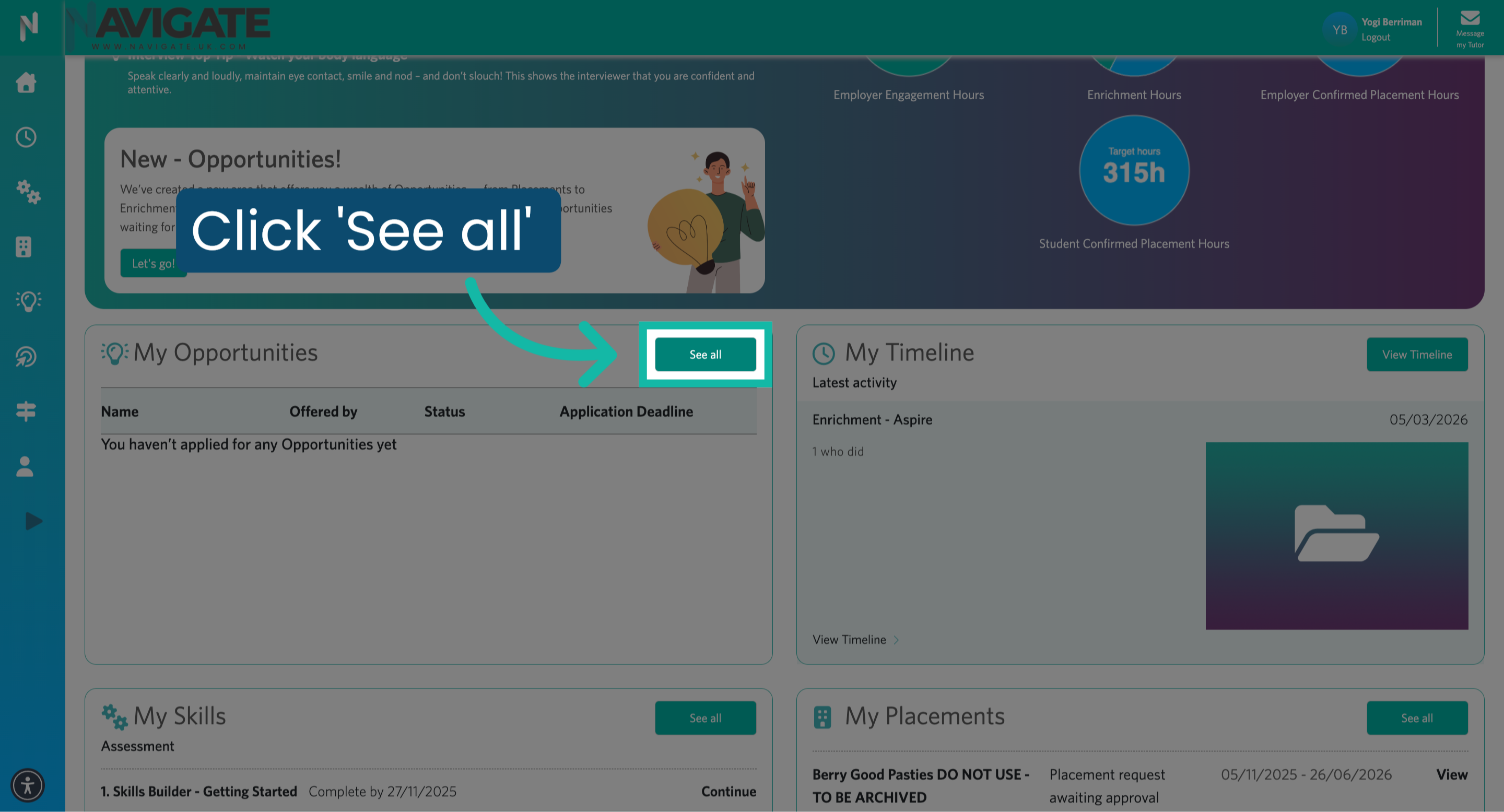
Once logged in, navigate to the my opportunities section and click see all to view your opportunities.
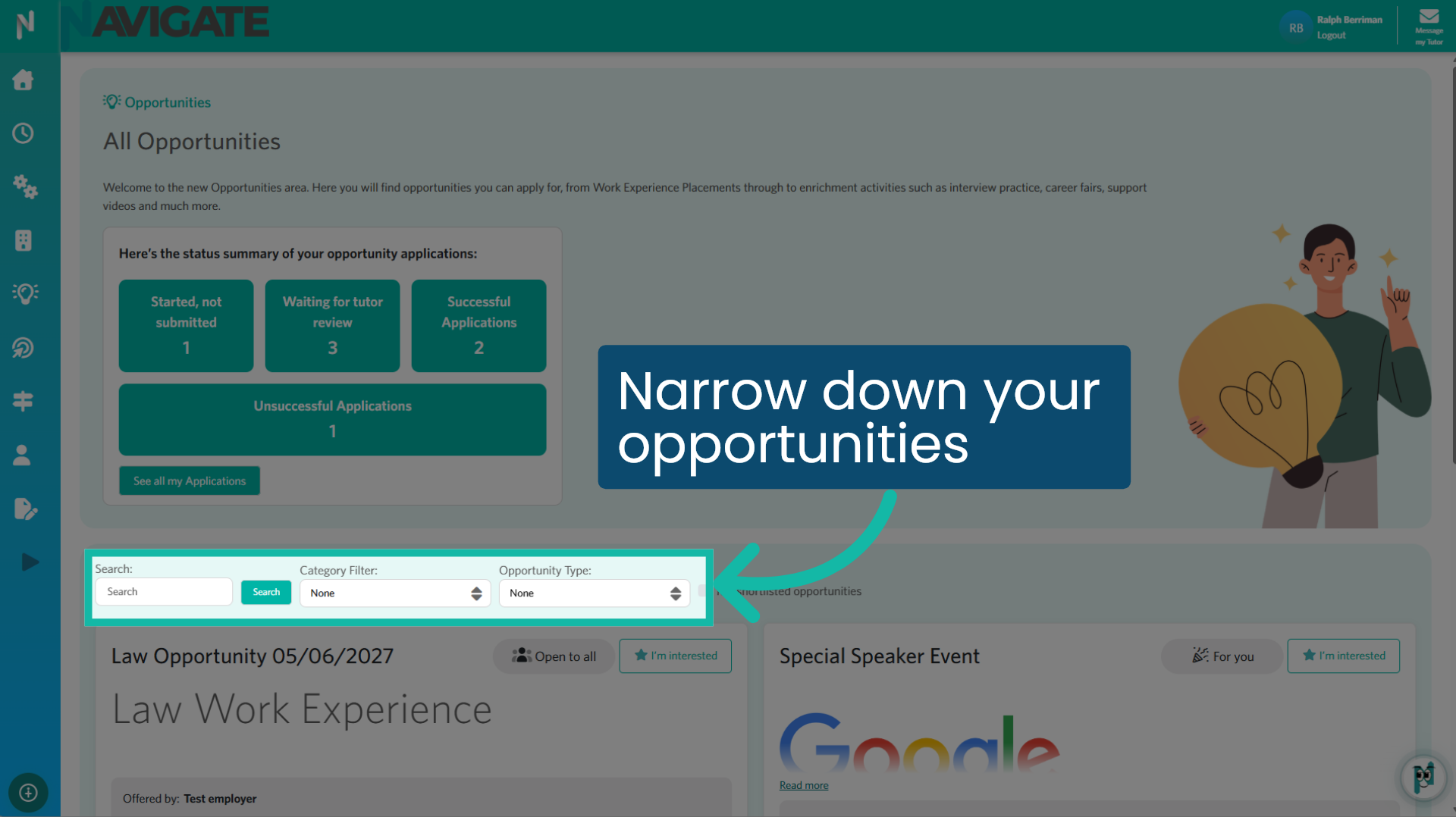
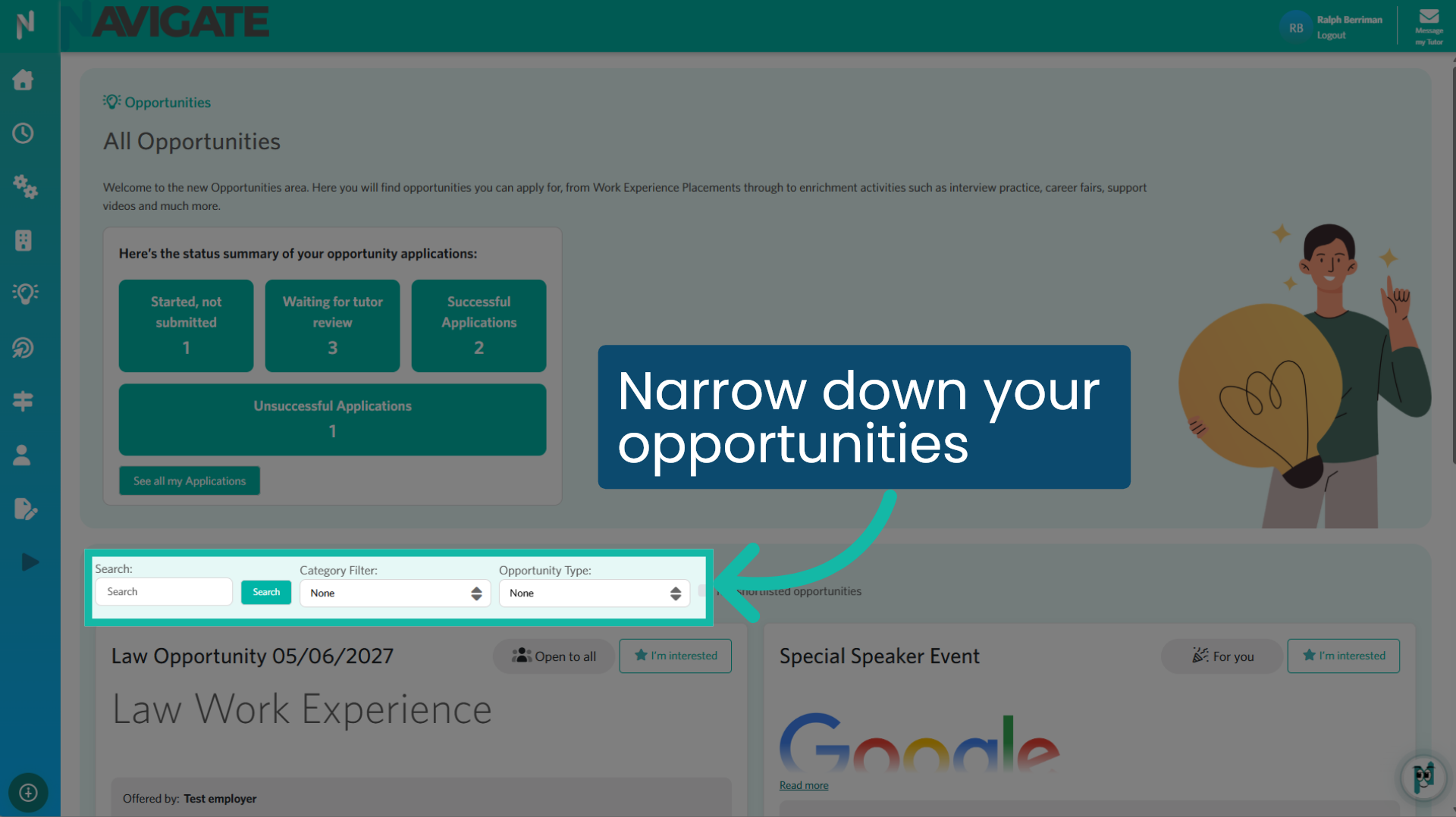
2. Narrow down your opportunities
All opportunities you have not yet expressed interest in or applied for will be displayed on this page. You can refine your search by entering an opportunity name in the search box, selecting one or more categories from the category filter, or filtering by opportunity type.
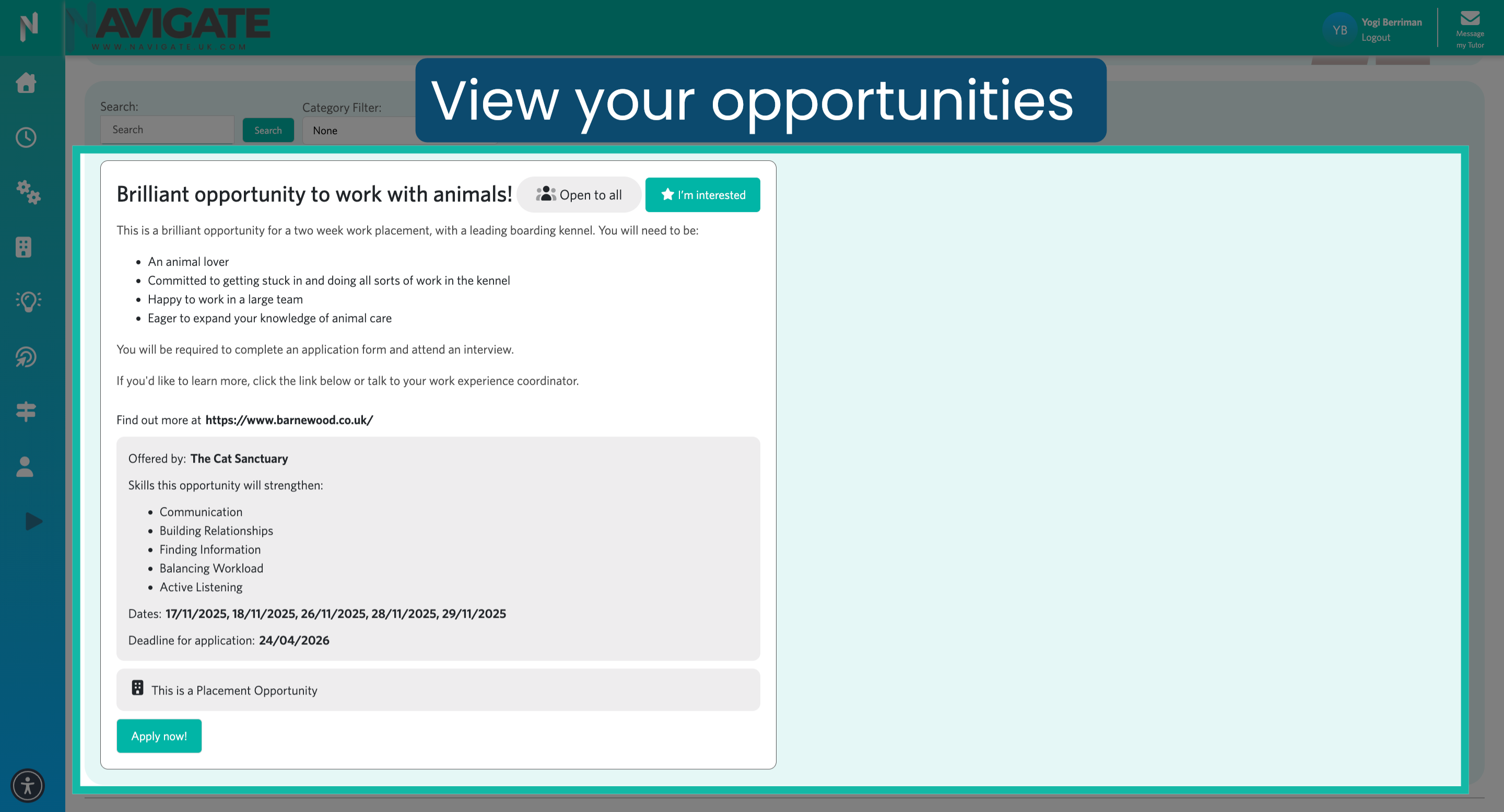
3. Your Opportunities
You will now see all available opportunities displayed.
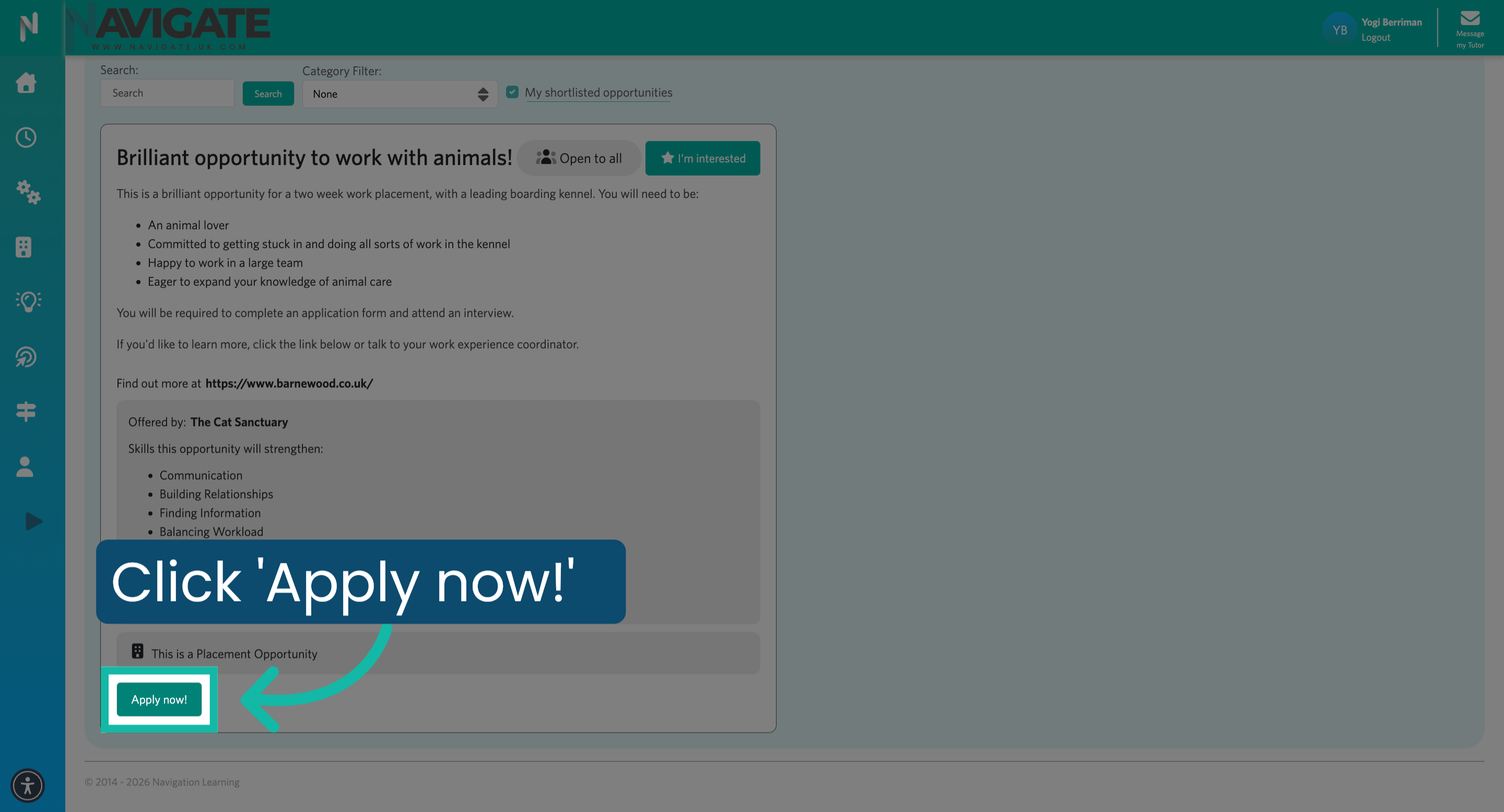
4. Start Application Process
Once you have identified the opportunity you wish to apply for, click apply now.
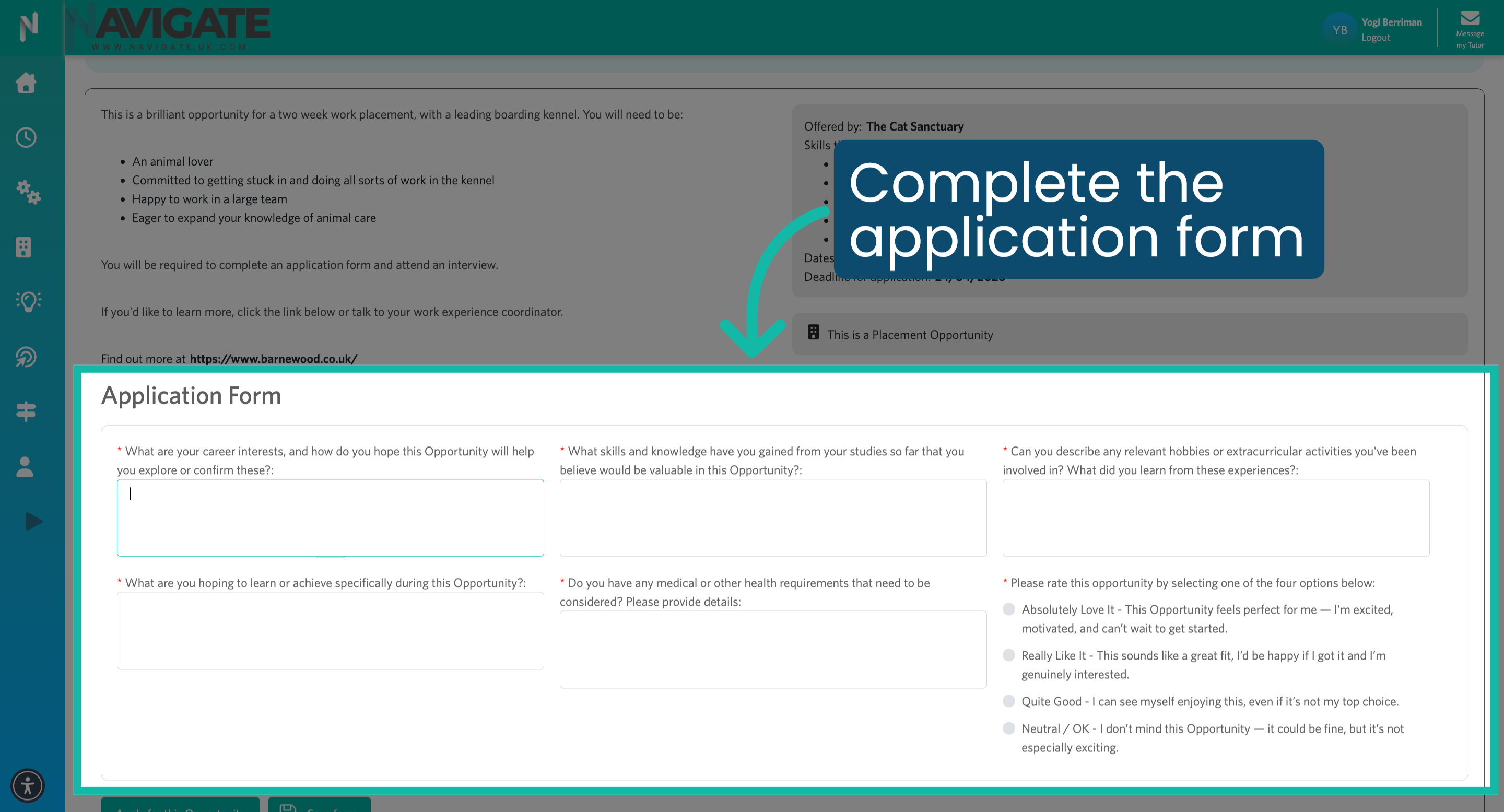
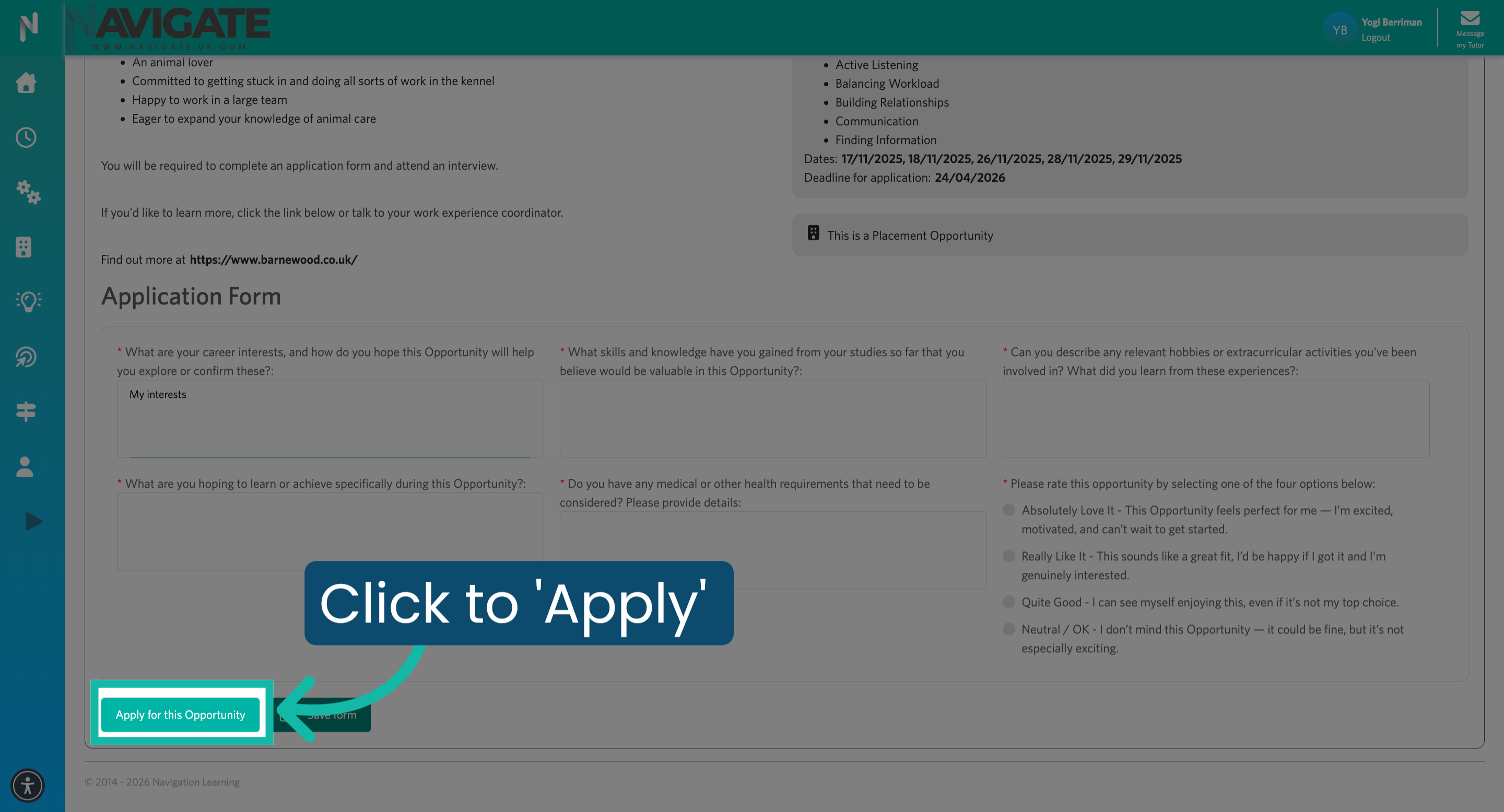
5. Complete Application Form
Read and complete the full application form, answering all the mandatory fields.
6. Proceed to Next Step
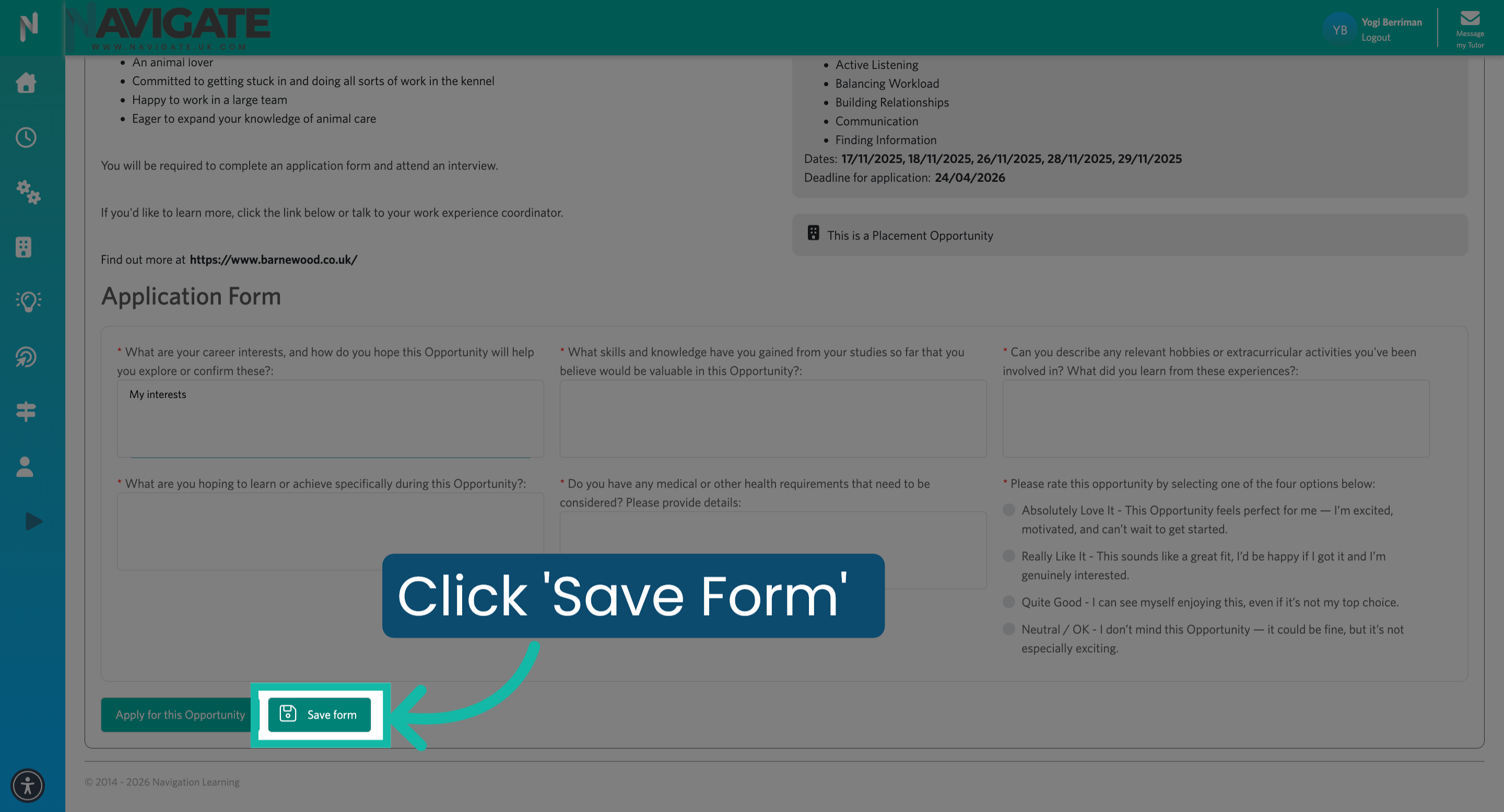
Once finished click apply for this opportunity if you would like to complete the application later. Select save form.
7. Narrow down your opportunities
All opportunities you have not yet expressed interest in or applied for will be displayed on this page. You can refine your search by entering an opportunity name in the search box, selecting one or more categories from the category filter, or filtering by opportunity type.
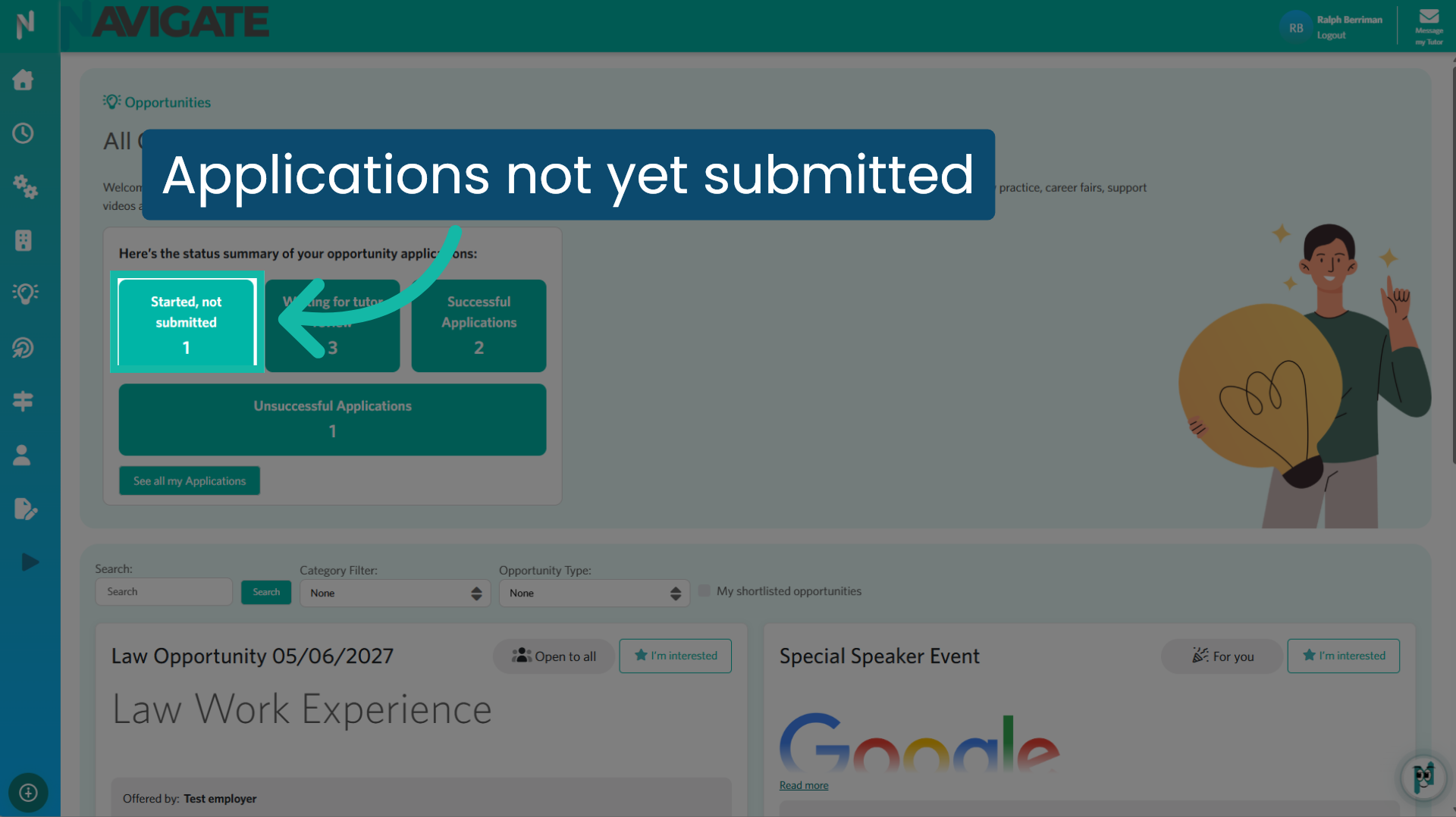
8. Saved applications
You can view started and saved applications by clicking the started not submitted tile.
9. Proceed to Next Step
Once finished, click apply for this opportunity. It will be sent to the approver for review.
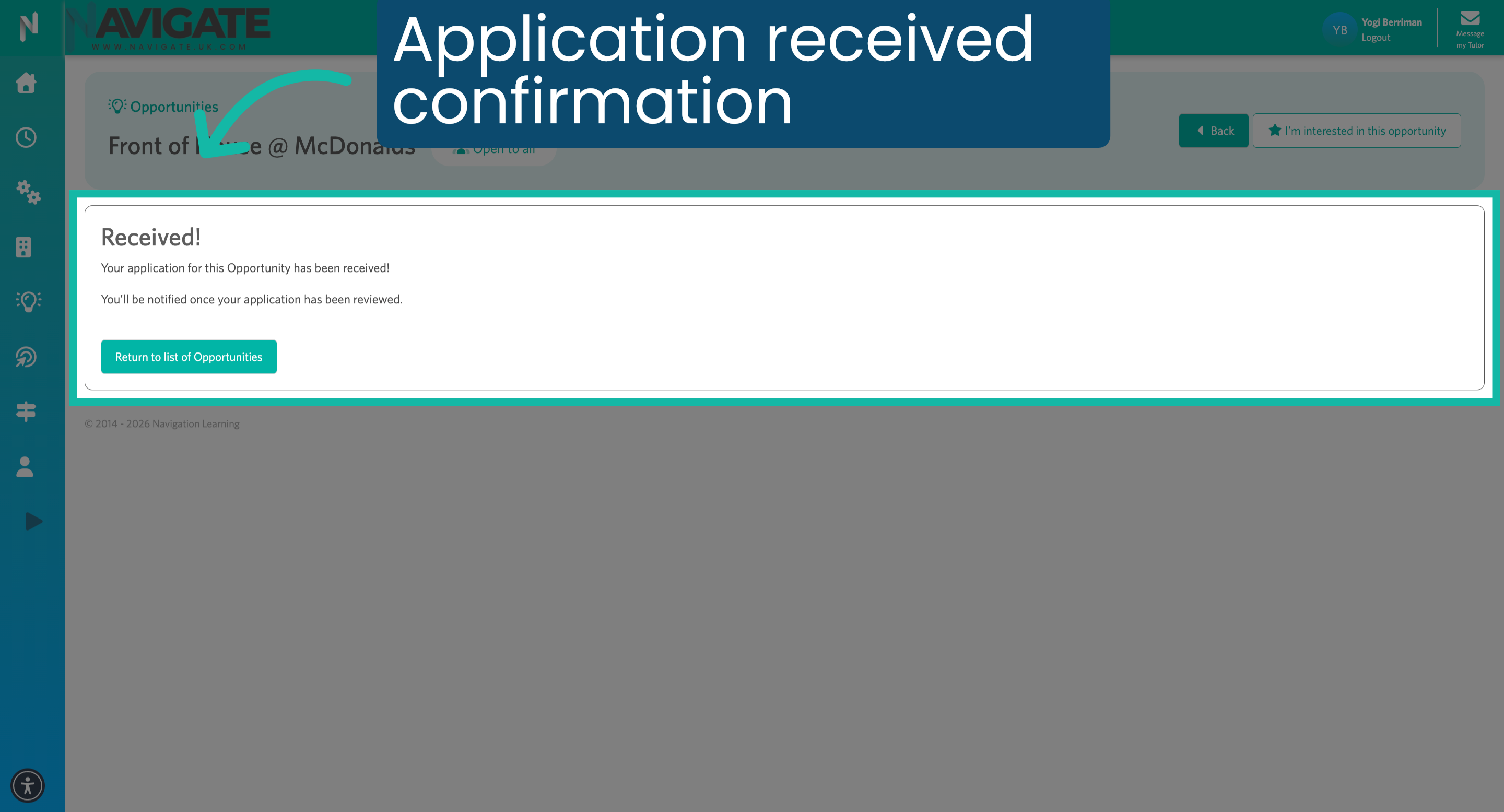
10. Acknowledge Application Receipt
You will see a received message once your application has been submitted. Click return to list of opportunities to return to your opportunities page. You will be notified once your application has been reviewed.
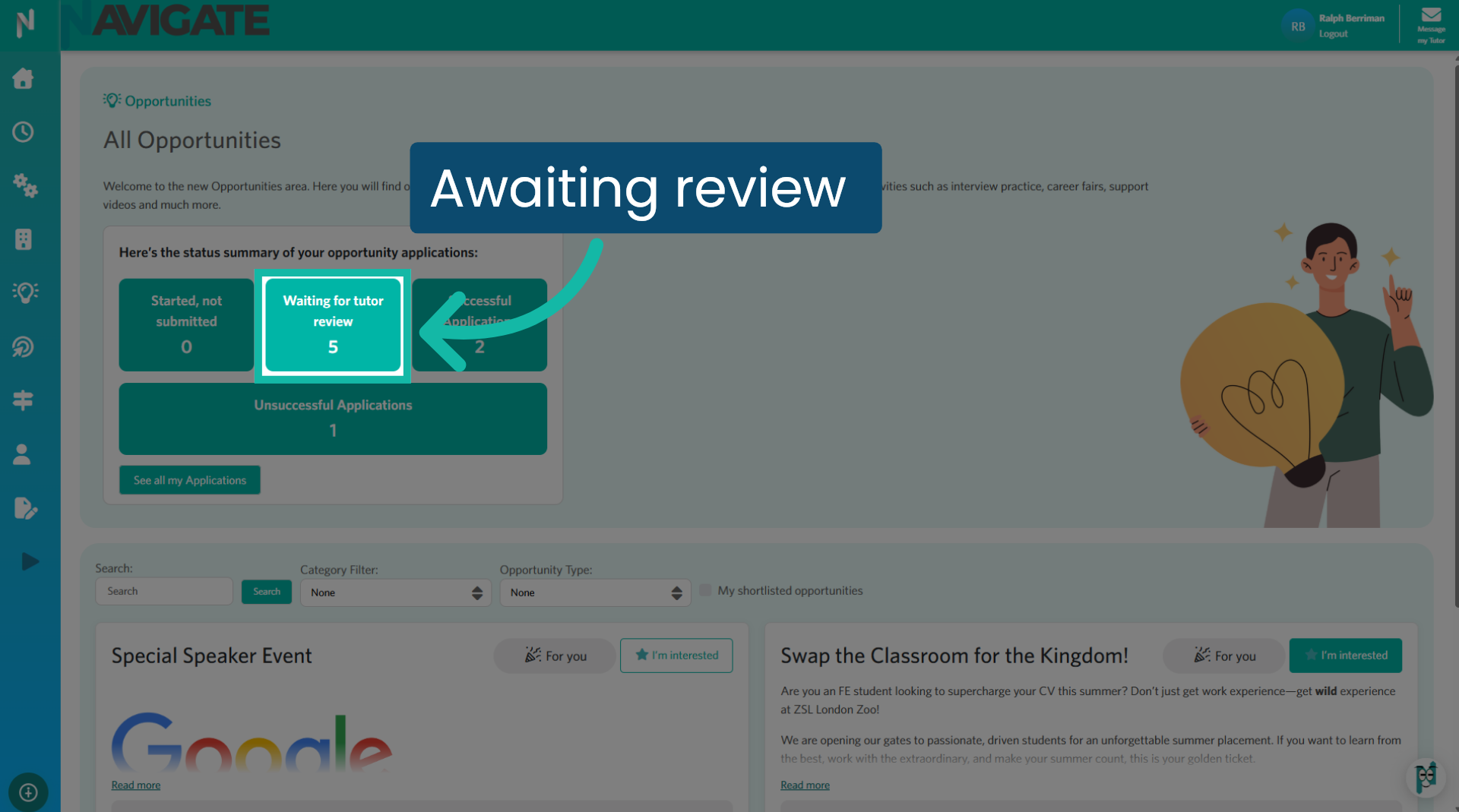
11. Awaiting review
You can view all applications you have submitted that are awaiting review in the waiting for Tudor review tile.
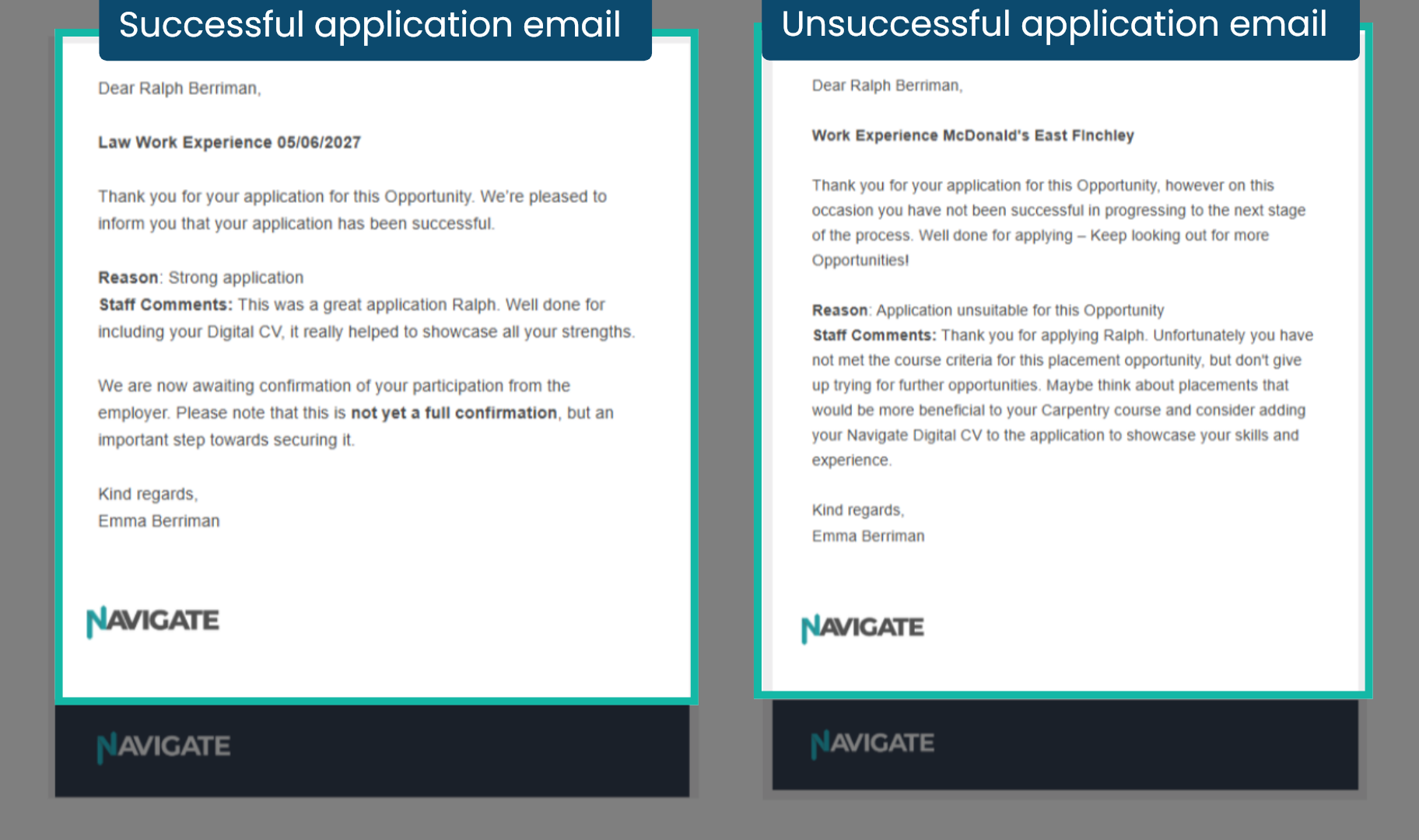
12. Applicants' emails
You will receive an email regarding the outcome of your opportunity application, whether successful or unsuccessful. The email will include all necessary details to proceed.
Was this article helpful?
That’s Great!
Thank you for your feedback
Sorry! We couldn't be helpful
Thank you for your feedback
Feedback sent
We appreciate your effort and will try to fix the article