Go to login.navigate.uk.com
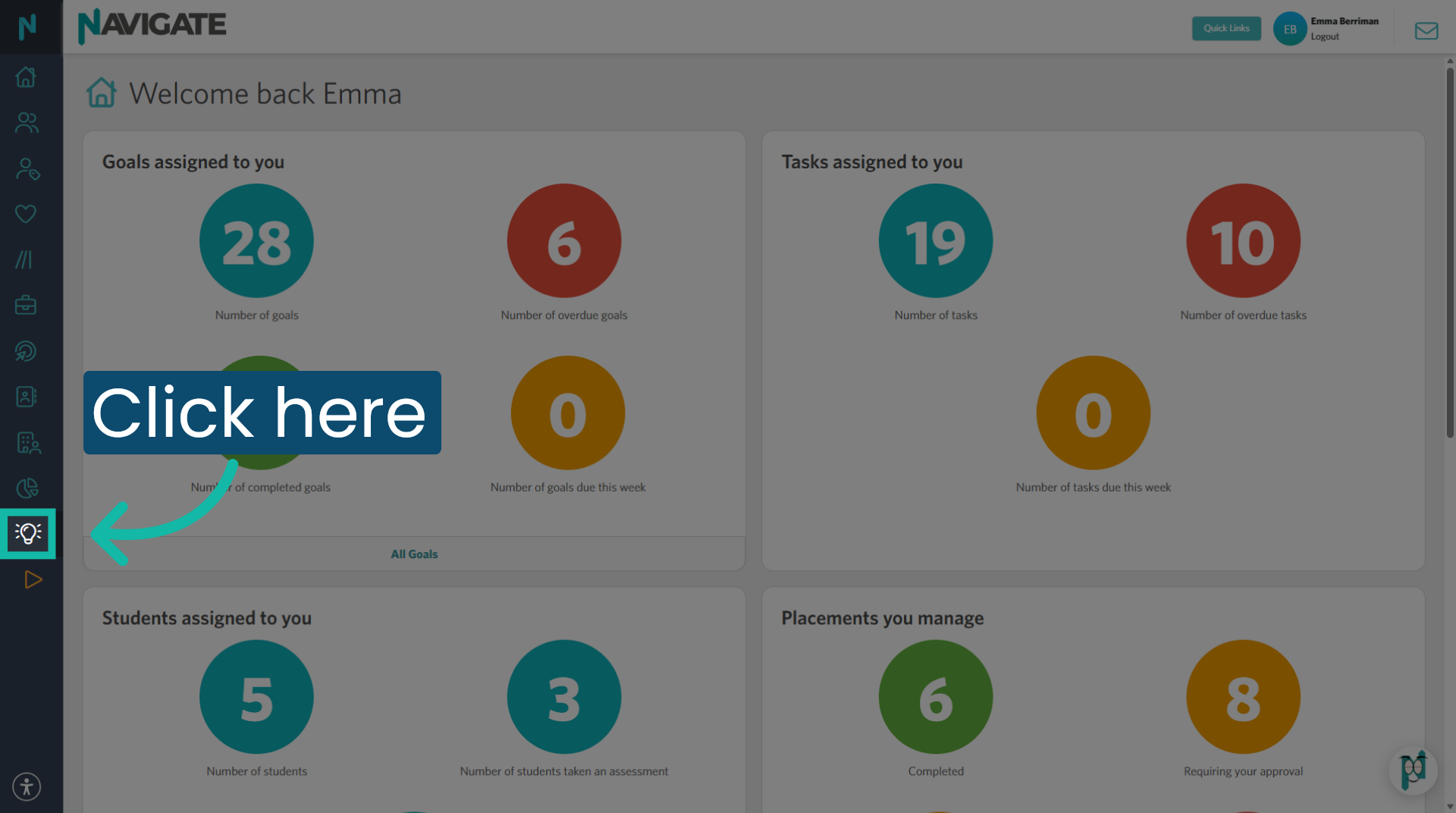
1. Access Opportunities module
Once logged in, open the opportunities module.
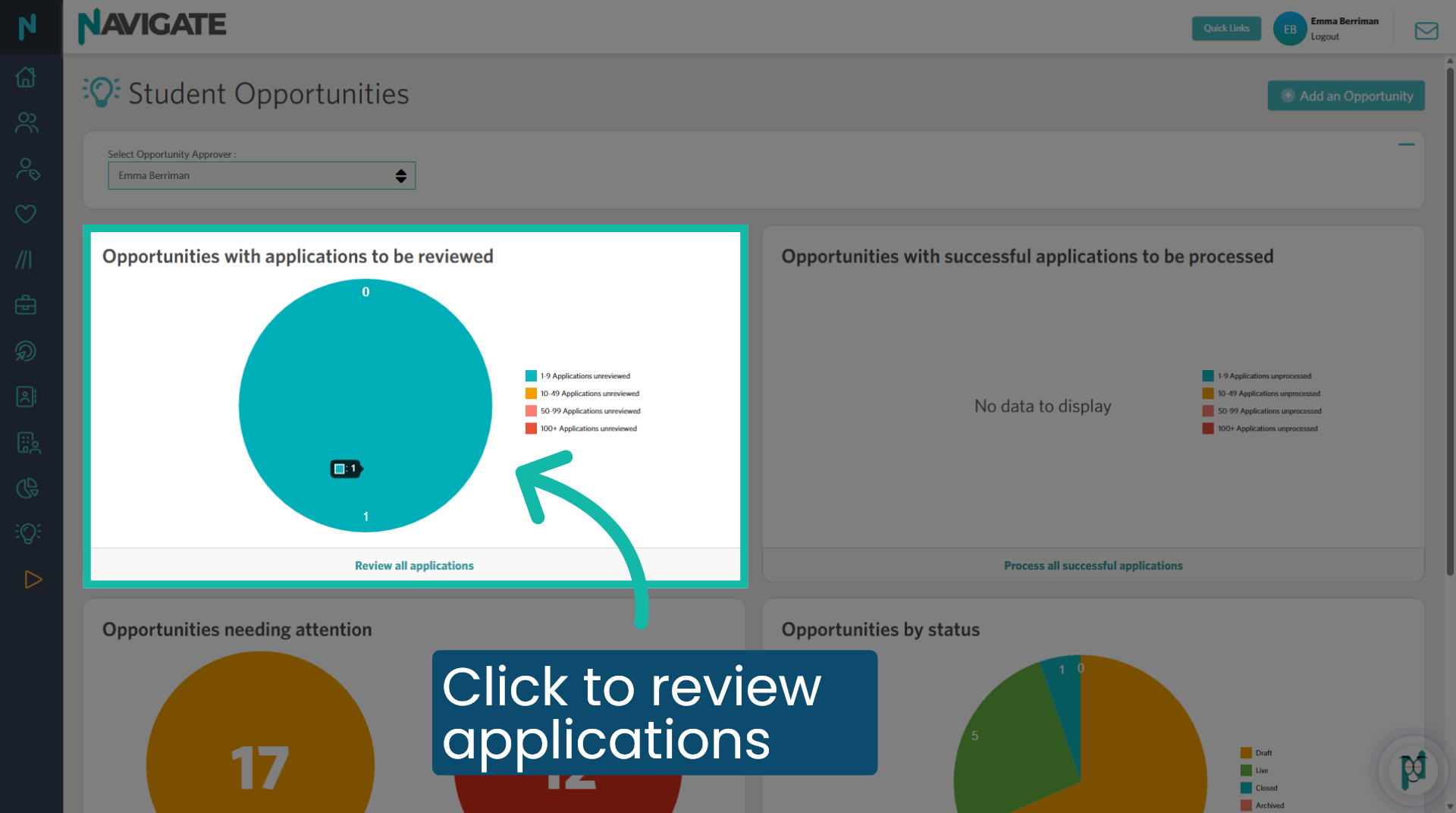
2. Open 'Opportunities to be reviewed'
Click into the bubble to see applications that you have been assigned and are awaiting your approval.
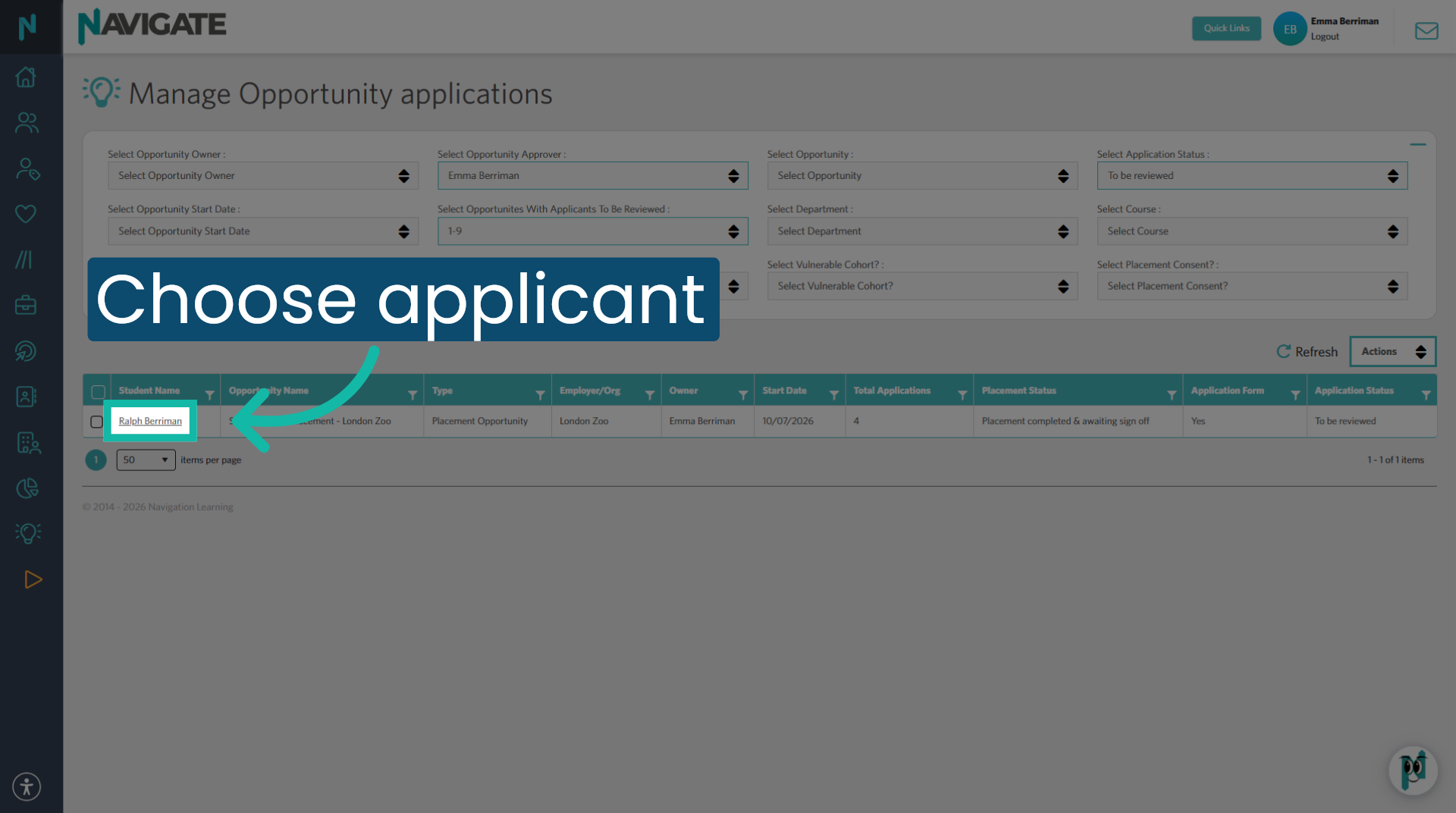
3. Select Application you wish to view
Click on the student name to view the details of their application.
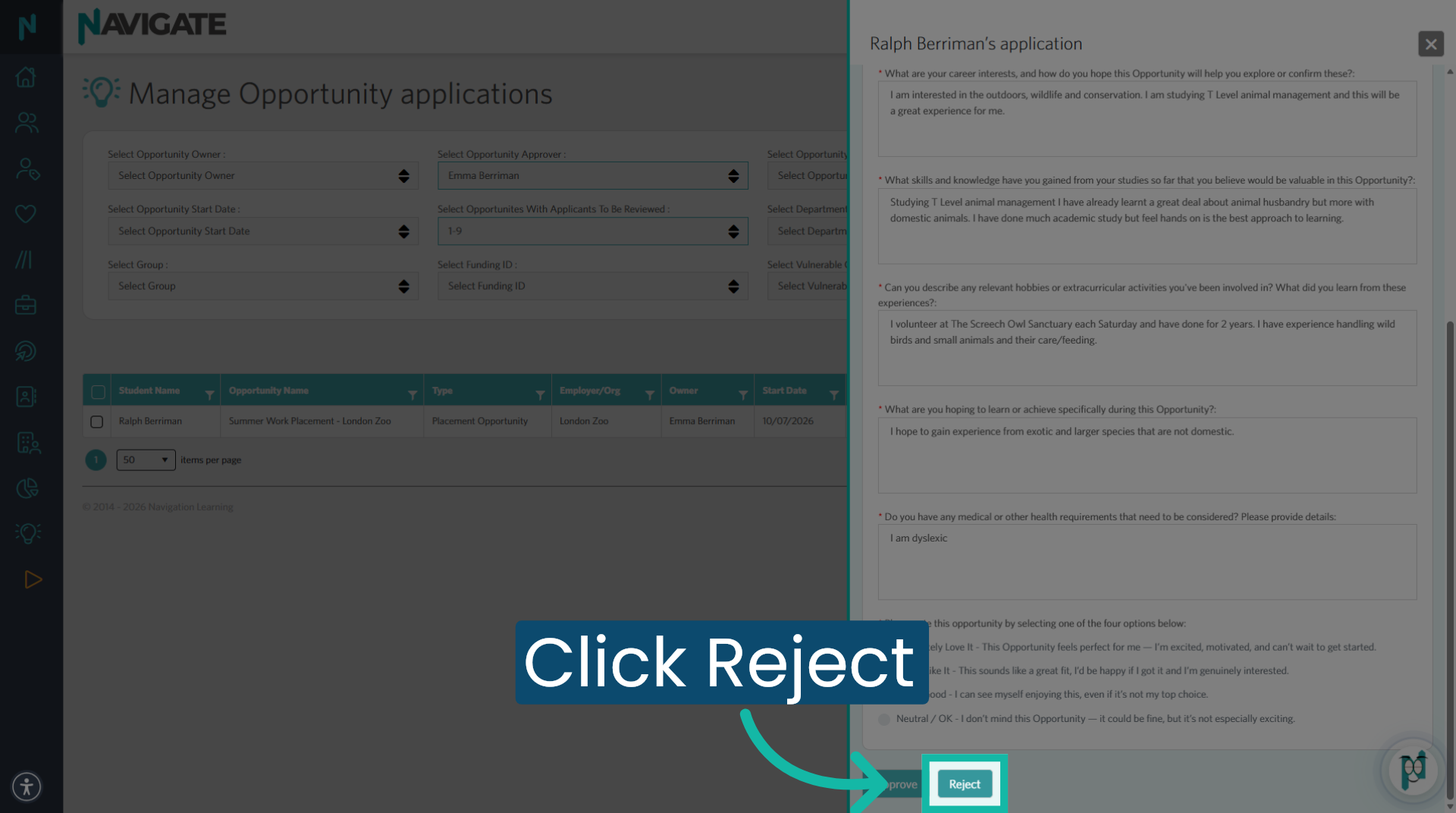
4. Review and reject application
If this application is not suitable for approval, click reject.
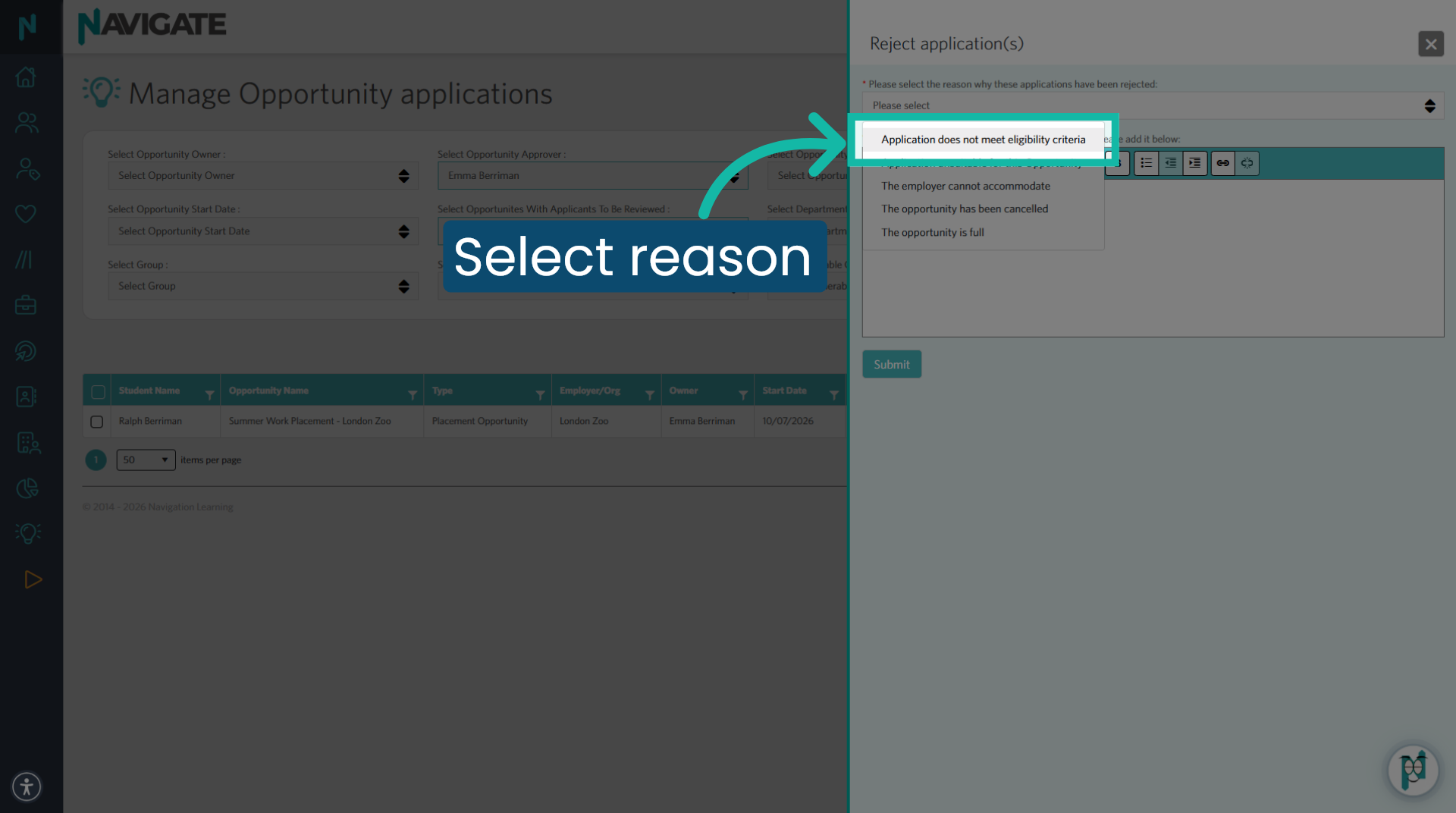
5. Select a reason for rejection
Select the relevant reason for rejecting the application from the drop-down choices.
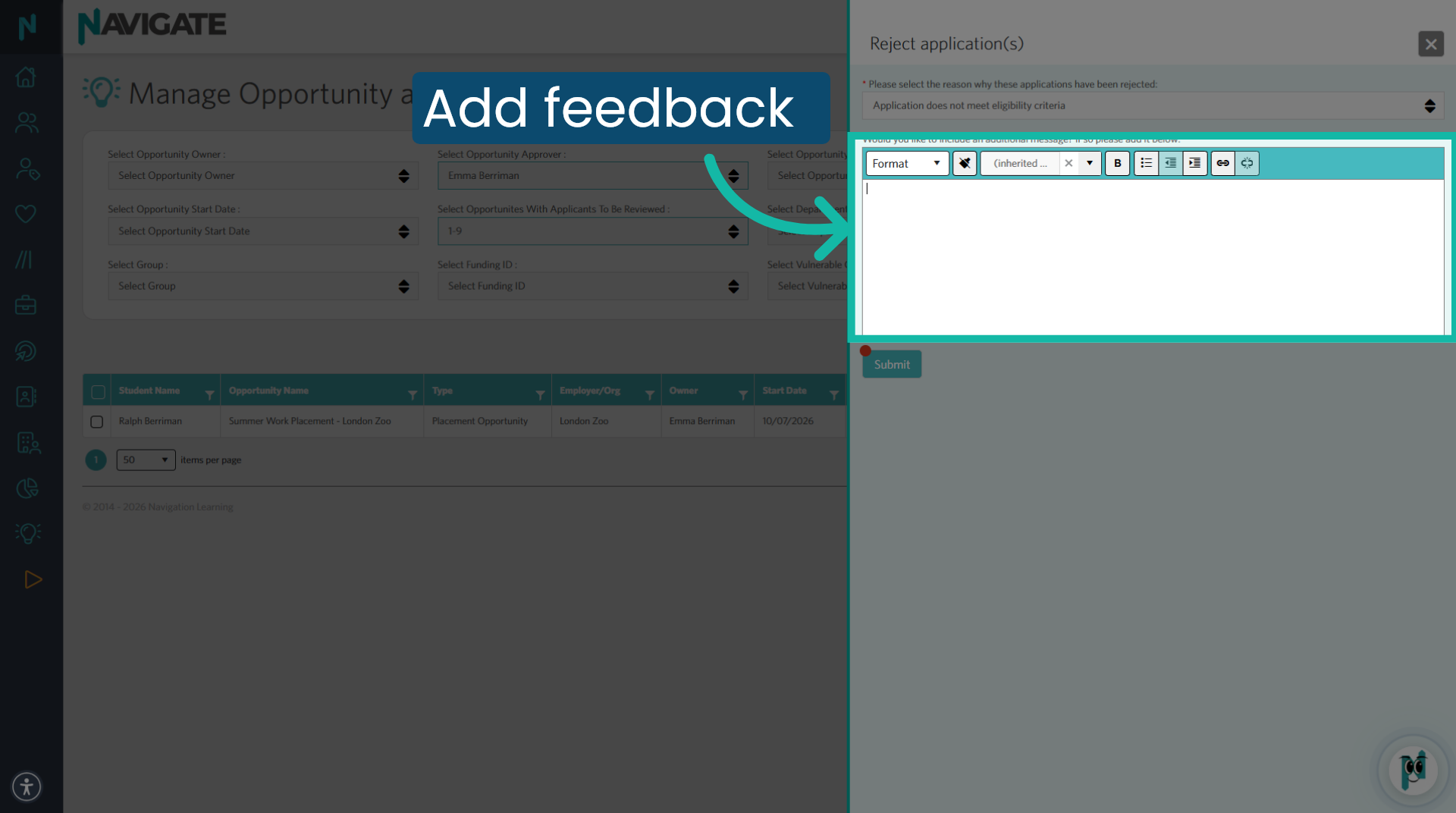
6. Add your own text
If you wish to add feedback or advice to support a further application, you can add it here.
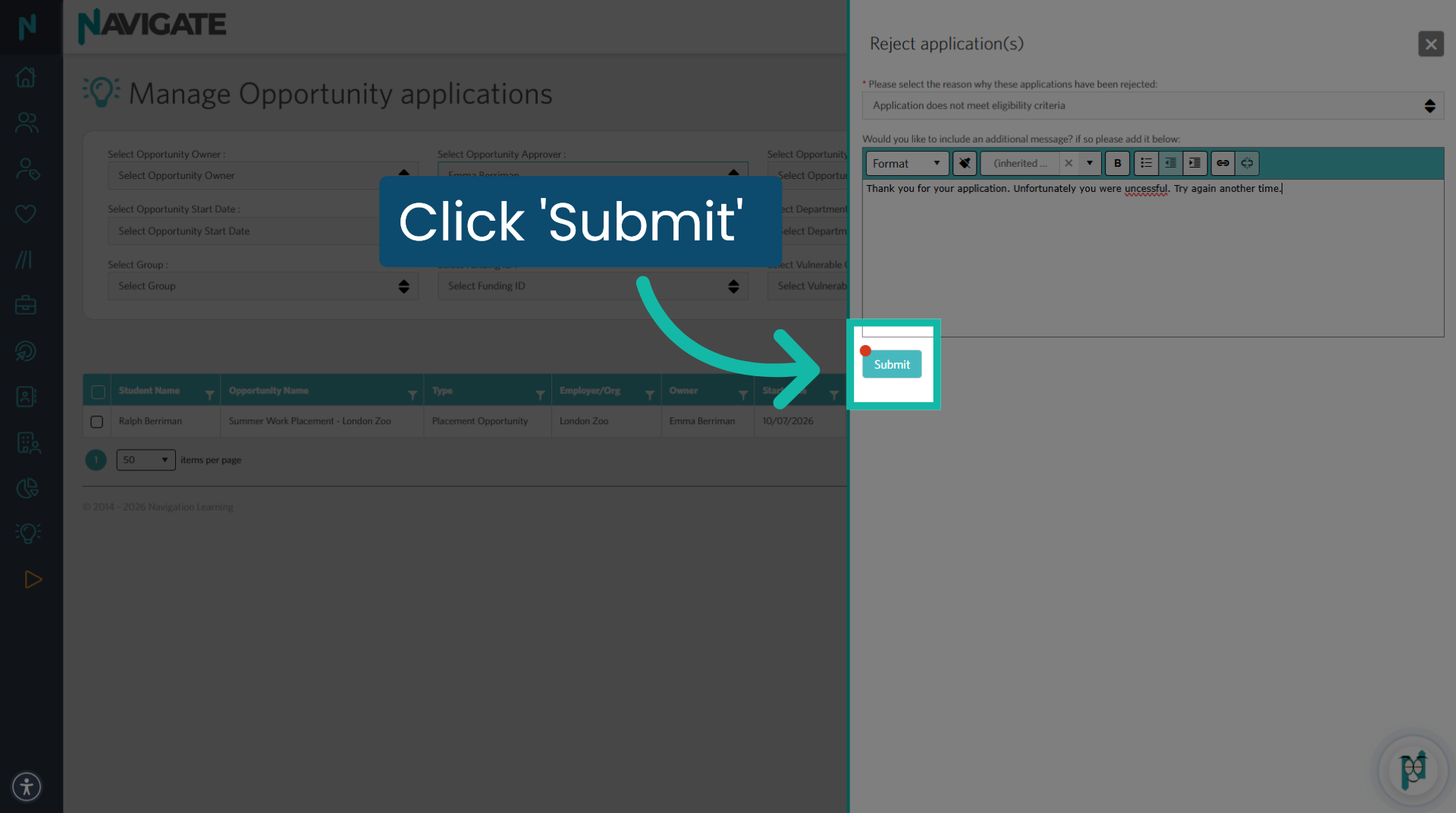
7. Click 'submit'
When you are happy with your feedback, click submit.
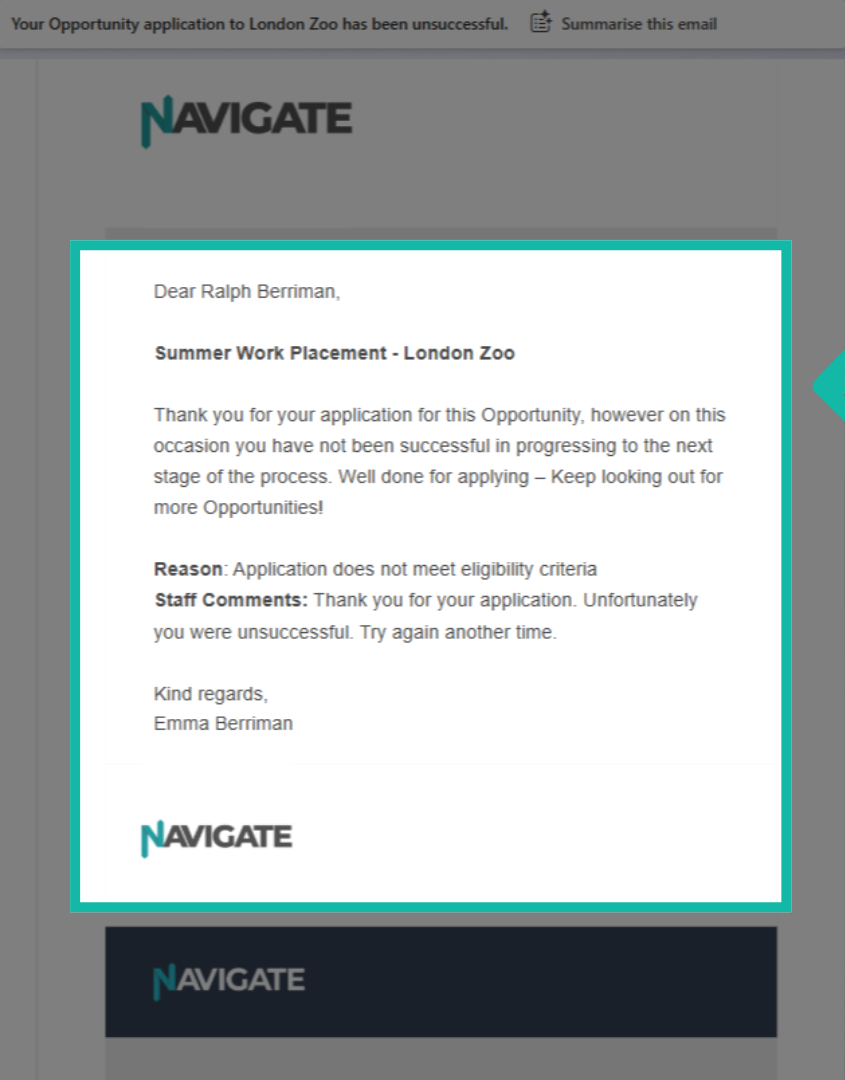
8. Student rejection email
The student will receive an email to tell them they were not successful in their application. It includes the reason and any comments the staff has added.
Was this article helpful?
That’s Great!
Thank you for your feedback
Sorry! We couldn't be helpful
Thank you for your feedback
Feedback sent
We appreciate your effort and will try to fix the article