Go to login.navigate.uk.com
1. Introduction
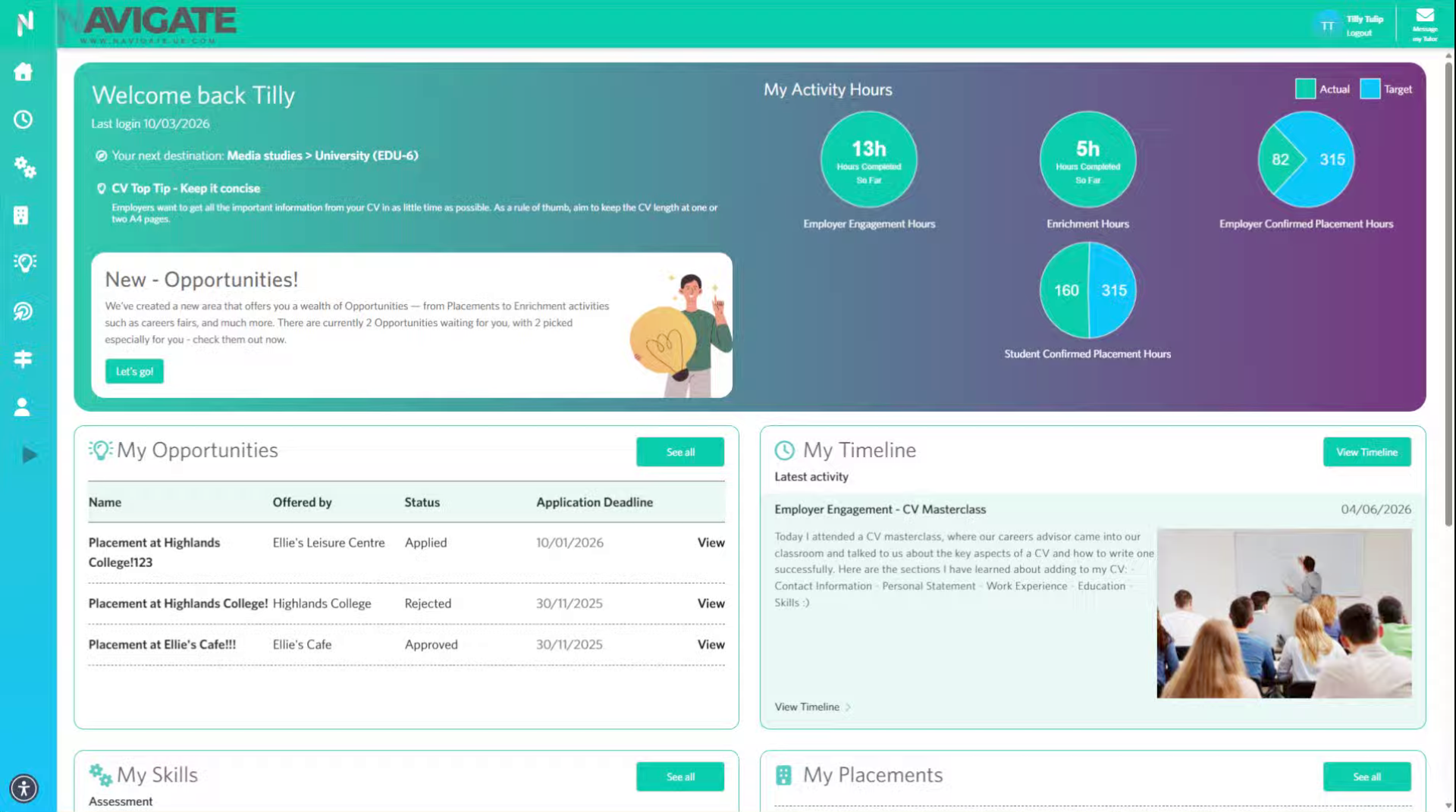
Once you have logged in, you will see your navigate dashboard.
2. Expand module menu
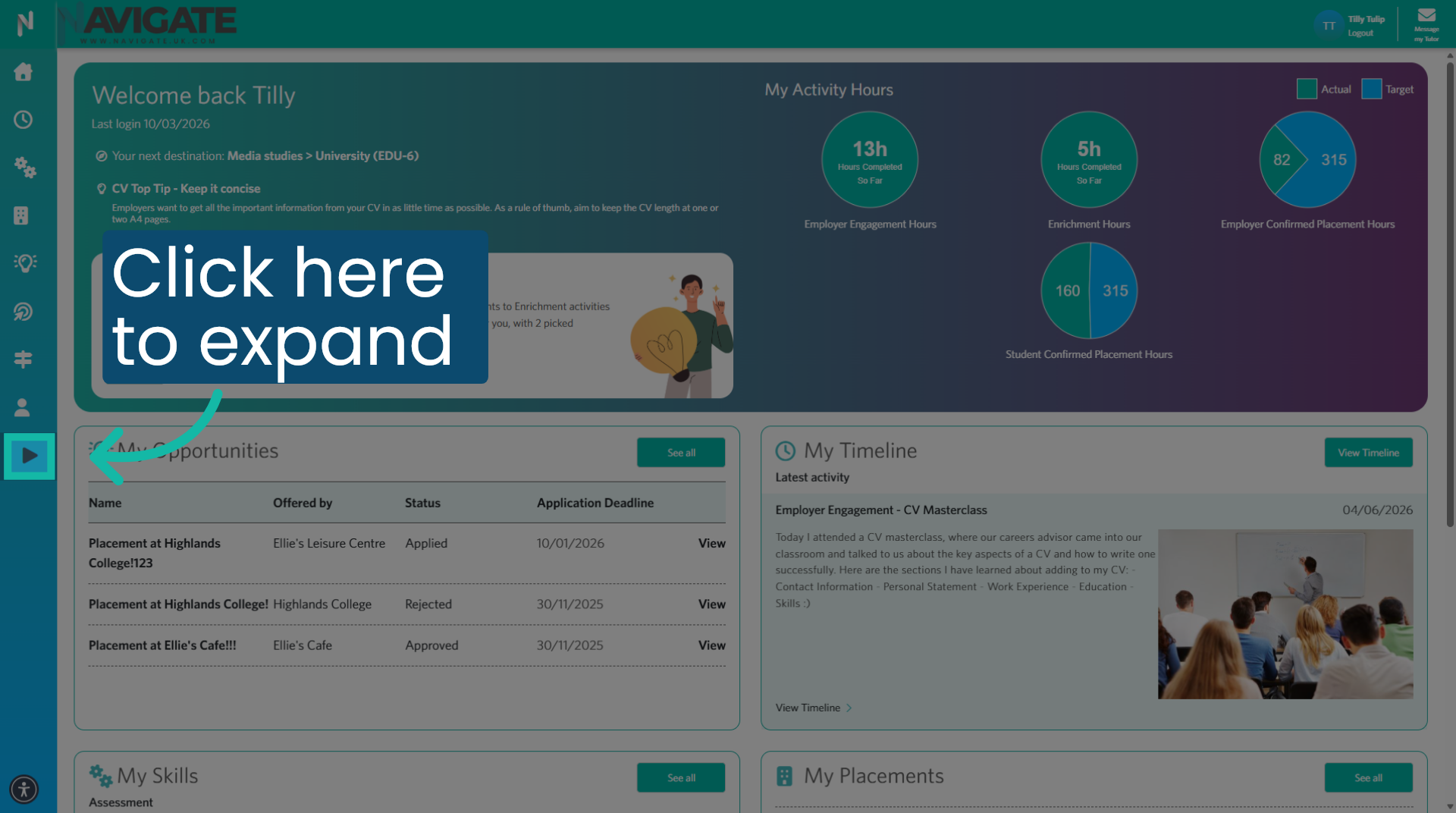
Click here to expand the menu if necessary.
3. Open Profile
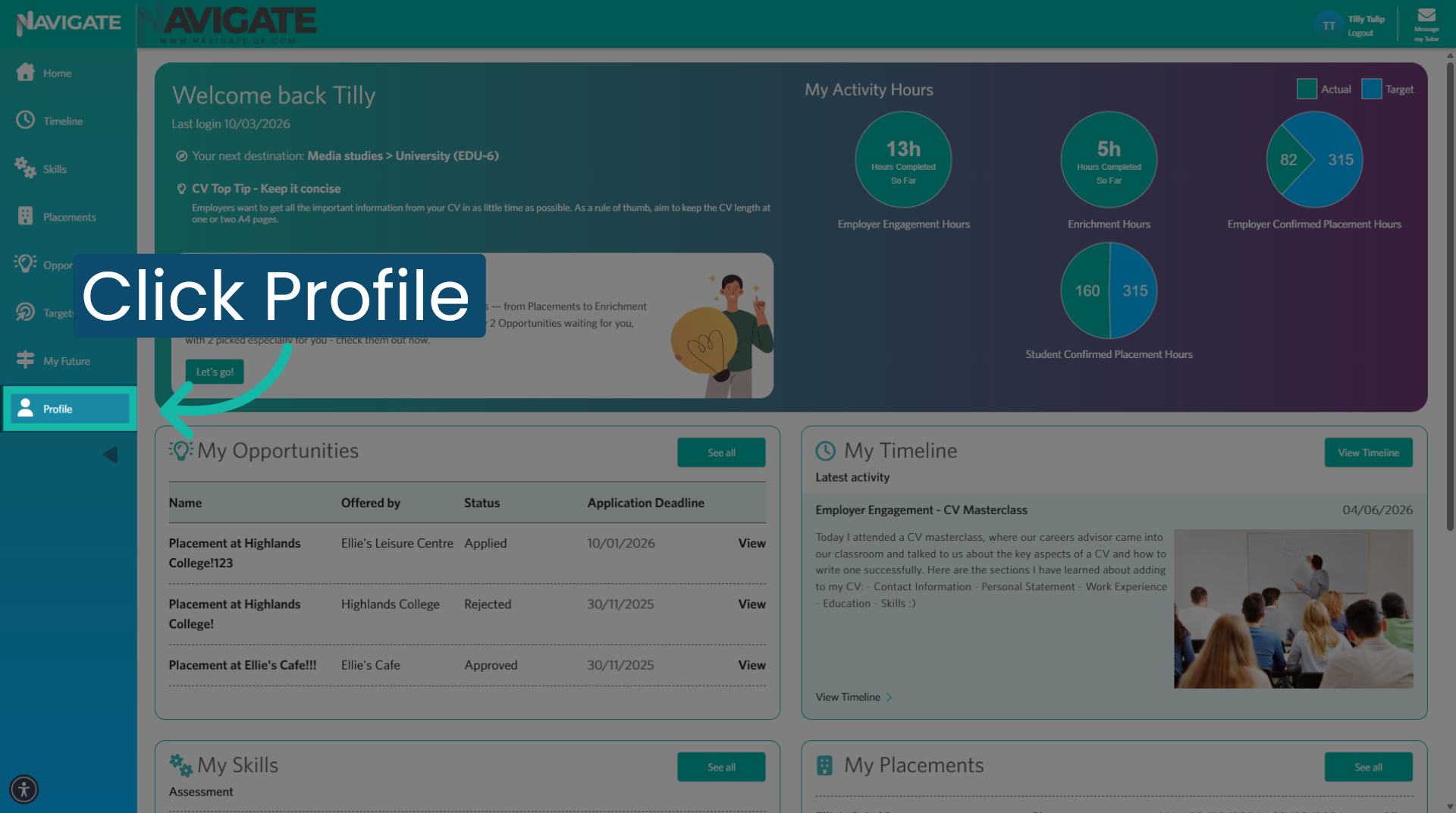
Then click profile to open your profile module.
4. Download CV Data
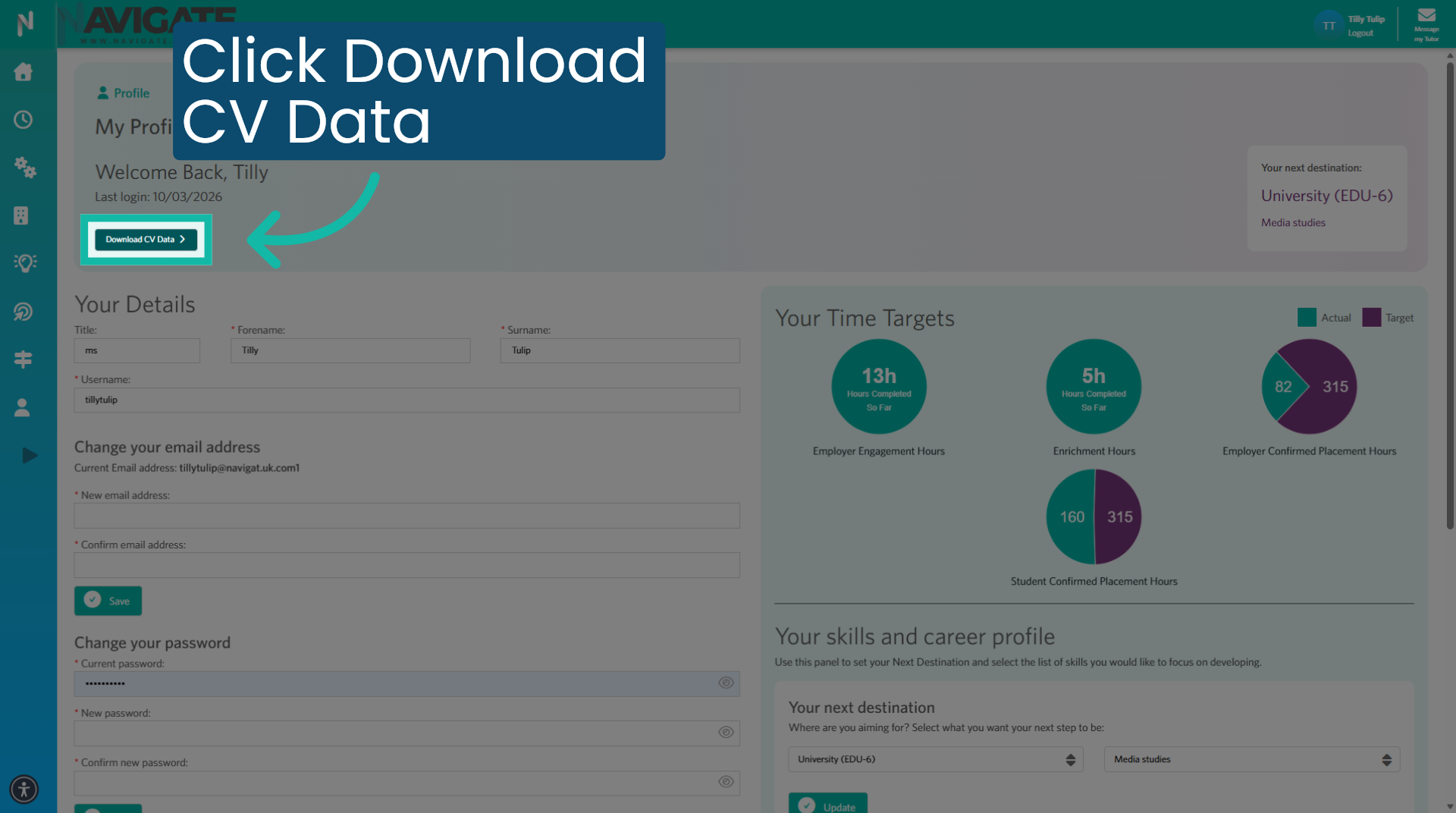
Next, click download CV data to download a copy of your CV.
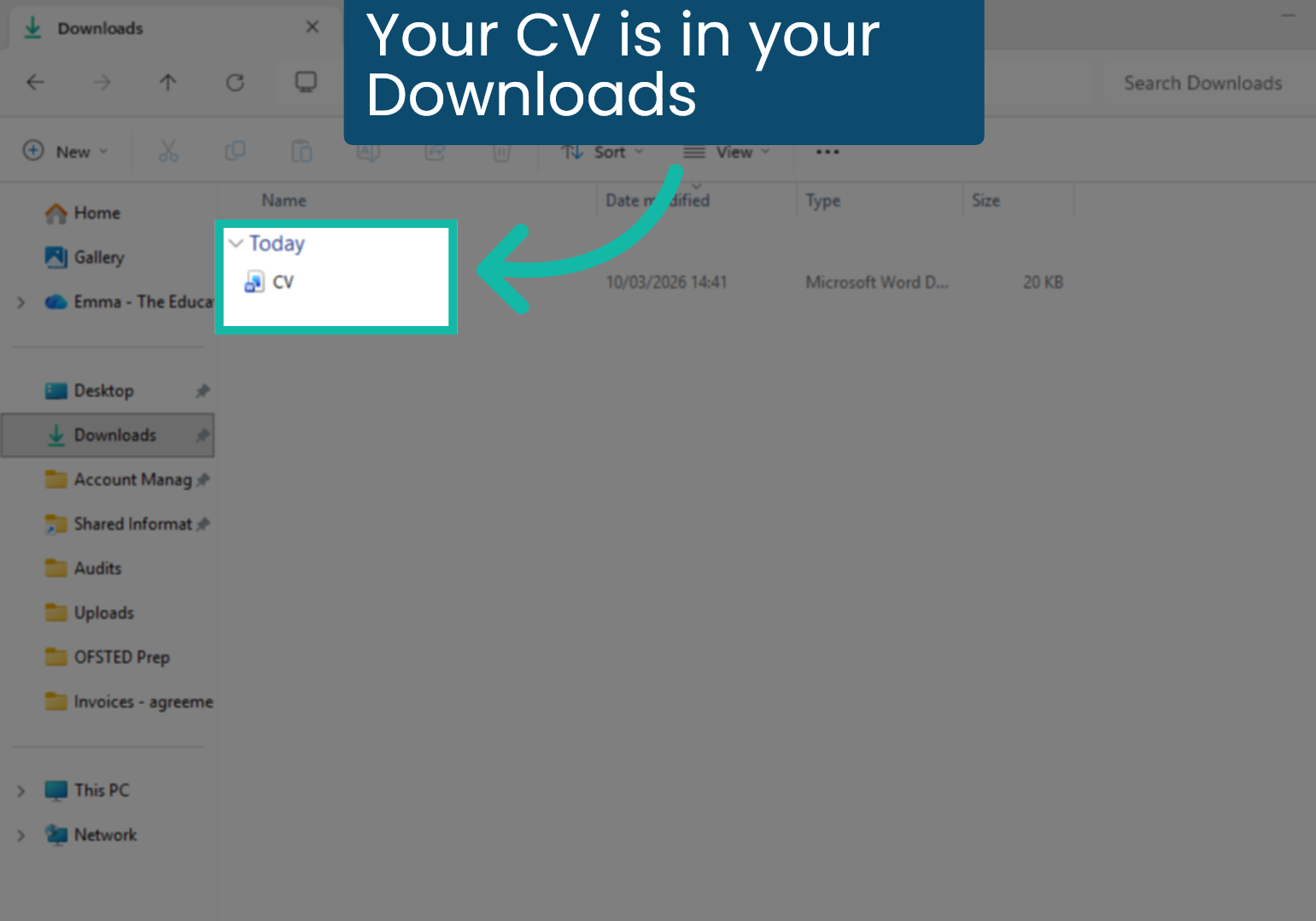
5. Your CV is in your Downloads
You can find the downloaded CV in your download folder.
Was this article helpful?
That’s Great!
Thank you for your feedback
Sorry! We couldn't be helpful
Thank you for your feedback
Feedback sent
We appreciate your effort and will try to fix the article