My Digital CV - An Overview

Created by Chris Rowe, Modified on Fri, 3 Jul at 2:58 PM by Chris Rowe

00:31: Click "Back to My Digital CV" to return to the main overview of your digital CV.

00:55: Click "Not Started

00:56: - Add now" to begin setting up sharing options for your CV.

01:05: Enter on to confirm activation of additional sharing settings.

01:09: Click "You have not added any invitees entries yet" to manage your invitees.

01:15: Click here to add a new invitee to your CV sharing list.

01:19: Enter on to input the details of the new invitee securely.

01:23: Click here to manage options for your invitees.

01:27: Enter on to complete the invitee information form.

01:31: Click "You have not added any invitees entries yet" to review or update your invitees.

01:37: Click "You have not added any invitees entries yet" to check your current invitees.

01:43: Click "Users with access" to verify who can view your CV.

01:47: Click "Users with access" again to confirm access permissions settings.

01:53: Click "Back to My Digital CV" to return to your main CV dashboard overview.

01:58: You have successfully navigated and managed your Digital CV dashboard,

02:02: including updating details,

02:04: previewing,

02:05: analysing,

02:06: and configuring sharing settings.

02:08: For further assistance,

02:10: explore additional features or consult the help resources available within the

02:14: platform.

This tutorial guides you through creating your digital CV, previewing it, using AI to analyse content, editing, and sharing.

Go to navigate.uk.com

1. Access the Digital CV module

Click "Digital CV" to open the Digital CV module.
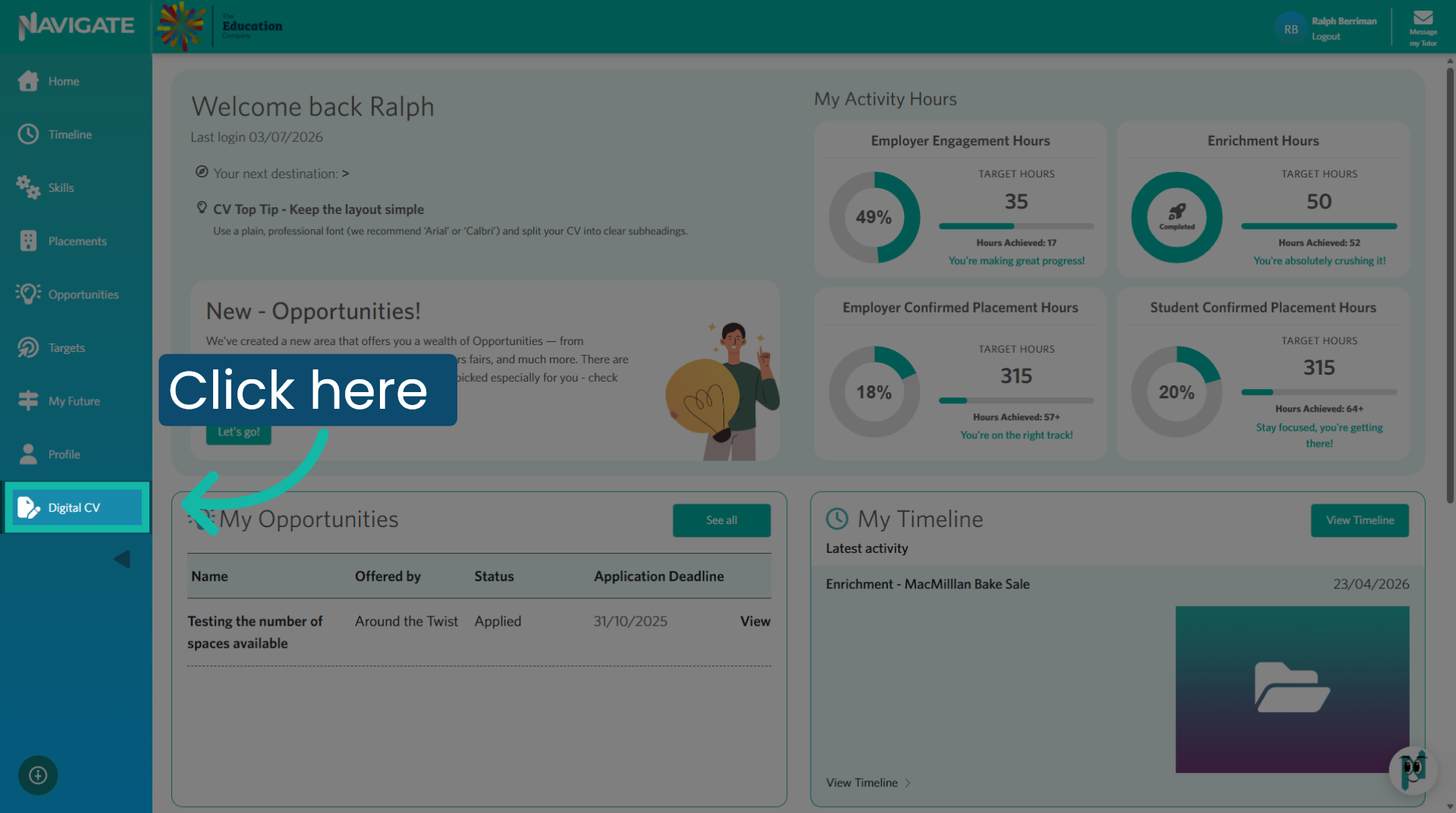
Access Digital CV module

2. Select a section

Click on each section to complete or edit.
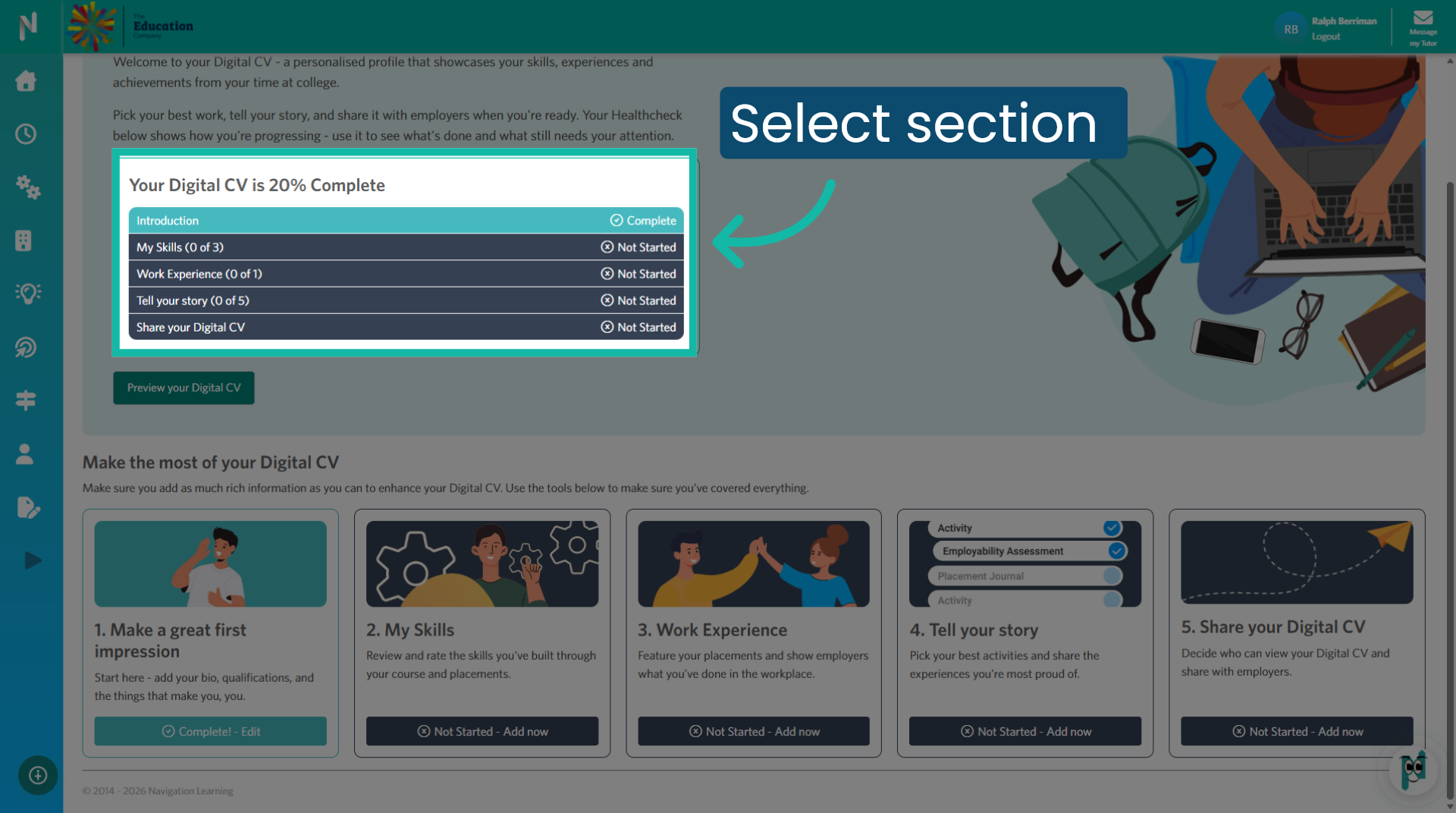
Select a section

3. Select an element

This introduction section consists of five elements to complete. Click to expand each element.
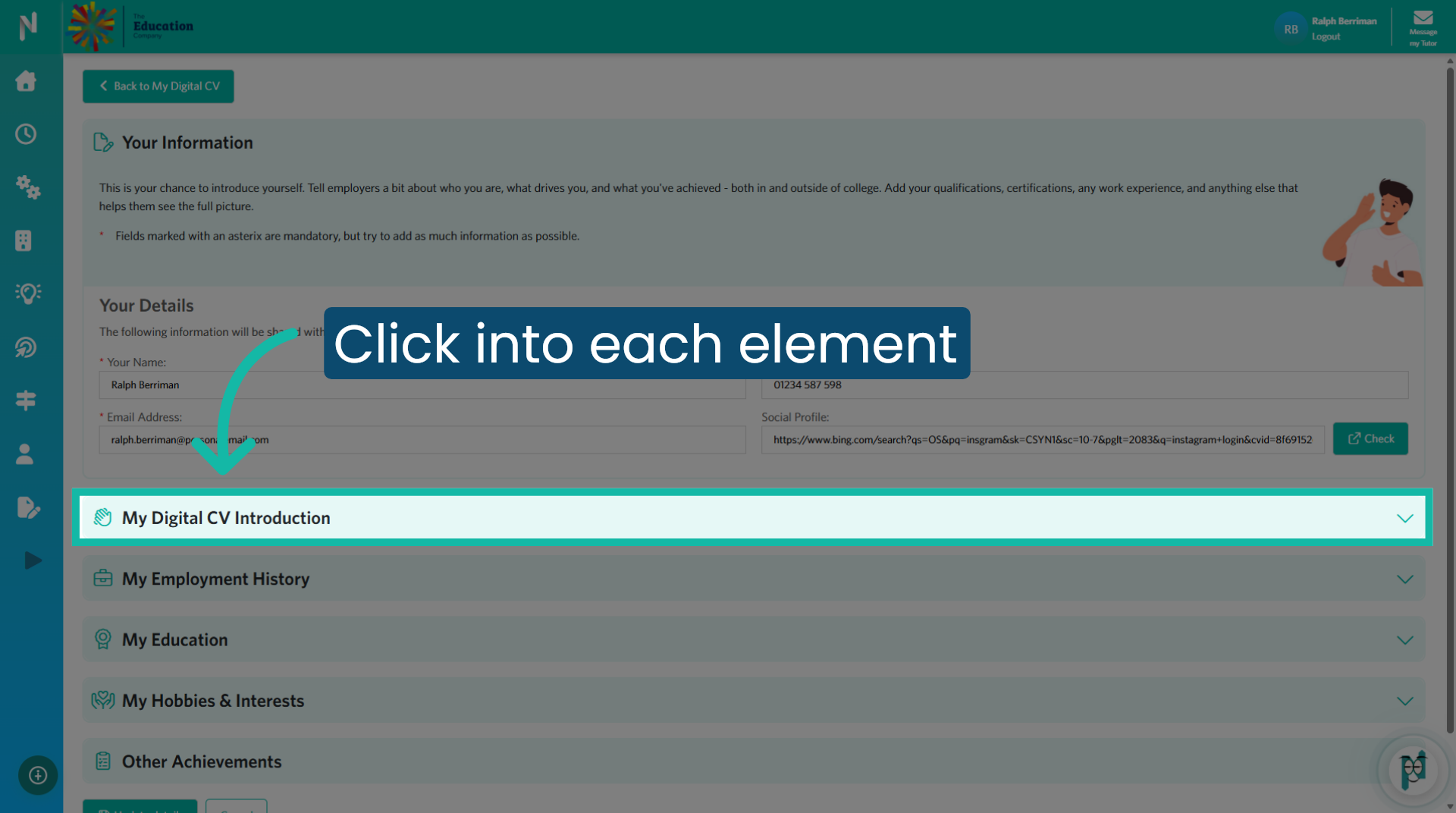
4. Click to save your changes

Click the "Update details" button at the bottom of the page to save any additions or edits you have made to this section.
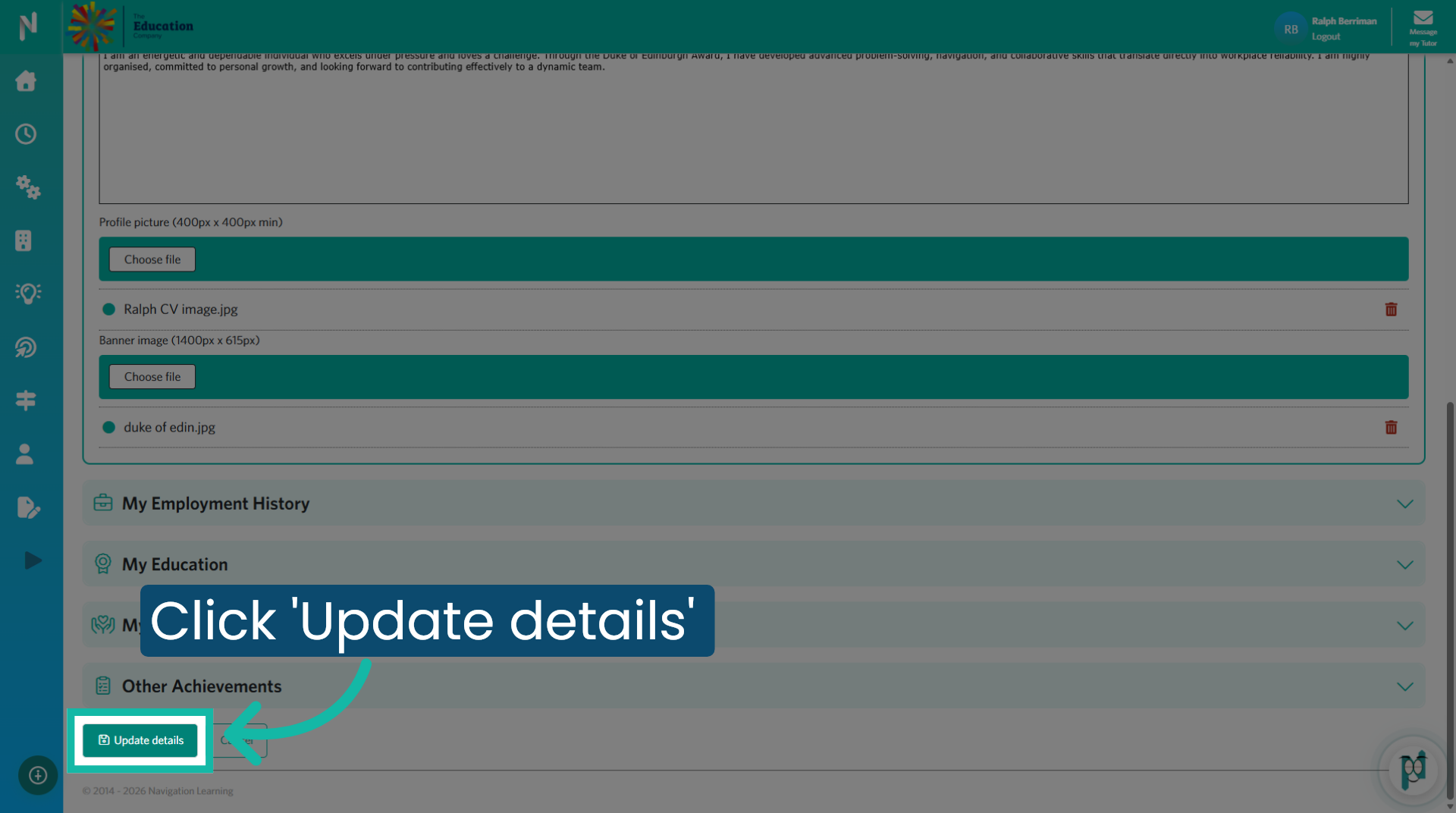
Click to save your changes

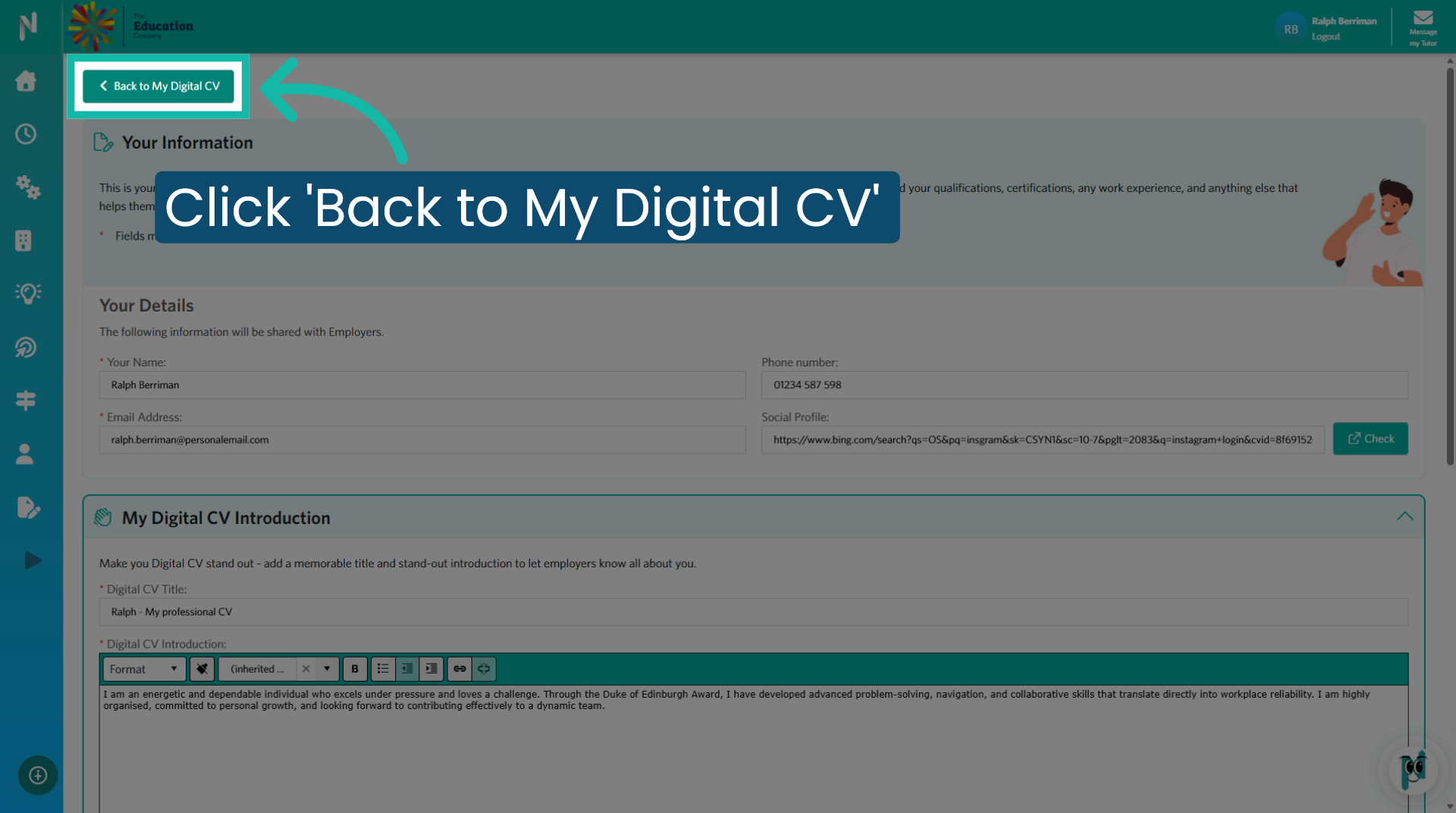
5. Click 'Back to My Digital CV'

Click "Back to My Digital CV" to return to the main overview of your digital CV.

Click 'Back to My Digital CV'

6. Preview Your Digital CV

Click "Preview your Digital CV" to see how your CV appears to others.
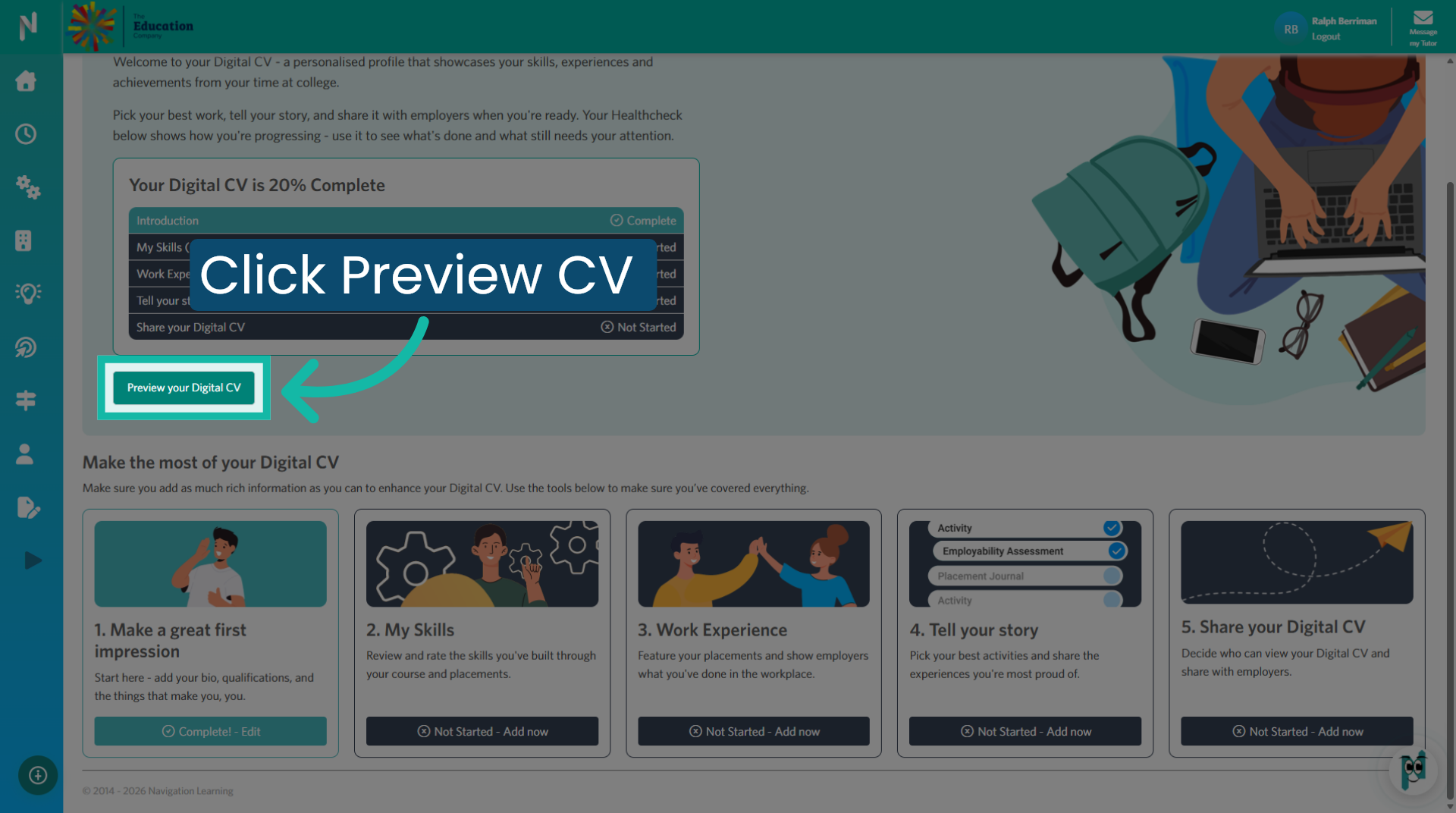
Preview Your Digital CV

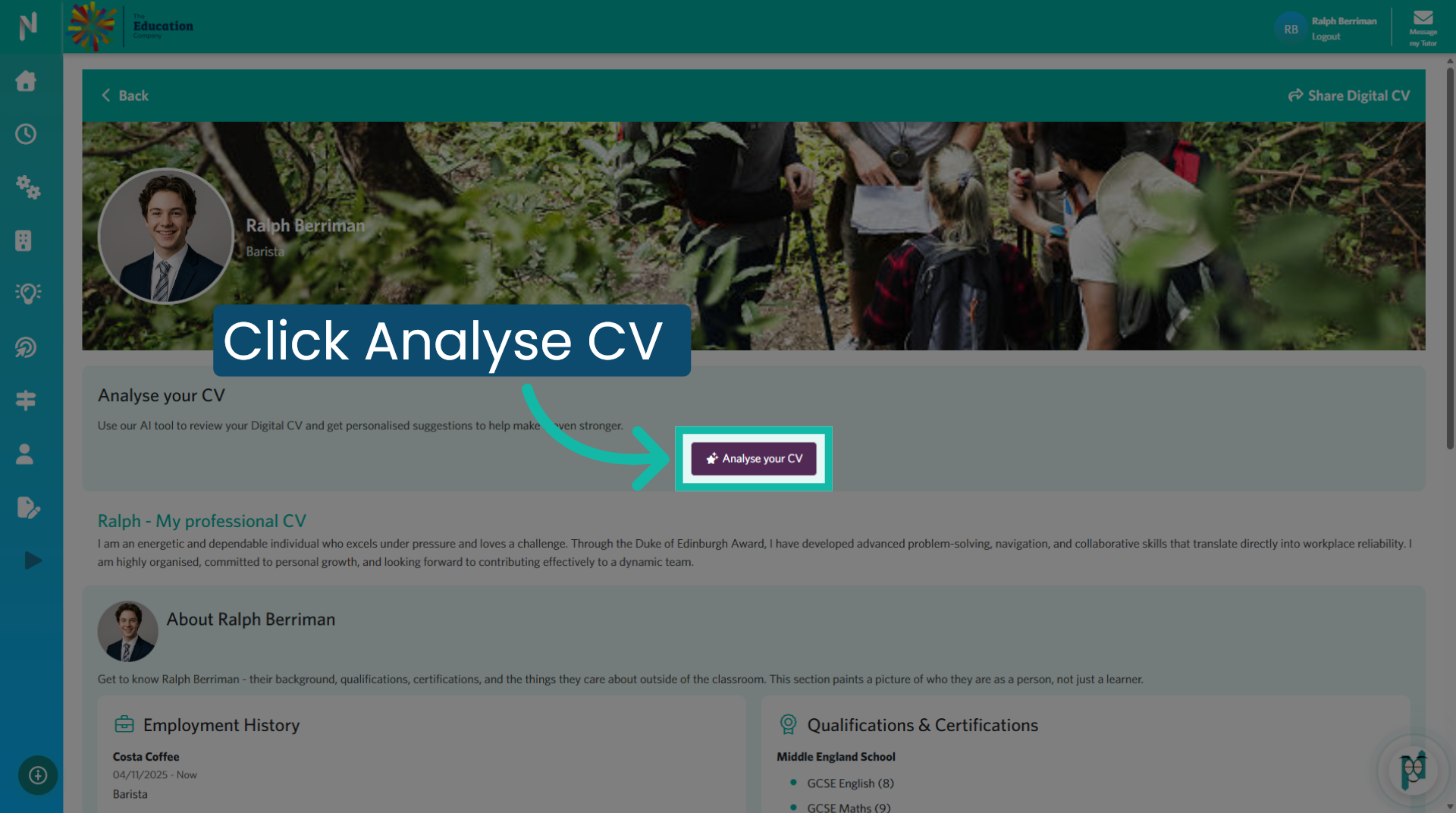
7. Analyse Your CV Content

Click "Analyse your CV" . This will engage Ai to review and indicate areas of your CV's that could be improved.

Analyse Your CV Content

8. Return to Digital CV Dashboard

Click "Back" to return to your CV dashboard.
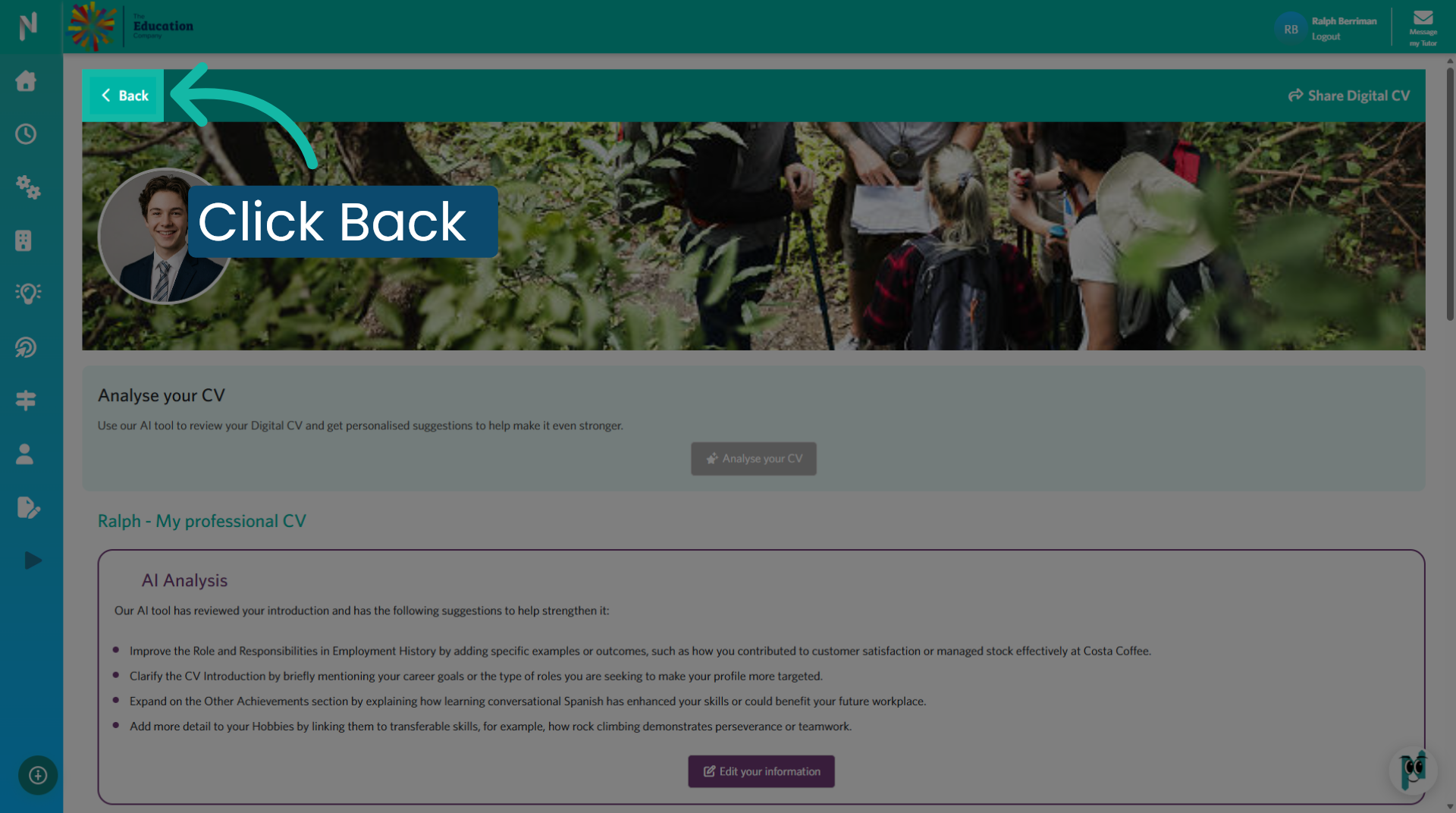
Return to Digital CV Dashboard

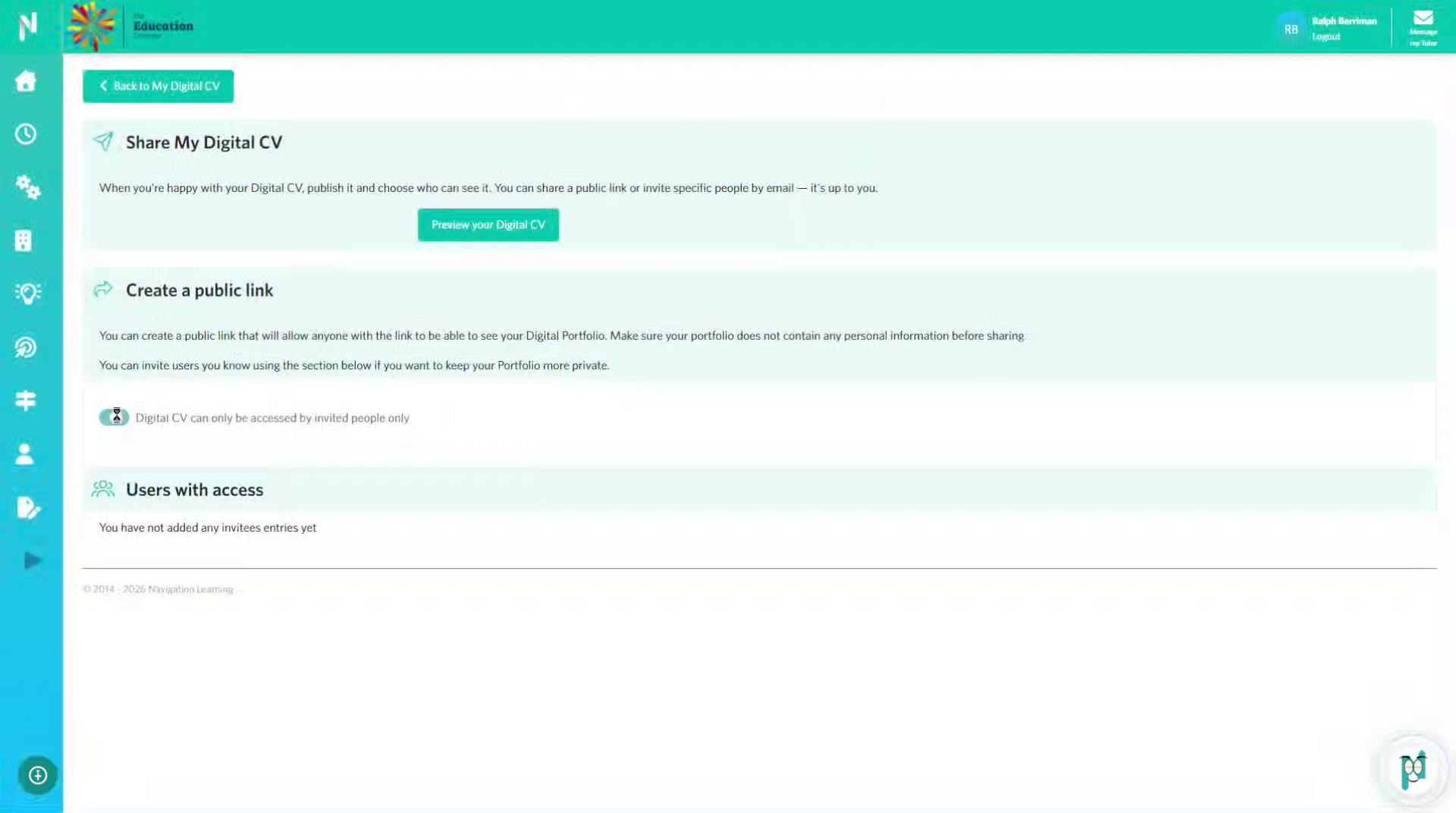
9. Share your Digital CV

Click "Not Started - Add now" to begin setting up sharing options for your CV.
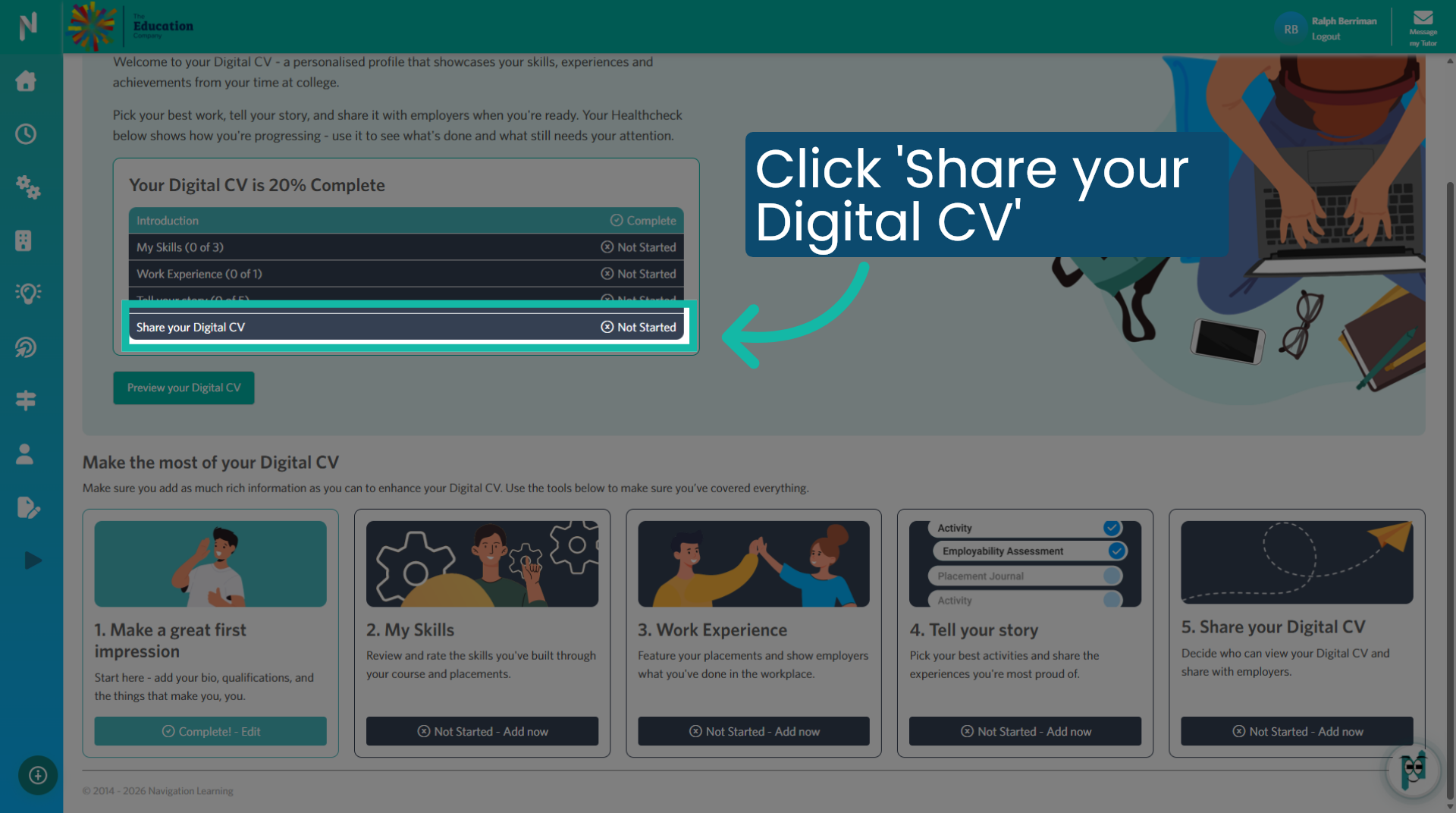
Share your Digital CV

10. Public Link

Switch toggle on to make your Digital CV shareable with a link.

Public Link

11. Confirm Sharing Activation

Enter on to confirm activation of additional sharing settings.

Confirm Sharing Activation

12. Open Invitees List

Click "You have not added any invitees entries yet" to manage your invitees.

Open Invitees List

13. Add New Invitee

Click here to add a new invitee to your CV sharing list.

Add New Invitee

14. Enter Invitee Details

Enter on to input the details of the new invitee securely.

Enter Invitee Details

15. Access Invitee Options

Click here to manage options for your invitees.

Access Invitee Options

16. Fill Invitee Information

Enter on to complete the invitee information form.

Fill Invitee Information

17. Manage Invitees List

Click "You have not added any invitees entries yet" to review or update your invitees.

Manage Invitees List

18. Review Invitees Entries

Click "You have not added any invitees entries yet" to check your current invitees.

Review Invitees Entries

19. Check Users With Access

Click "Users with access" to verify who can view your CV.

Check Users With Access

20. Confirm Access Permissions

Click "Users with access" again to confirm access permissions settings.

Confirm Access Permissions

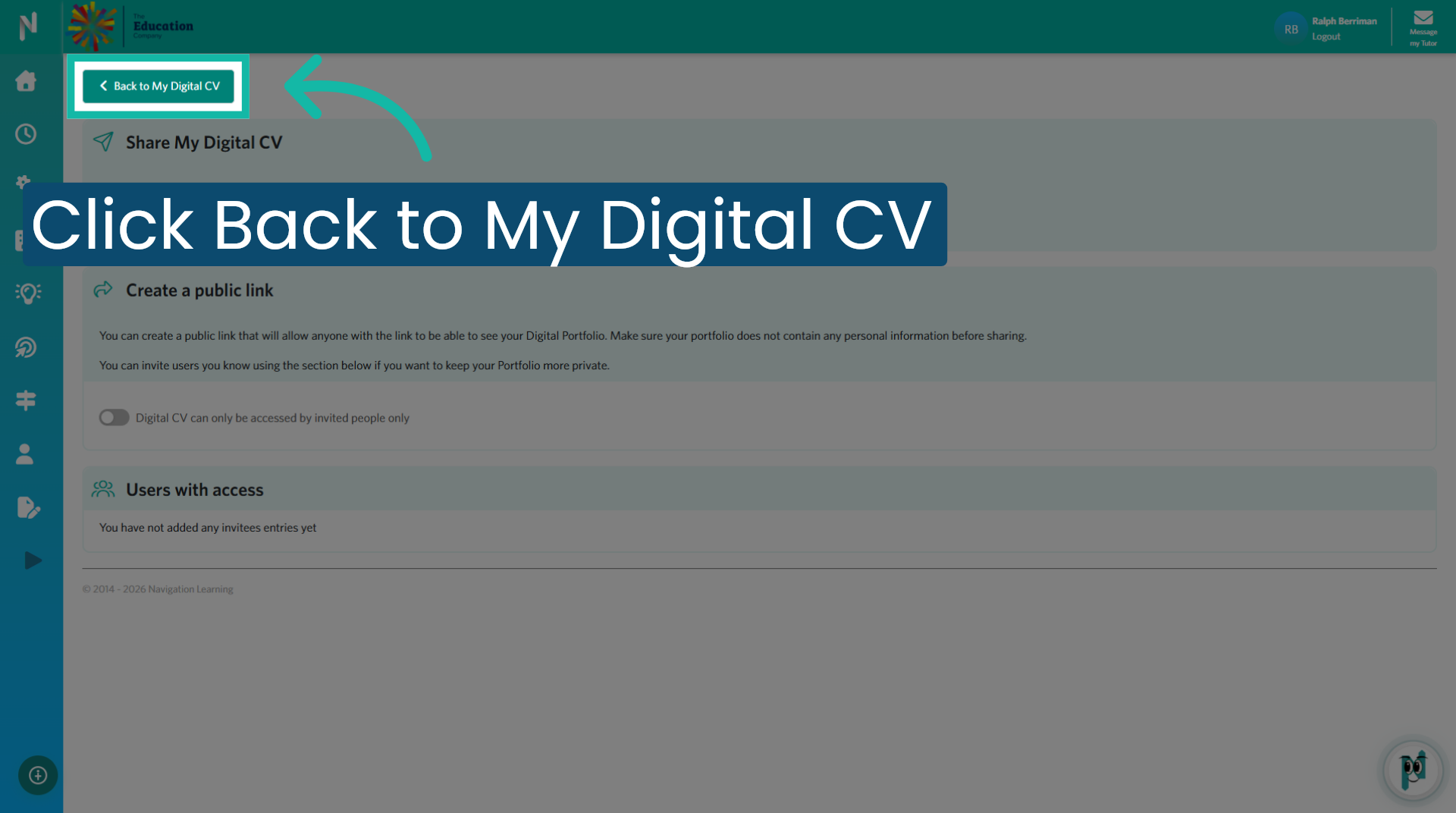
21. Return to Digital CV Overview

Click "Back to My Digital CV" to return to your main CV dashboard overview.

Return to Digital CV Overview

You have successfully navigated and managed your Digital CV dashboard, including updating details, previewing, analysing, and configuring sharing settings. For further assistance, explore additional features or consult the help resources available within the platform.

Was this article helpful?

That’s Great!

Thank you for your feedback

Sorry! We couldn't be helpful

Thank you for your feedback

Let us know how can we improve this article!

Select at least one of the reasons
CAPTCHA verification is required.

Feedback sent

We appreciate your effort and will try to fix the article