Go to login.navigate.uk.com
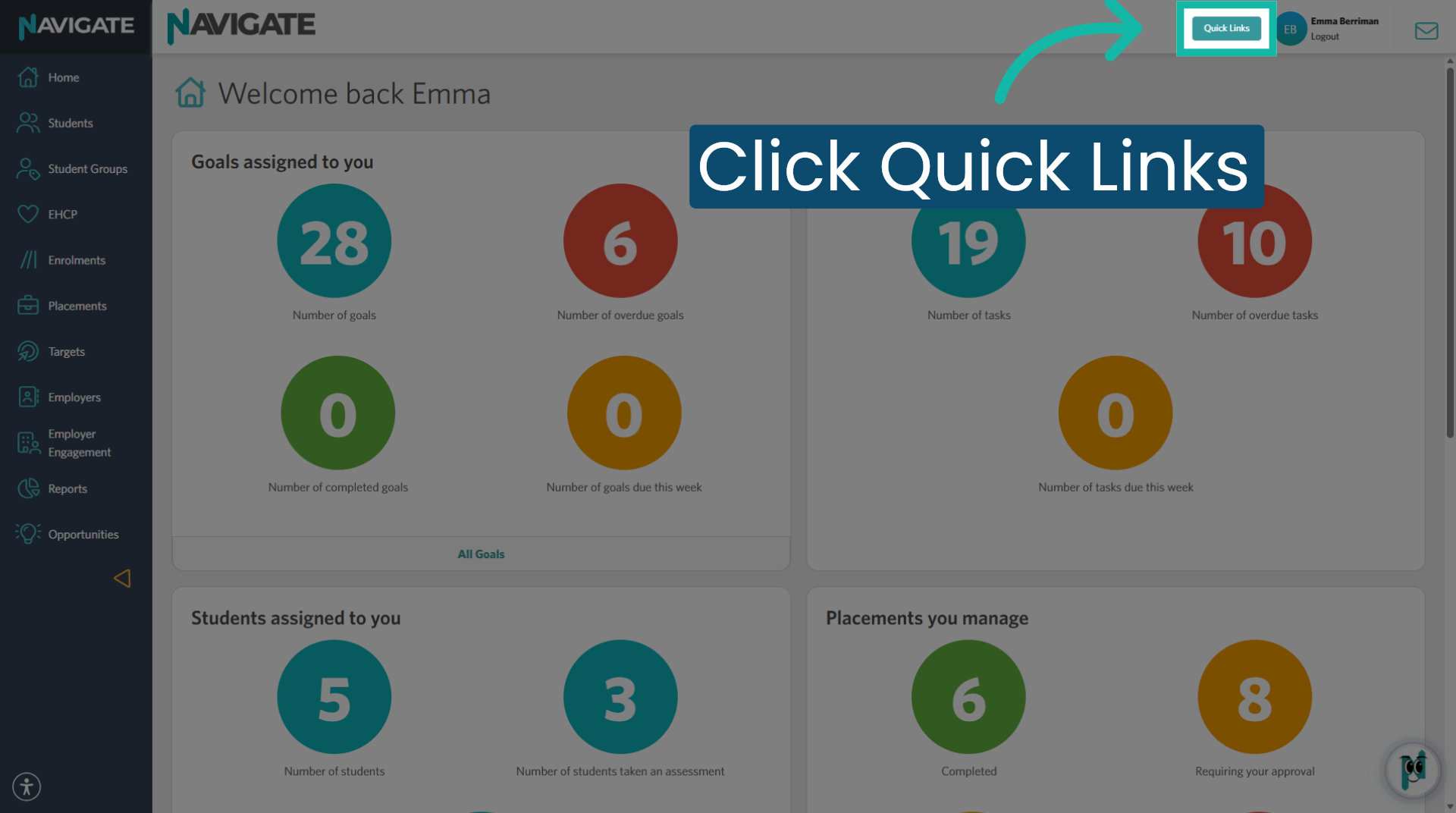
1. Access Quick Links Menu
Once logged in, click 'Quick Links'.
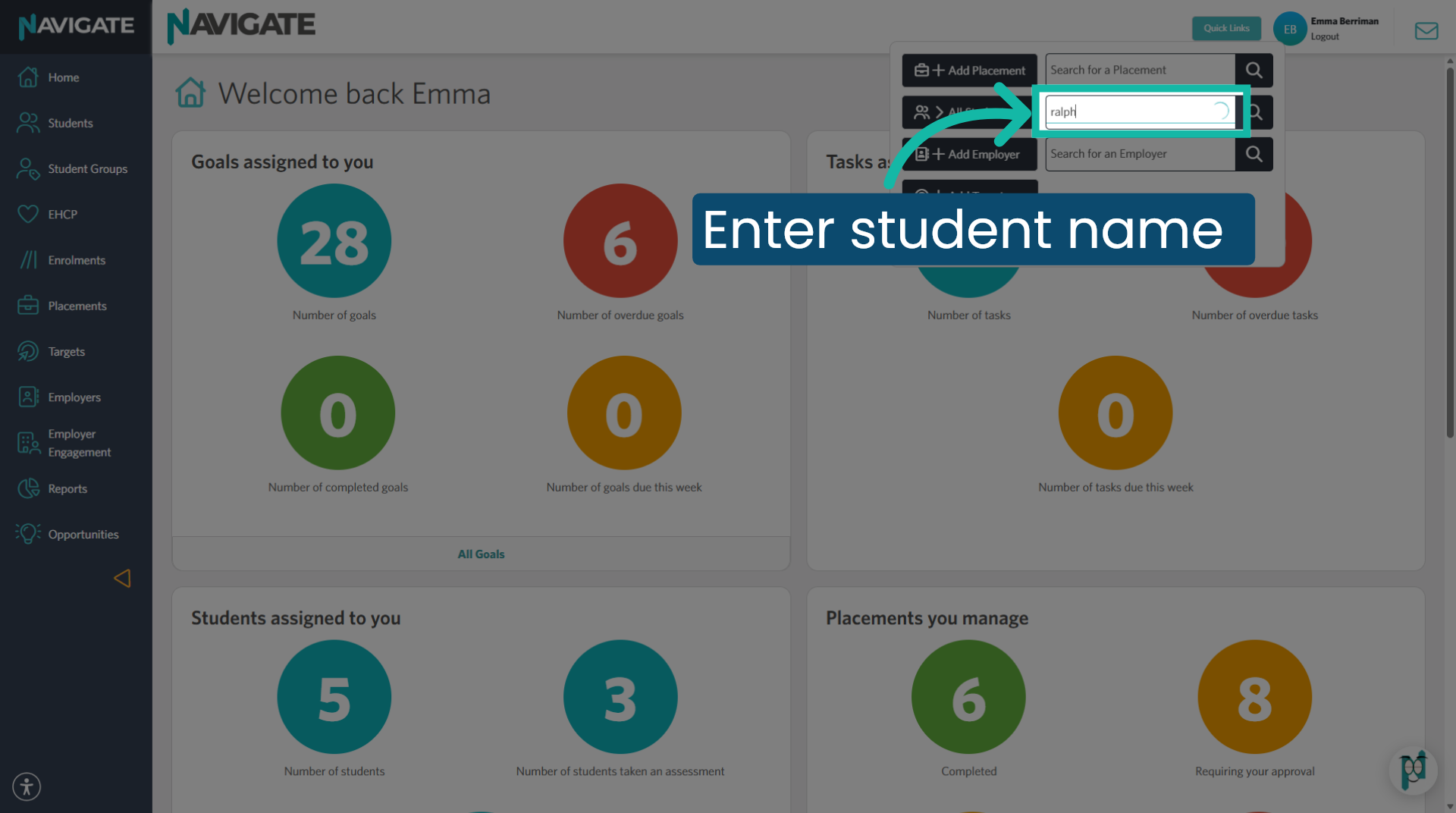
2. Enter Student Name
Start typing the student name or student number into the search for a student section.
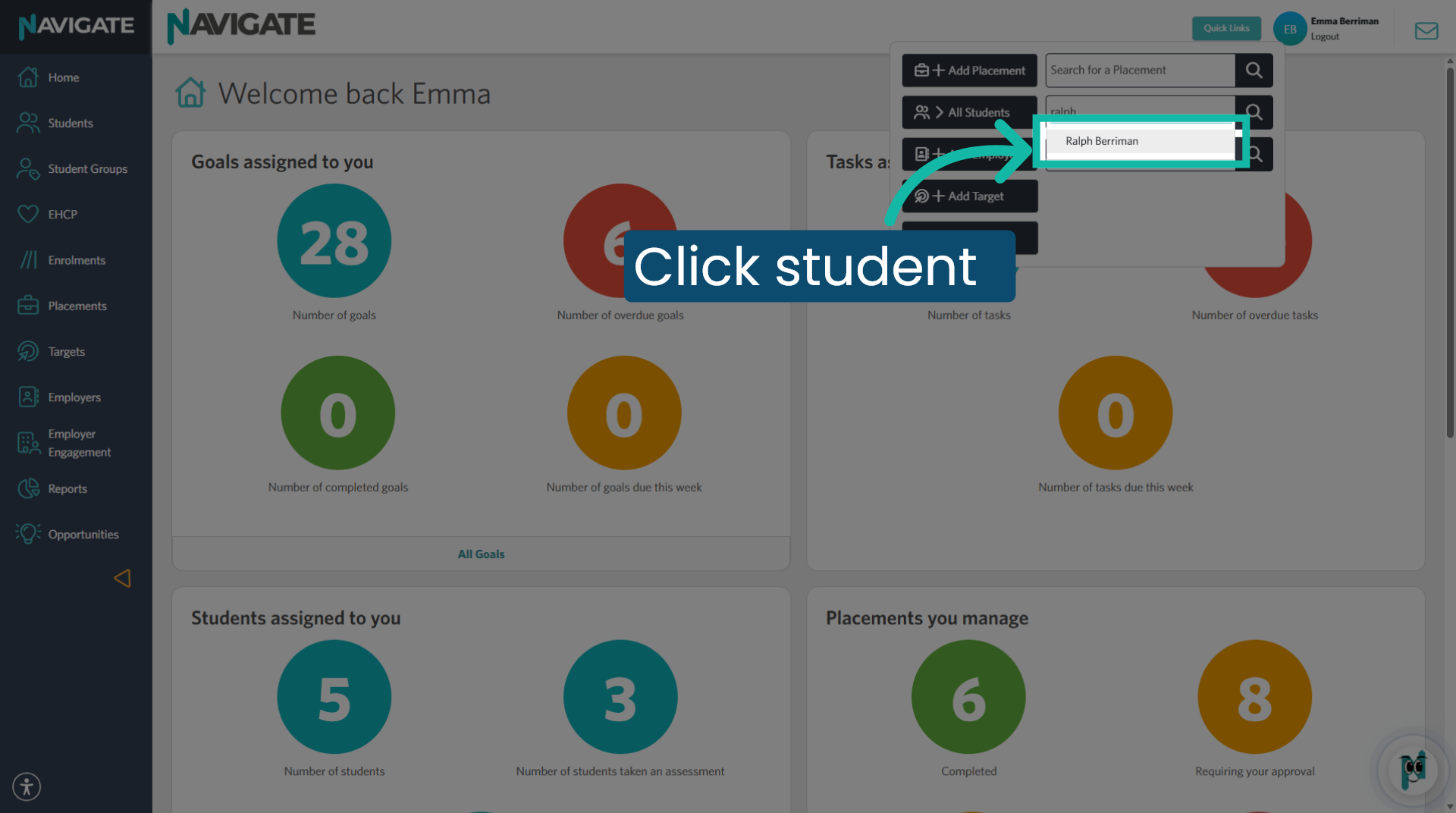
3. Select Student
Select the correct student from the dropdown to open their student page.
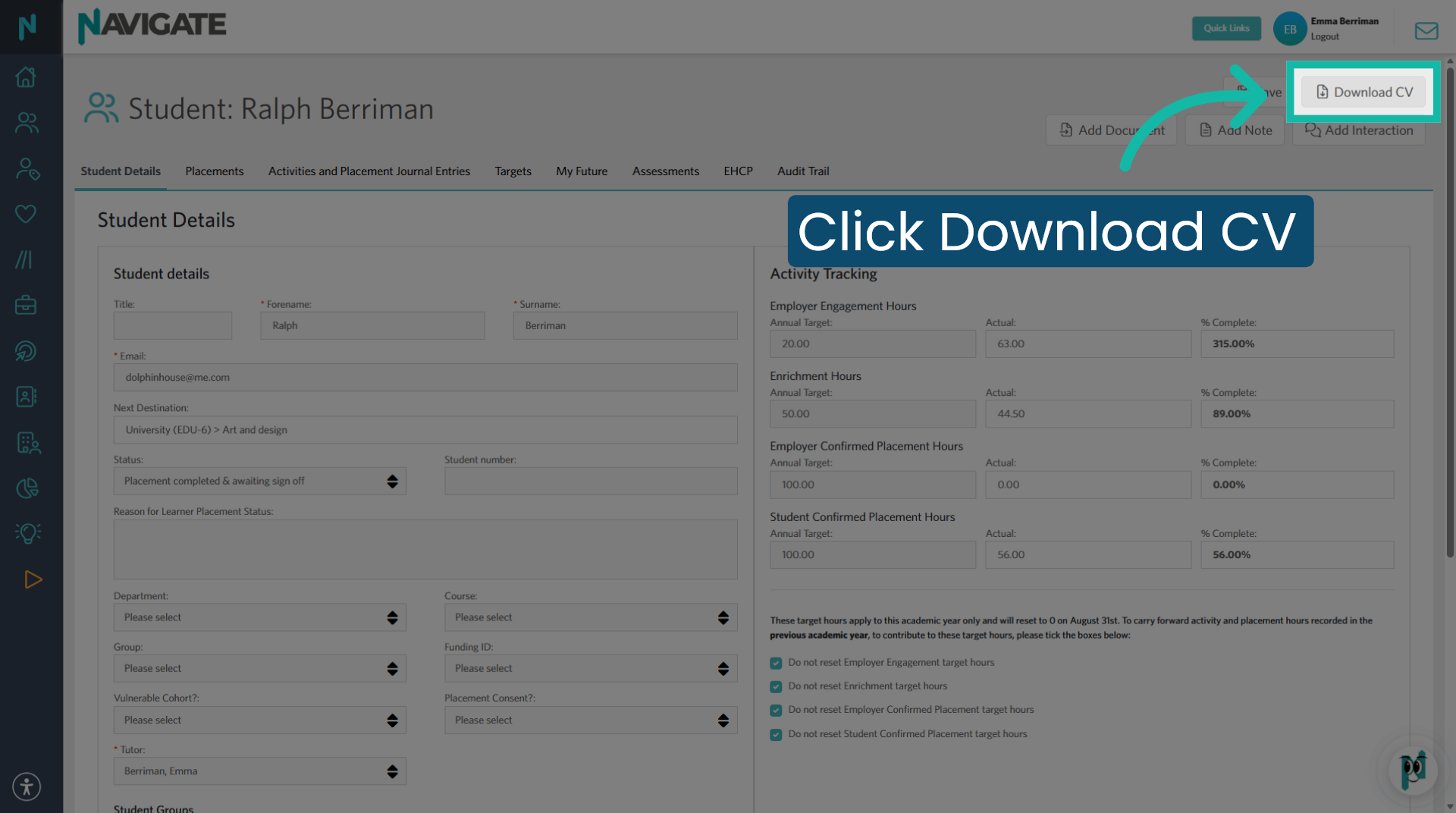
4. Download CV
Click download CV to download all the Navigate activities recorded by and against the student. You will find the file in your downloads.
Was this article helpful?
That’s Great!
Thank you for your feedback
Sorry! We couldn't be helpful
Thank you for your feedback
Feedback sent
We appreciate your effort and will try to fix the article