Go to login.navigate.uk.com
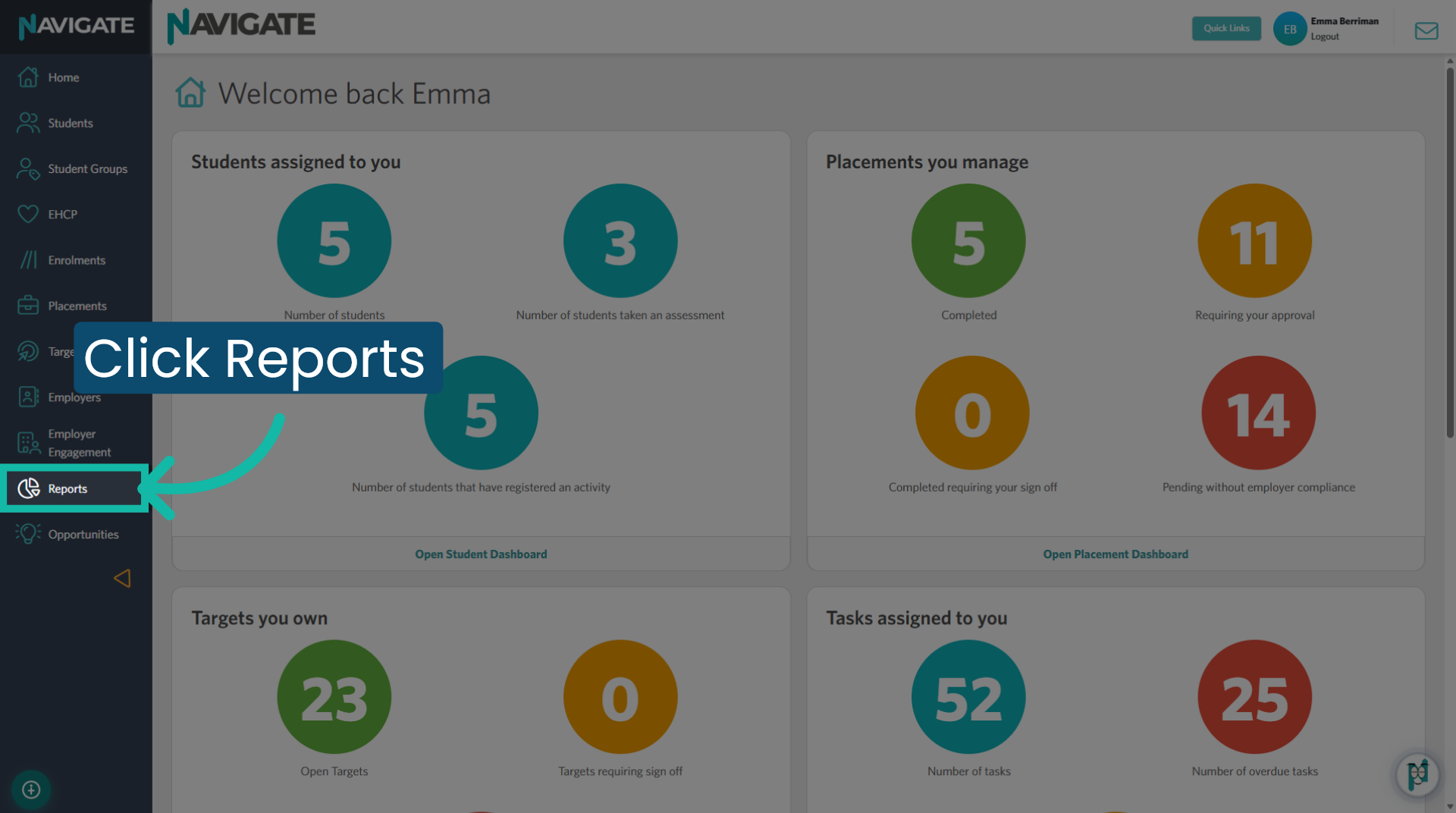
1. Open Reports module
Once logged in, click on the Reports module to view all reports.
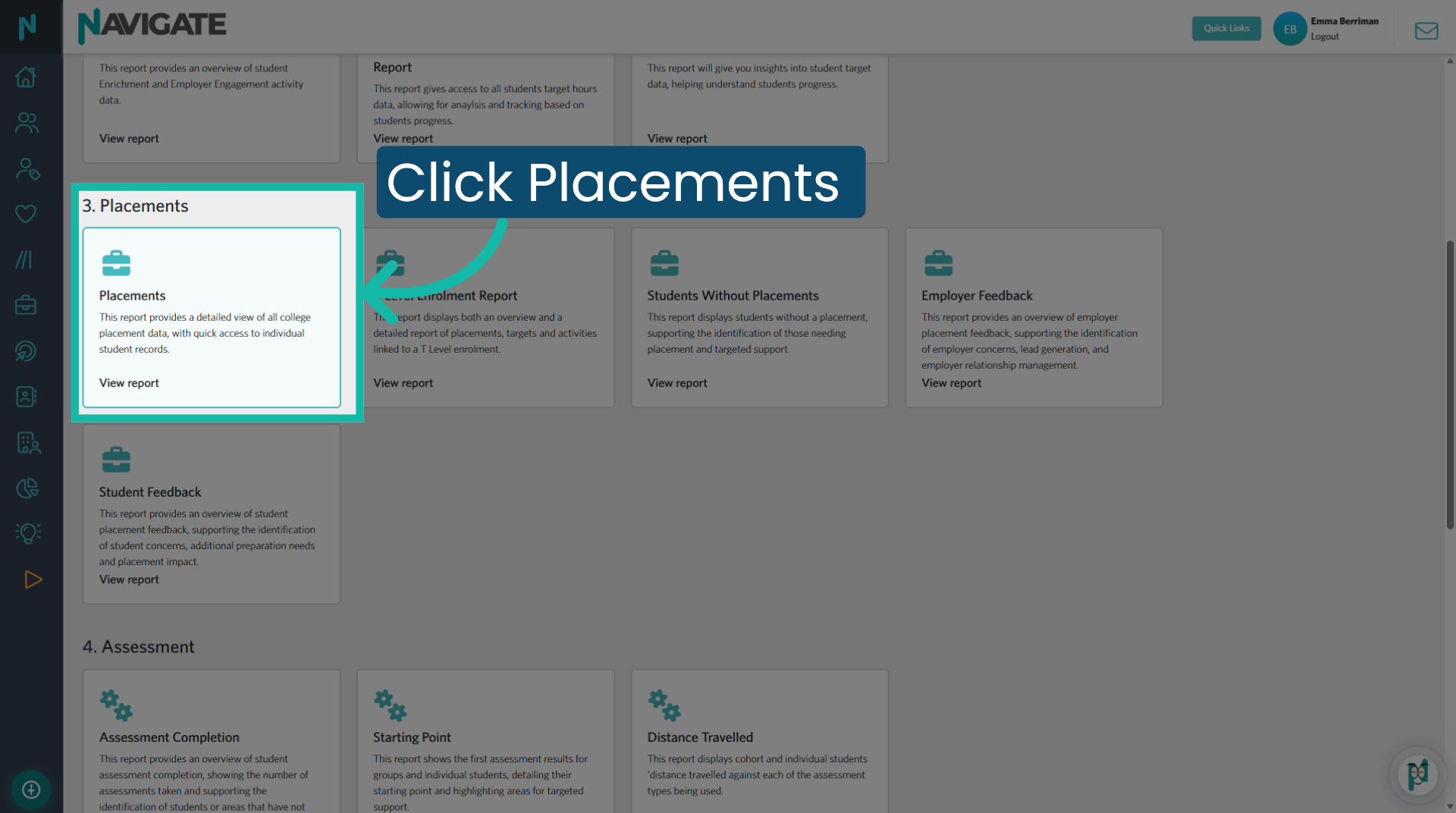
2. Placements Report
Select the Placements report, which provides a detailed view of all college placement data with quick access to individual student records.
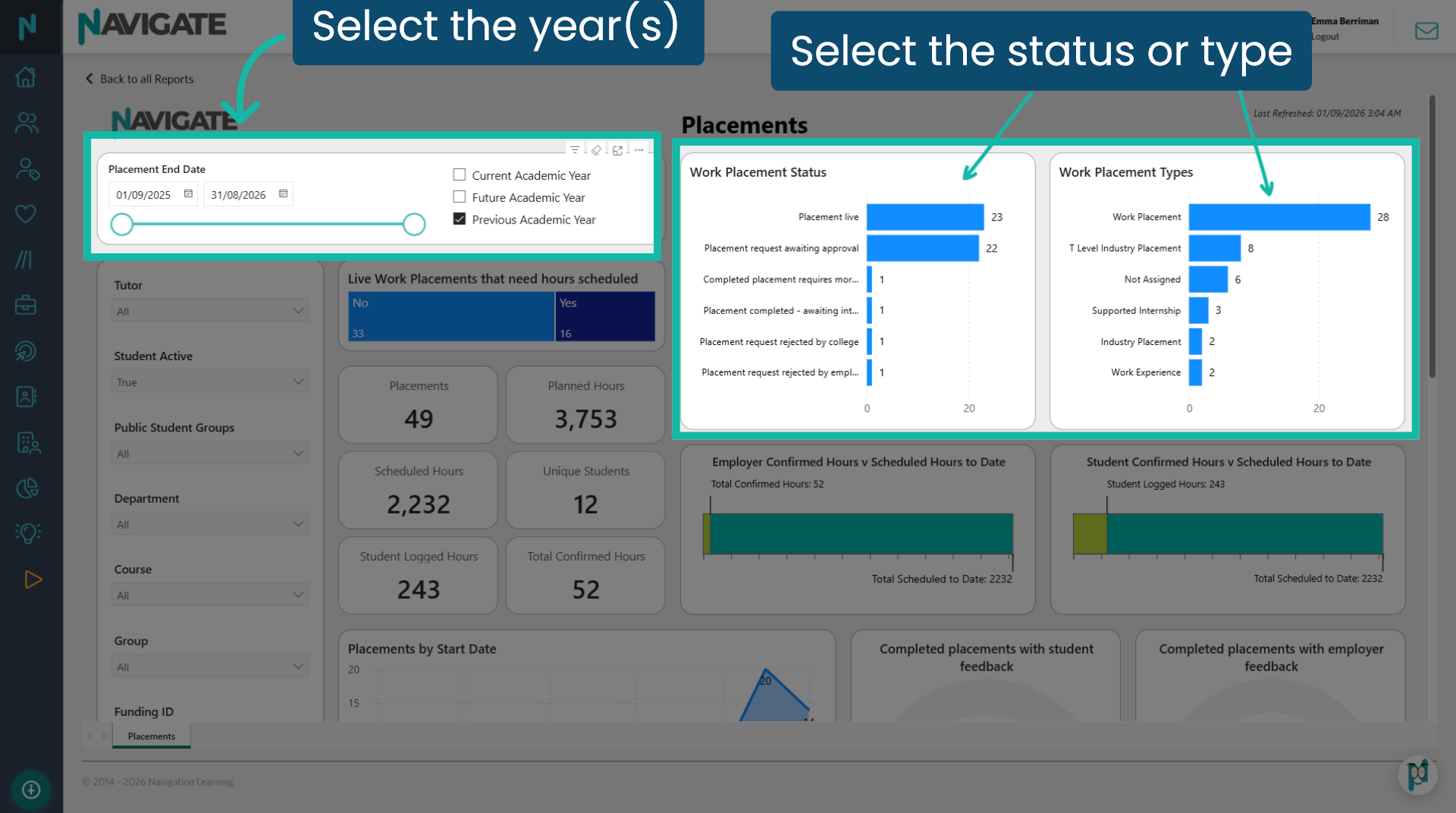
3. Filter to refine
Ensure you have selected the placement end date for the year or years you wish to view. You can also filter further by placement status or statuses and placement types to refine your data. Hold Control if you wish to select more than one. Additionally, you can utilise the filters on the left-hand side, as with all reports. A useful placement coordinator filter is available at the bottom.
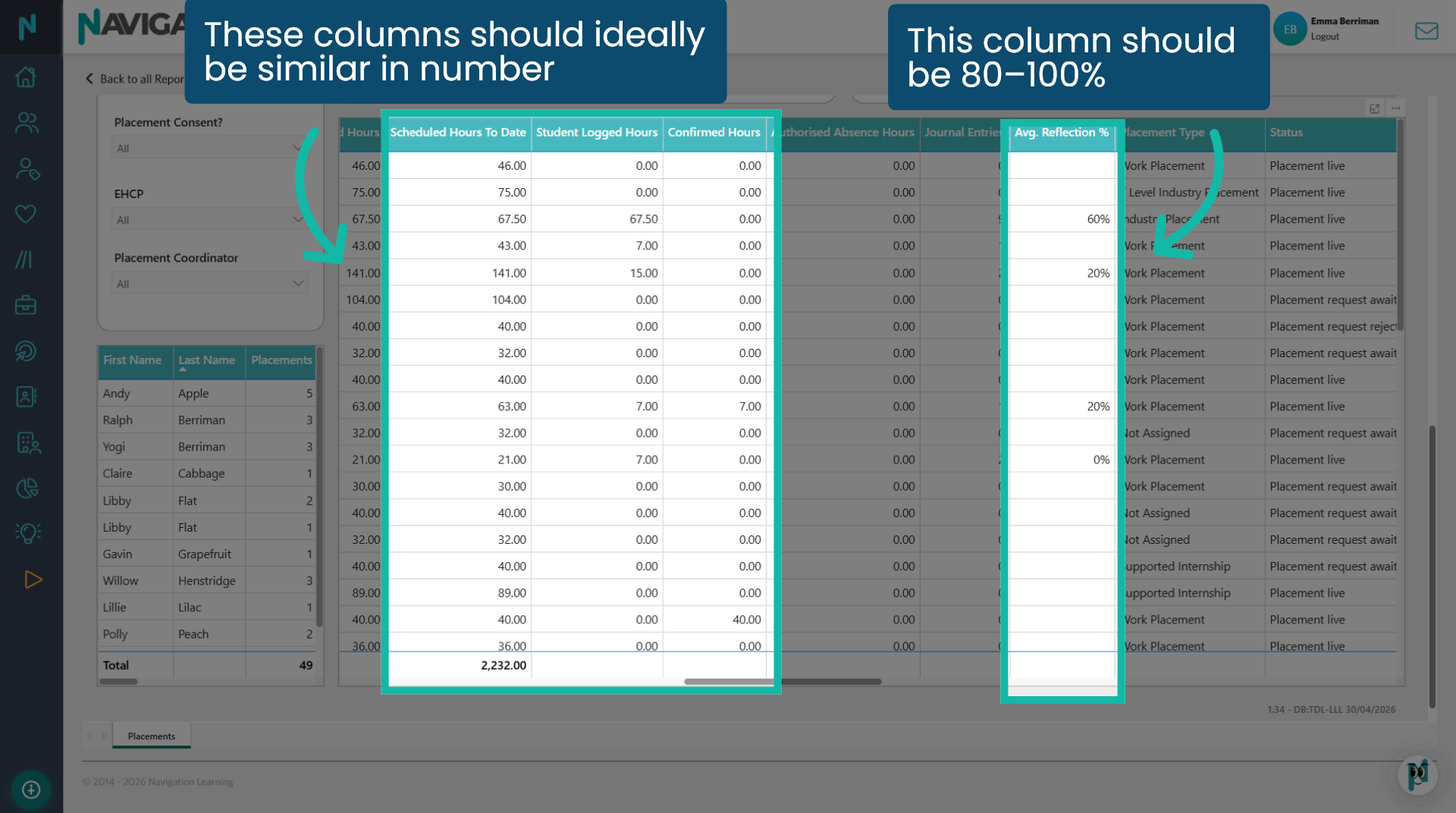
4. Data grids
Scroll down to see the placements grid. The smaller grid on the left offers a quick overview of each selected student and their number of placements. The larger grid presents detailed data. The columns include compliance hours and journal reflection scores, allowing you to check quality at a glance.
5. View Students Without Placements
To view students who do not have placements assigned, return to the main Reports module and select Students Without Placements.
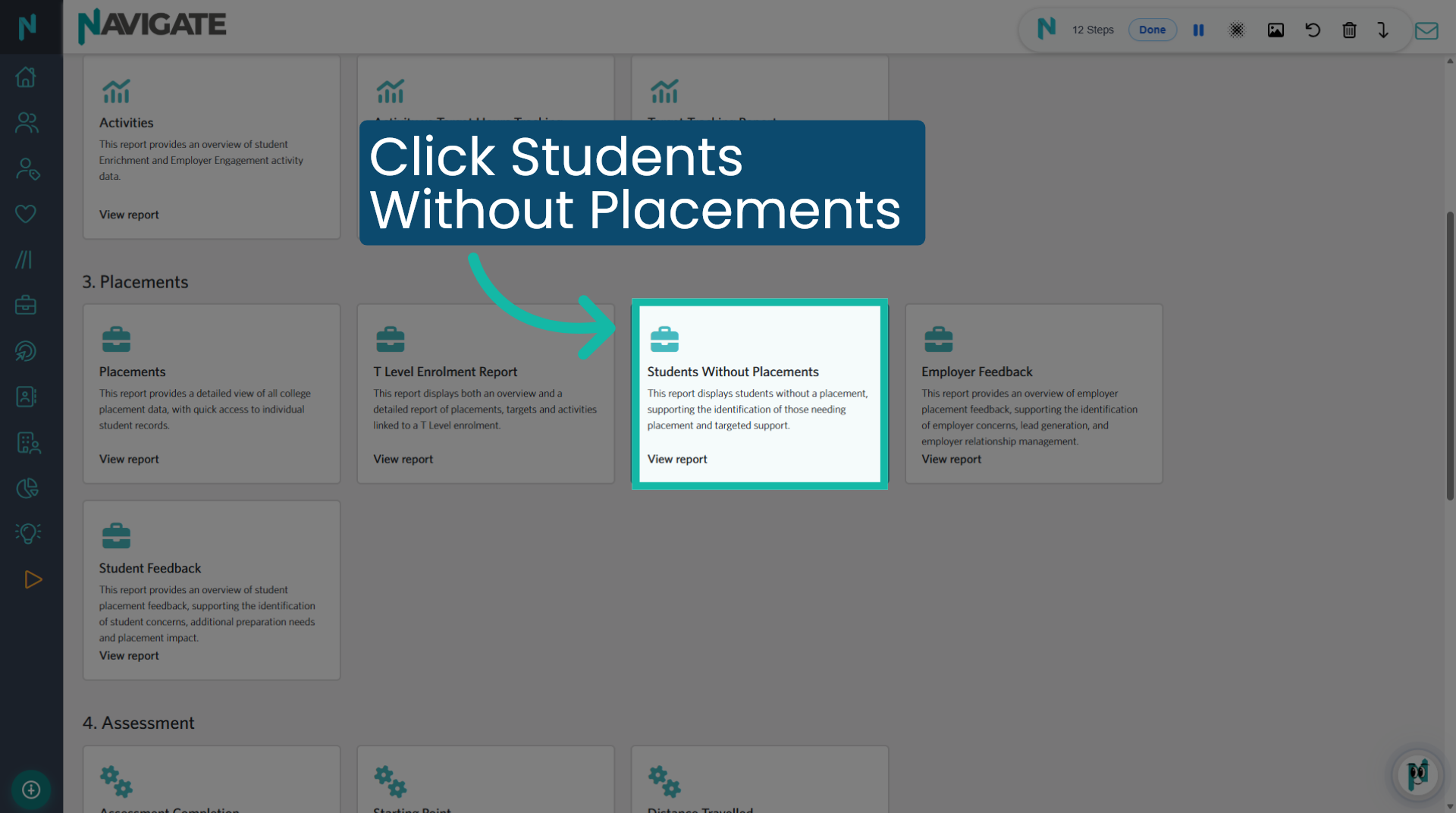
6. Filters and grids
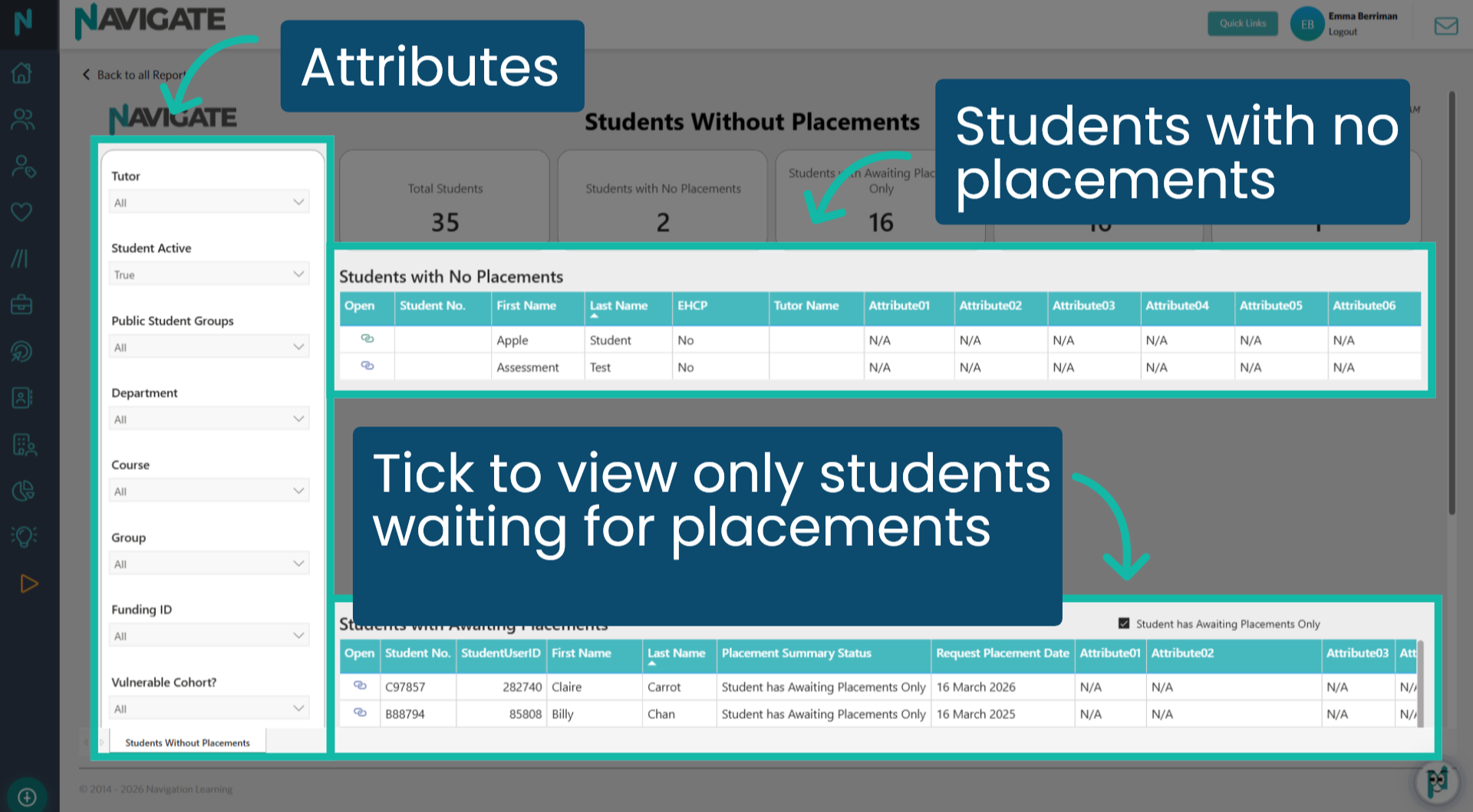
Use the attribute filters on the left as you normally would to filter your cohort data. The top grid shows students who do not have any placement data. The second grid, with the checkbox selected, will display all students who only have a placement requested (Awaiting Details) by their coordinator but have not yet submitted it for approval. By deselecting the checkbox, you will see students who have one or more placements in any status, in addition to an 'Awaiting Details' placement.
Was this article helpful?
That’s Great!
Thank you for your feedback
Sorry! We couldn't be helpful
Thank you for your feedback
Feedback sent
We appreciate your effort and will try to fix the article