Go to login.navigate.uk.com
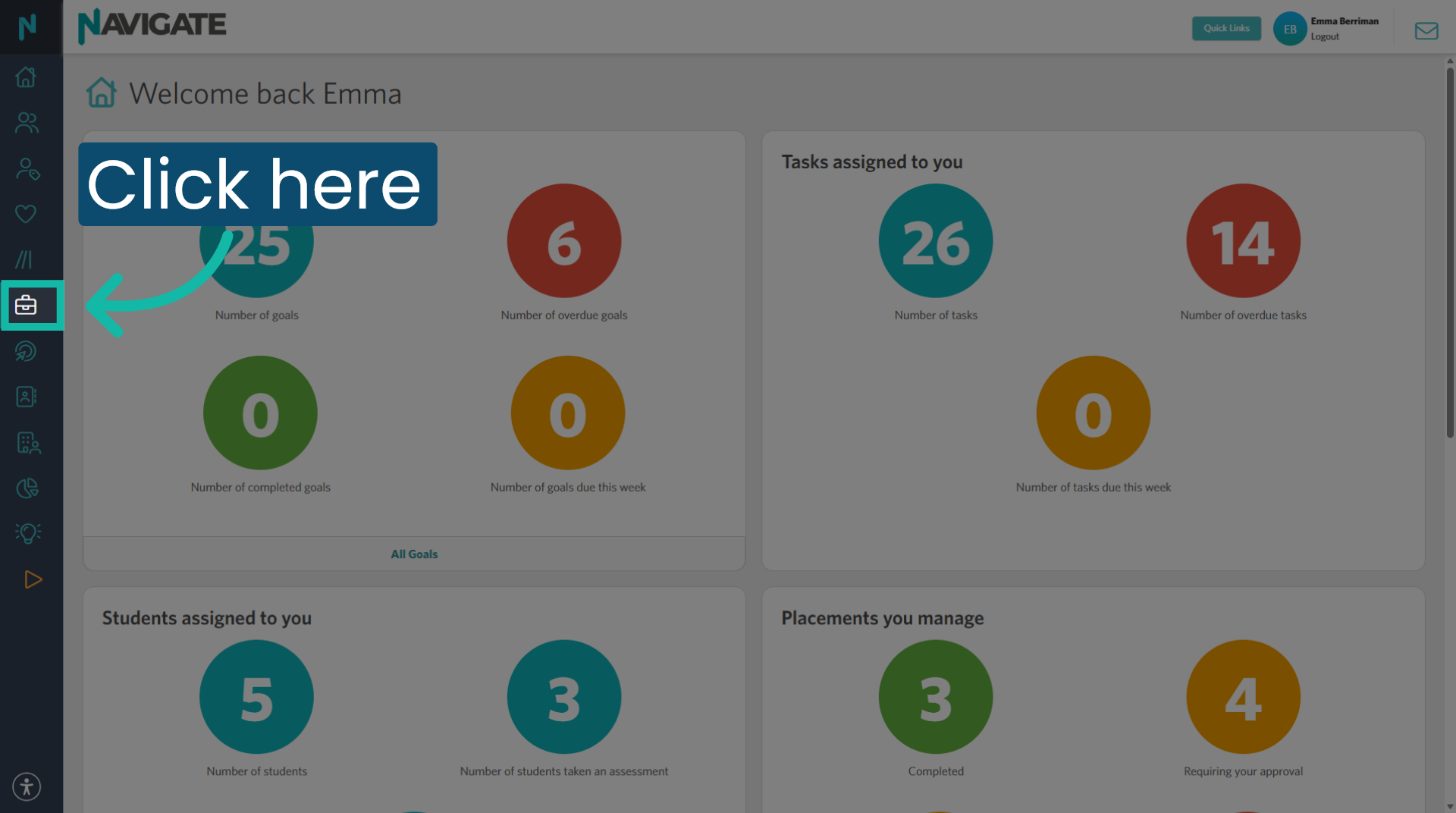
1. Click into the placement module
Once logged in, click on the placement tab in the side menu.
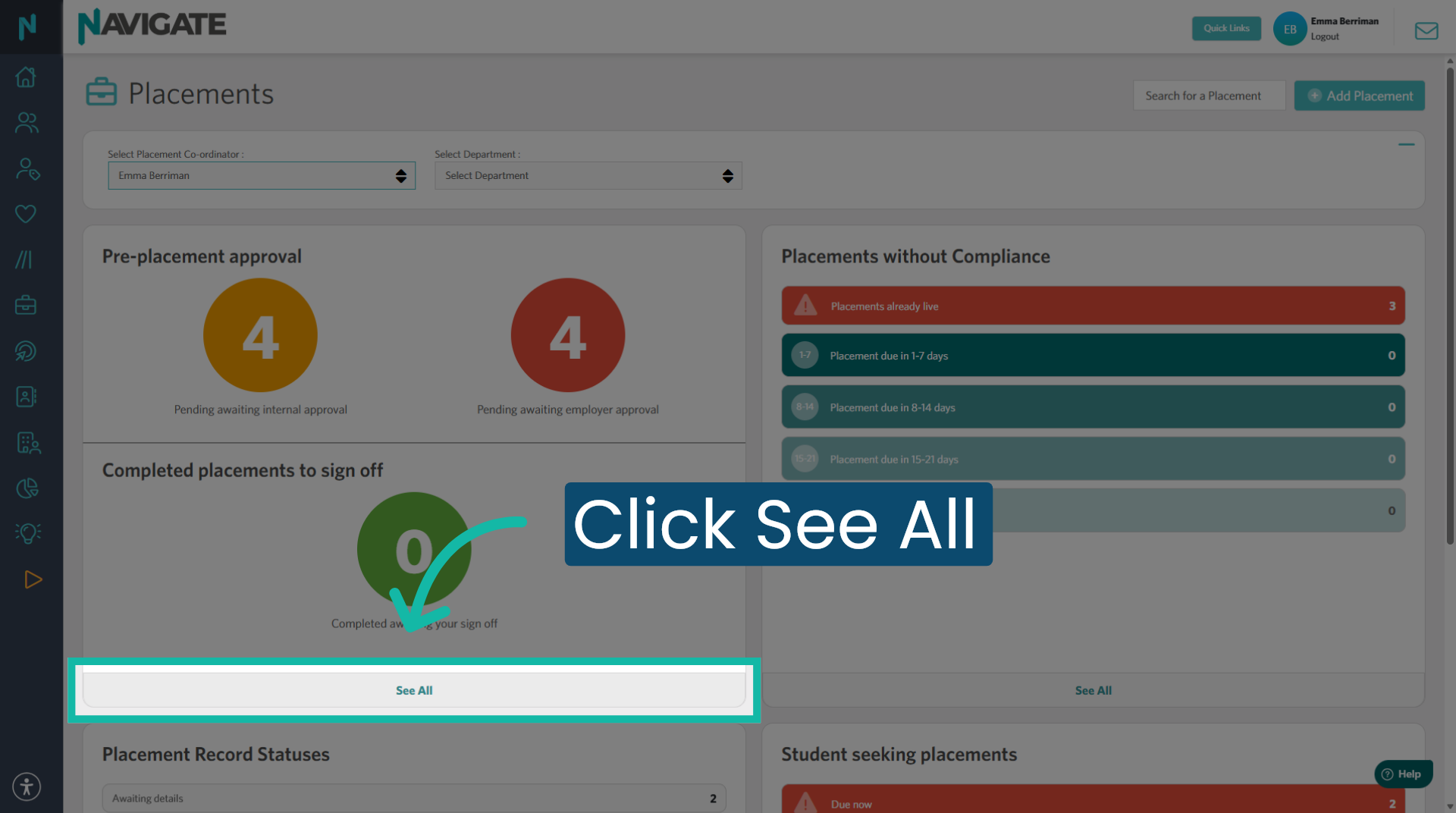
2. View All Placements
Click 'See all' to view the complete list of placements on Navigate.
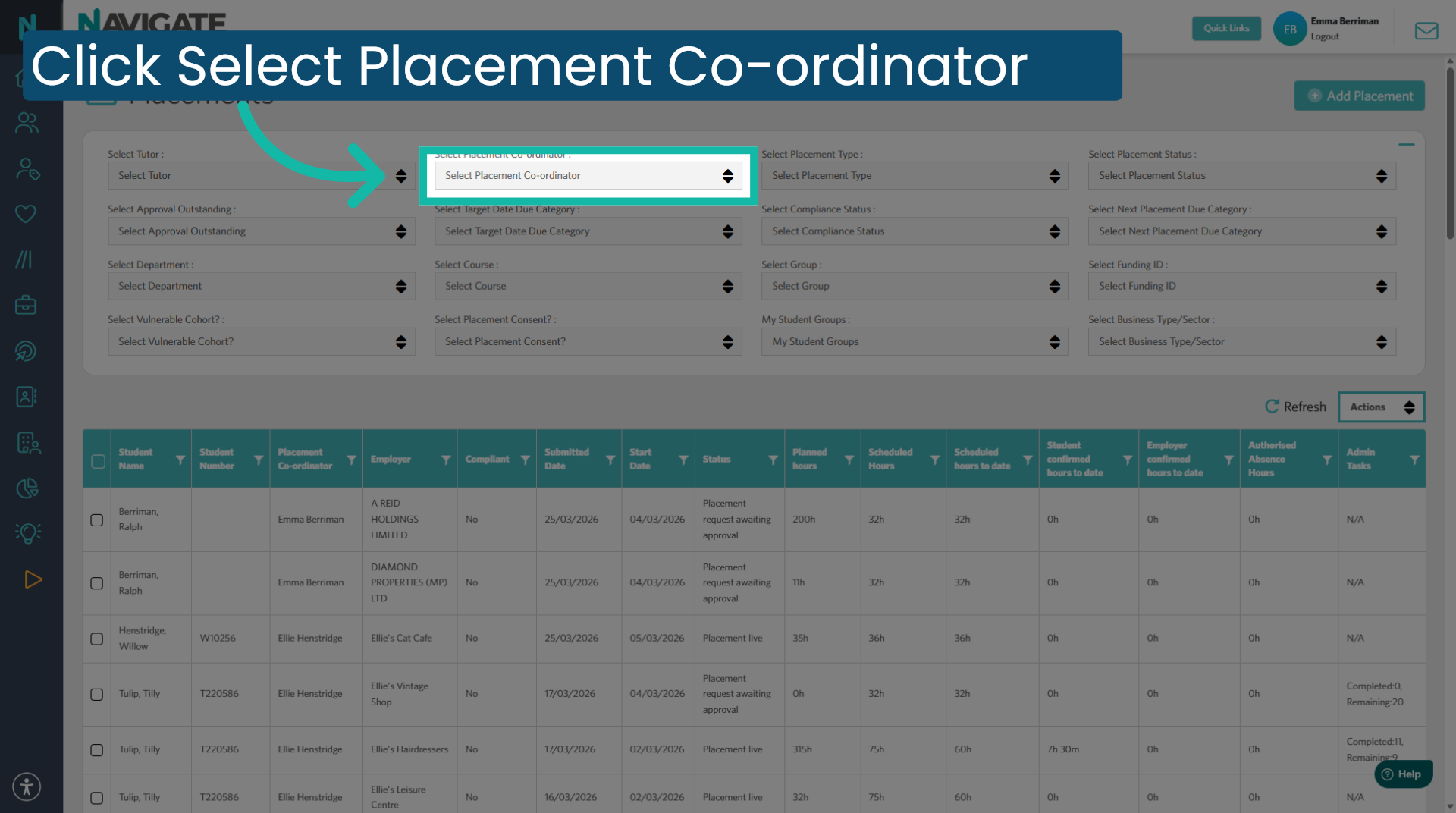
3. Select Placement Coordinator filter
Click select placement coordinator to choose the coordinator responsible for placements.
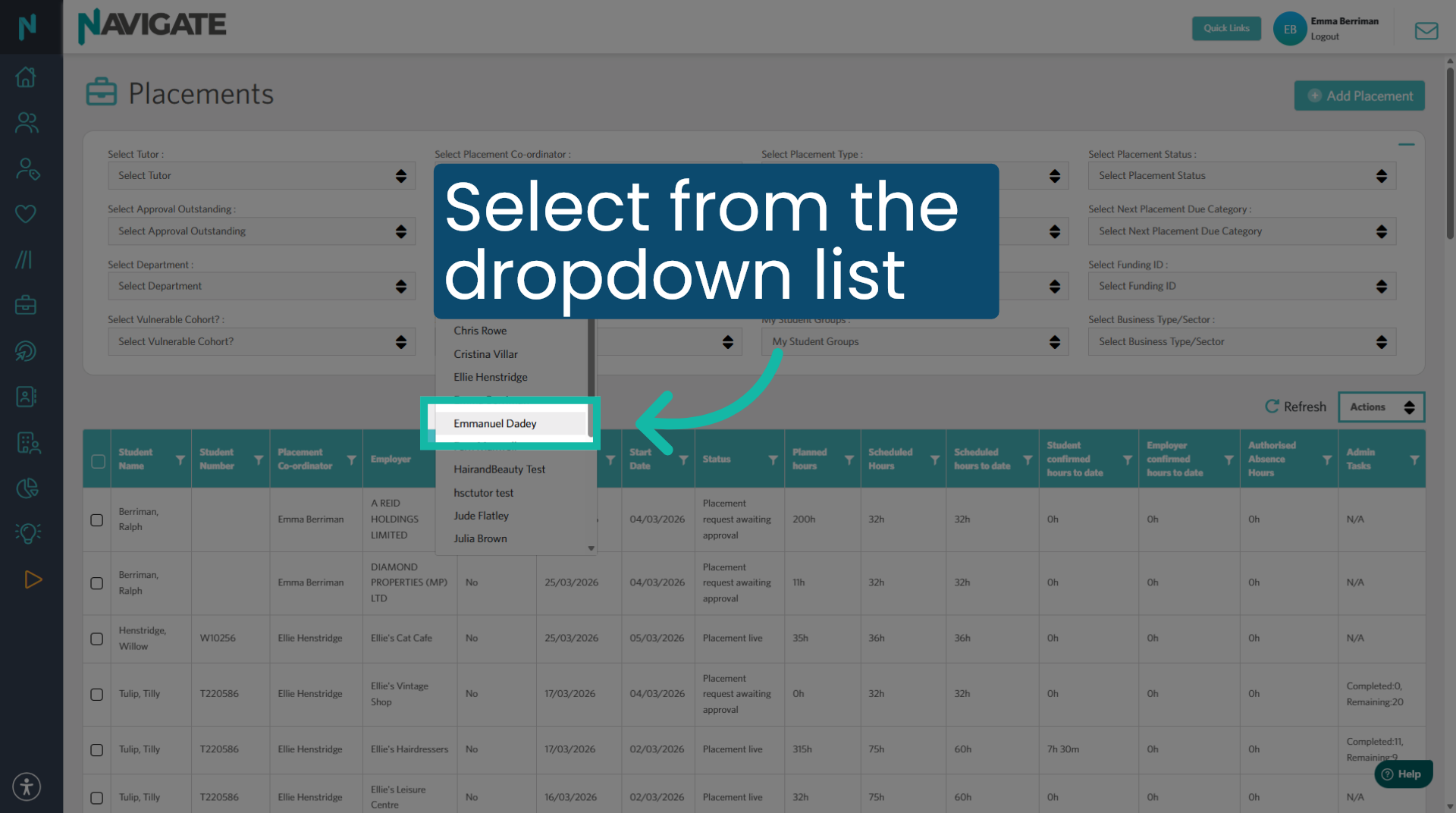
4. Select the coordinator
Then select the coordinator from the drop-down list.
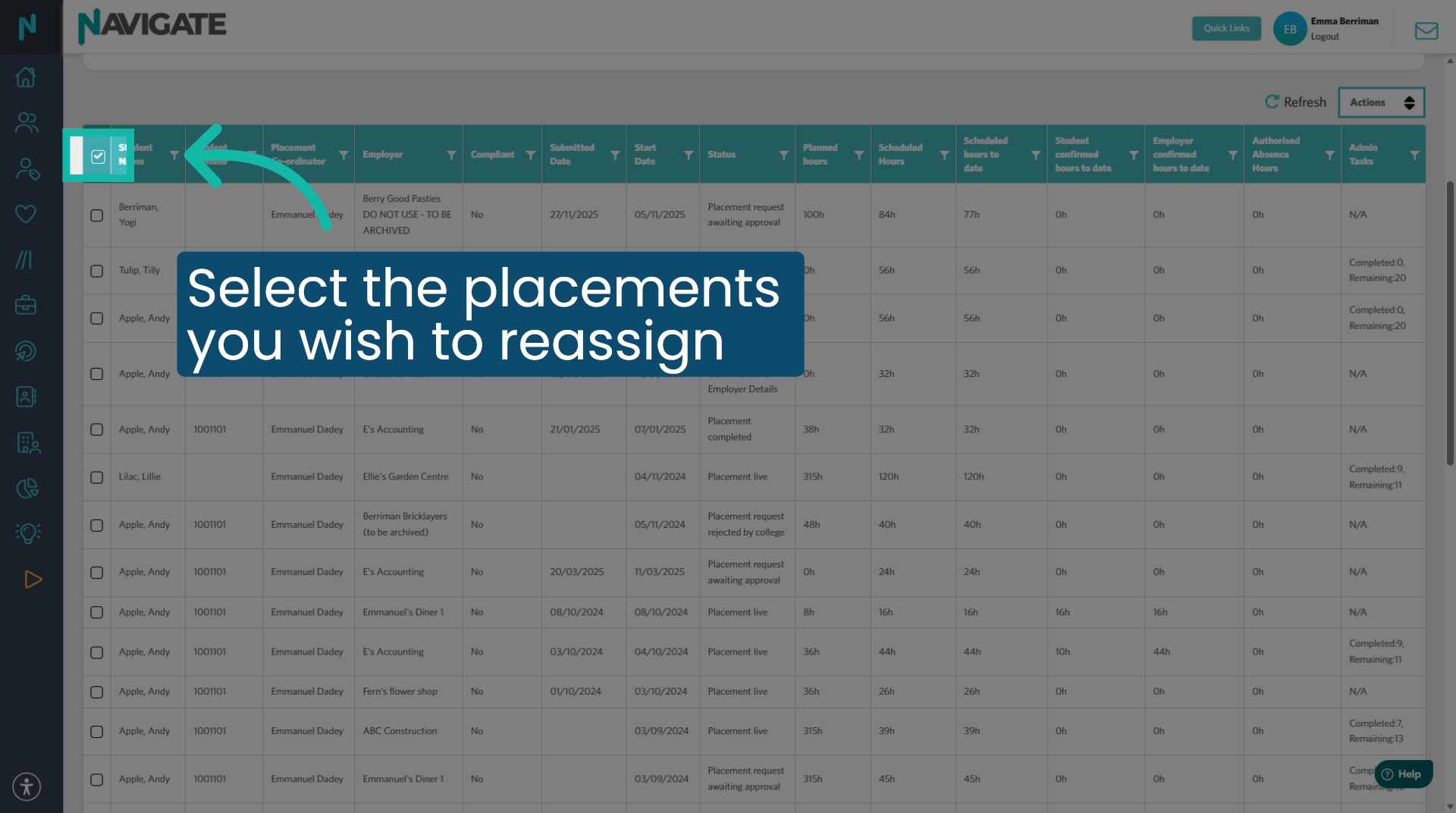
5. Select the placements
Click the checkbox at the top to select all placements.
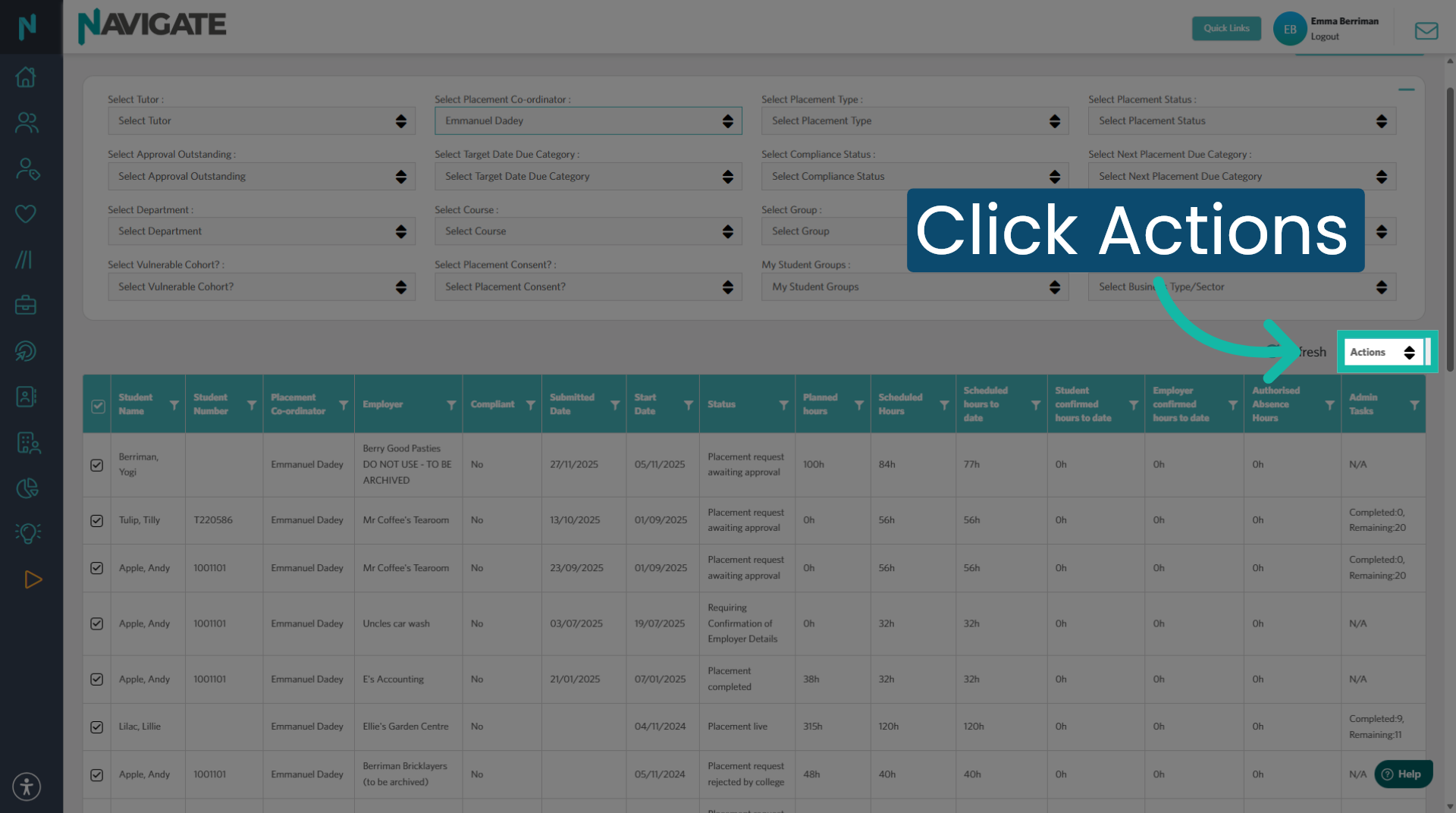
6. Open Actions Menu
Click actions.
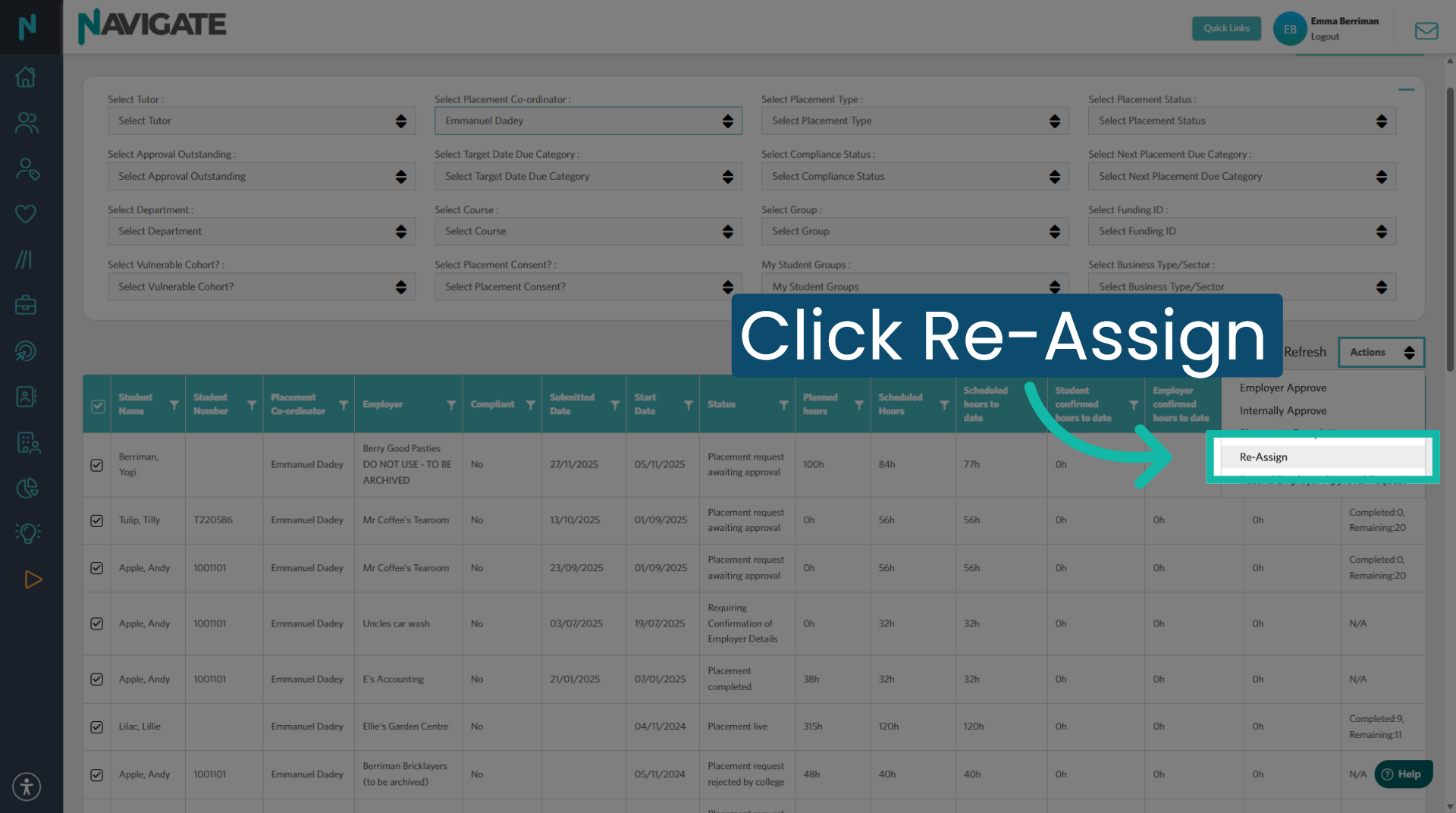
7. Select Reassign Option
Then click reassign.
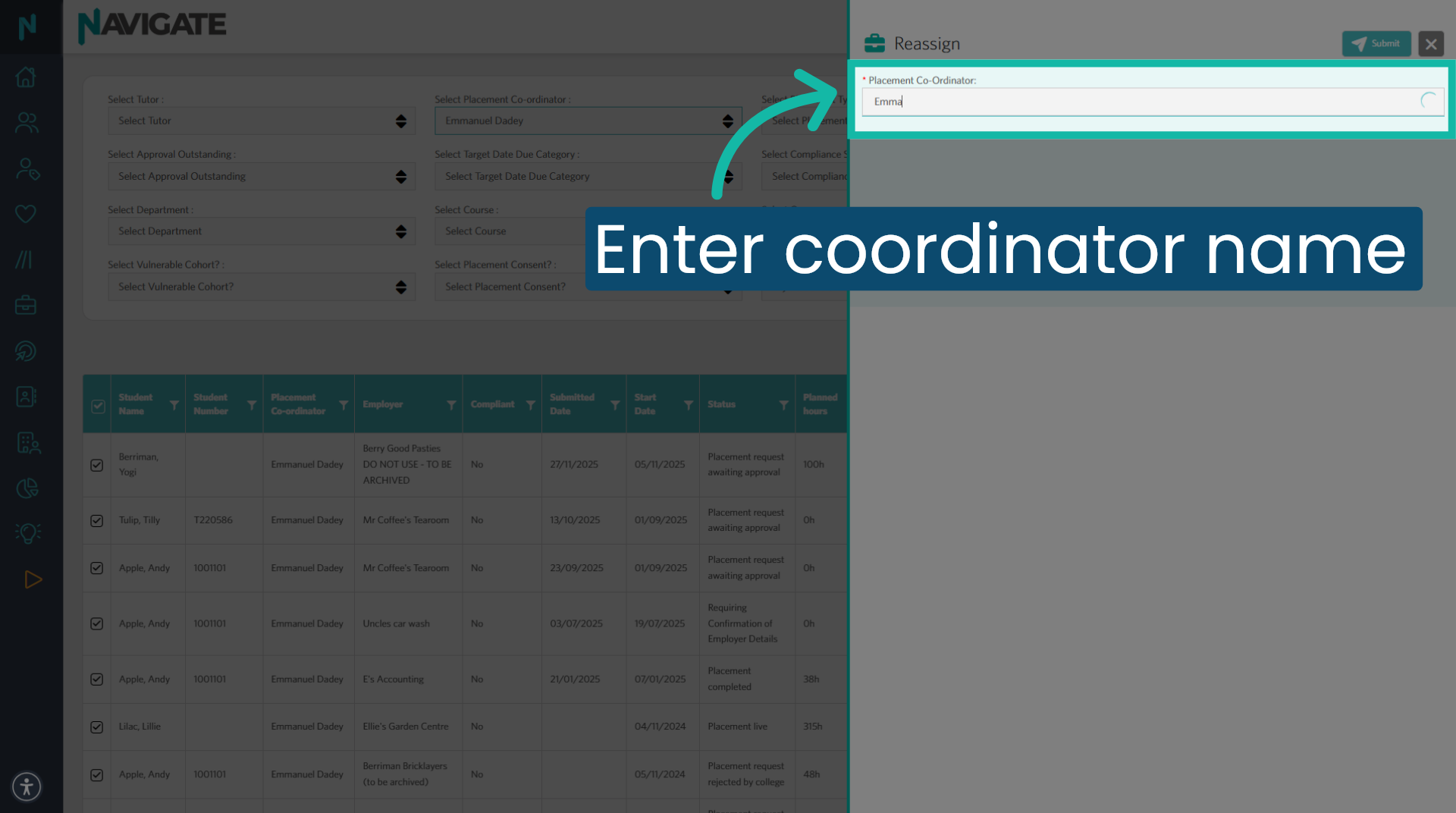
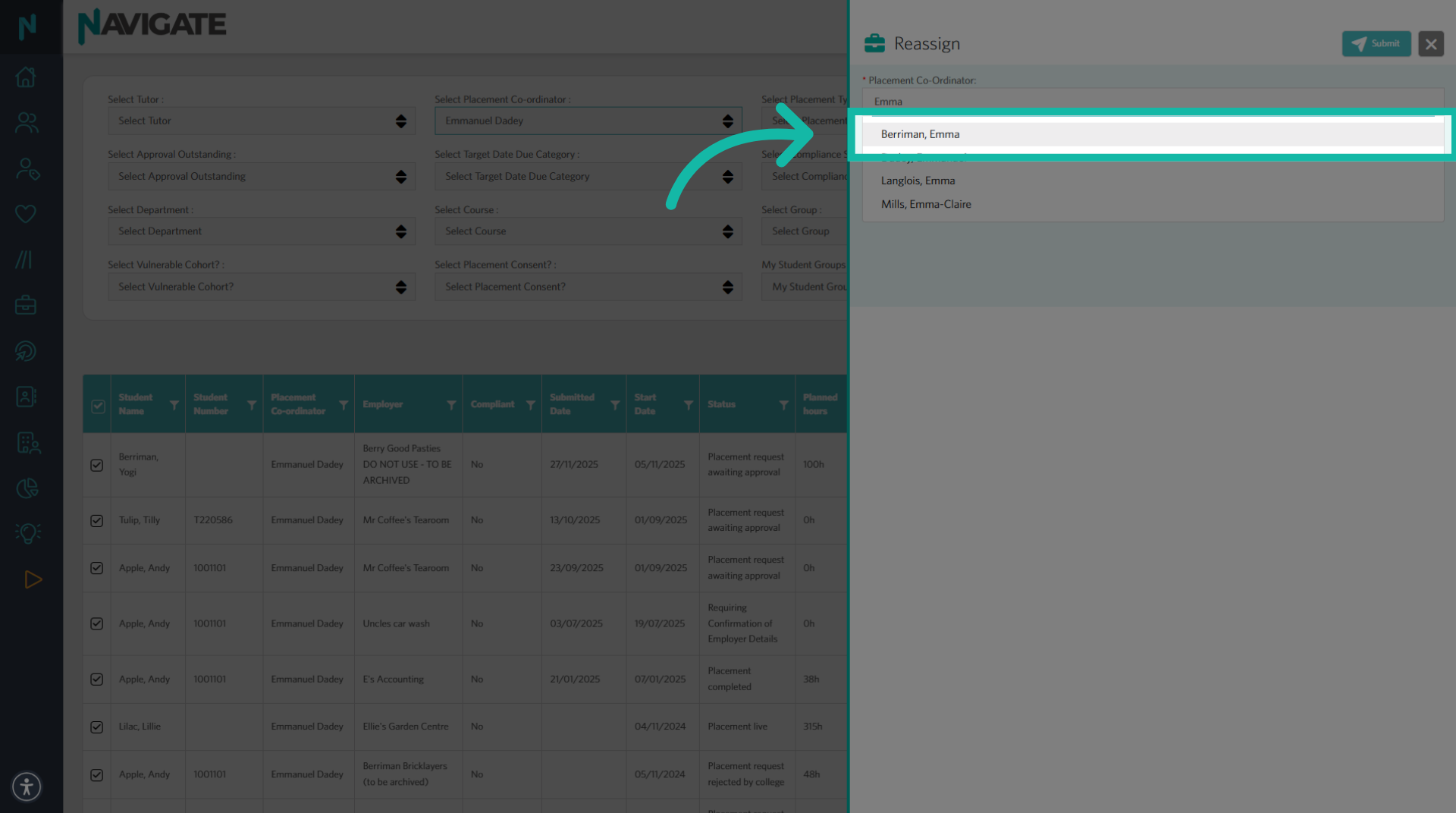
8. Enter Coordinator Name
Enter the coordinator's name.
9. Select 'Coordinator' from List
Then select the coordinator from the list.
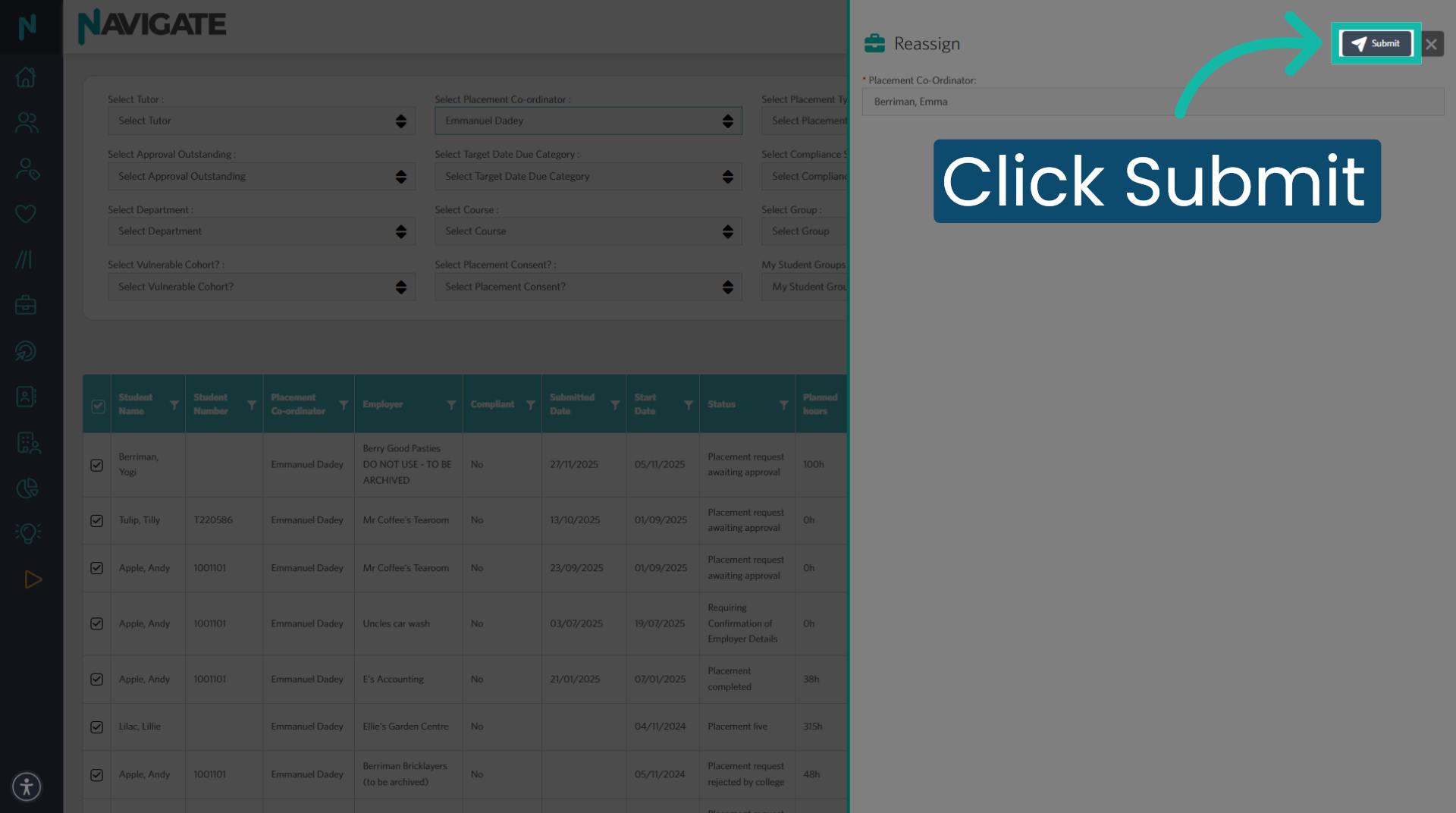
10. Submit Reassignment
Click submit to confirm and apply the placement coordinator reassignment.
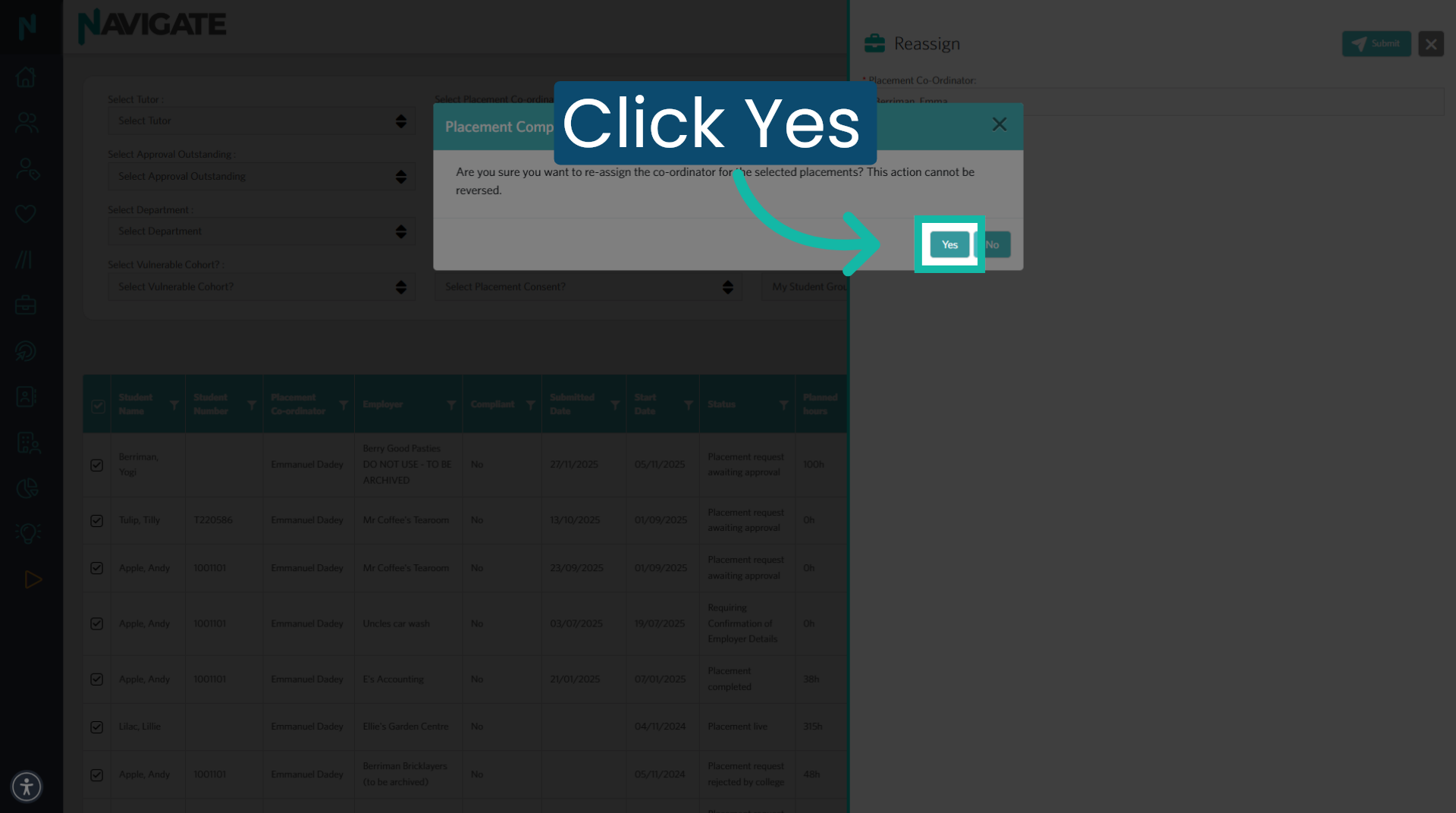
11. Confirm Reassignment
Then click 'yes' to finalise and approve the changes made to the placement coordinator.
Was this article helpful?
That’s Great!
Thank you for your feedback
Sorry! We couldn't be helpful
Thank you for your feedback
Feedback sent
We appreciate your effort and will try to fix the article