Go to login.navigate.uk.com
1. Delete an Enrolment
Once logged in to delete an enrolment, click on the enrolment module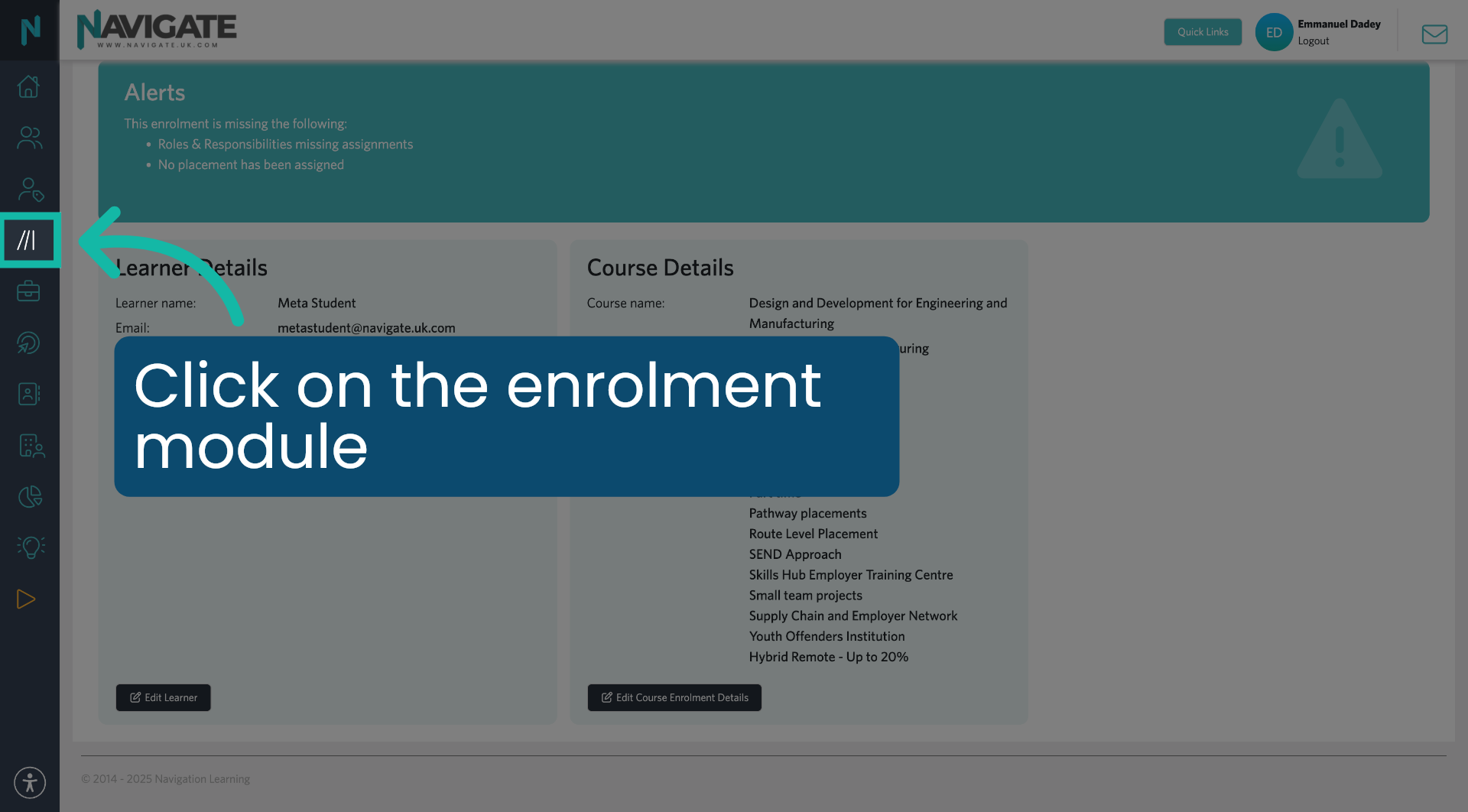
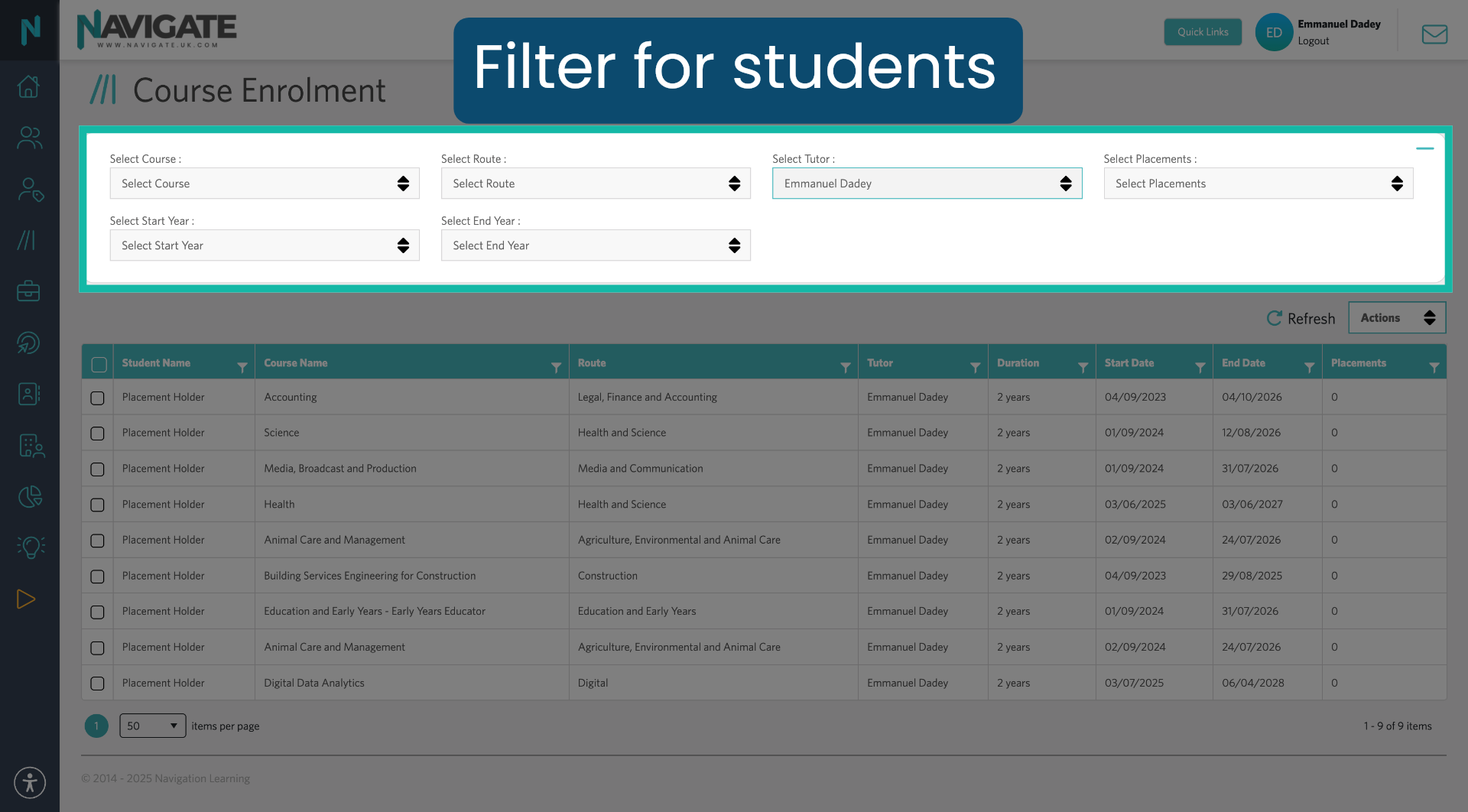
2. Filter For Students
Use the filters to find your students.
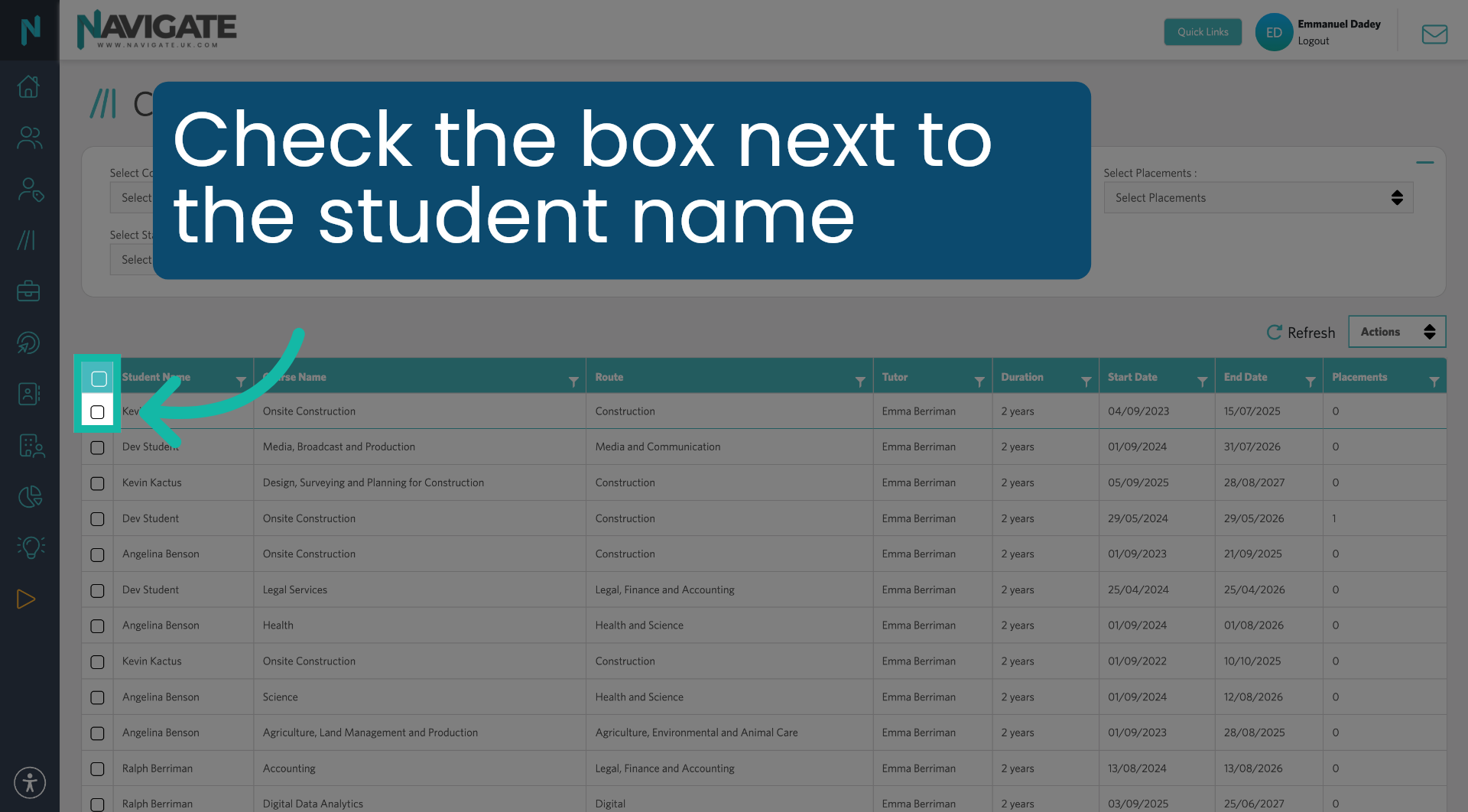
3. Select Student
Check the box next to the student names or bulk select all by checking the top checkbox.
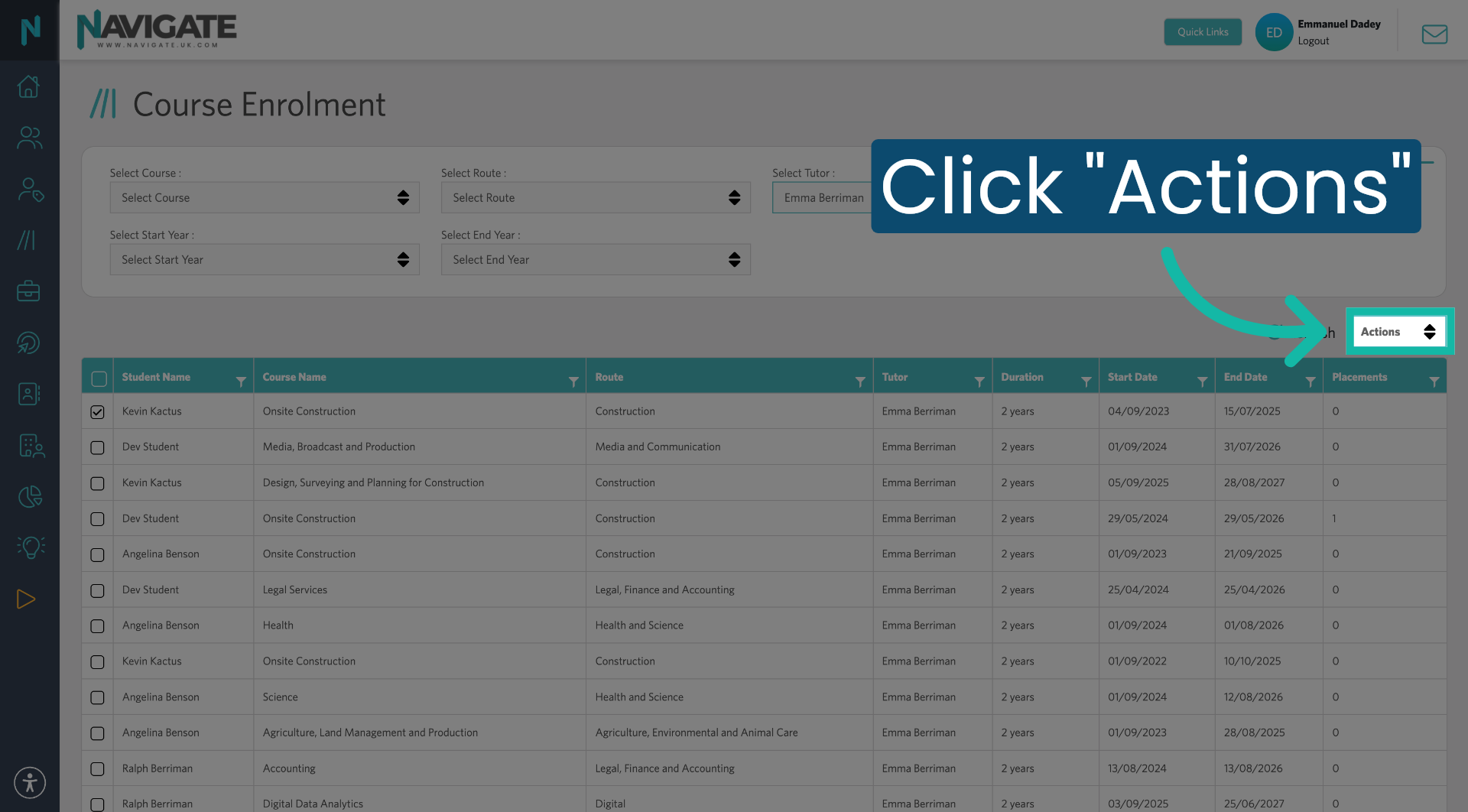
4. Open Actions Menu
Click actions.
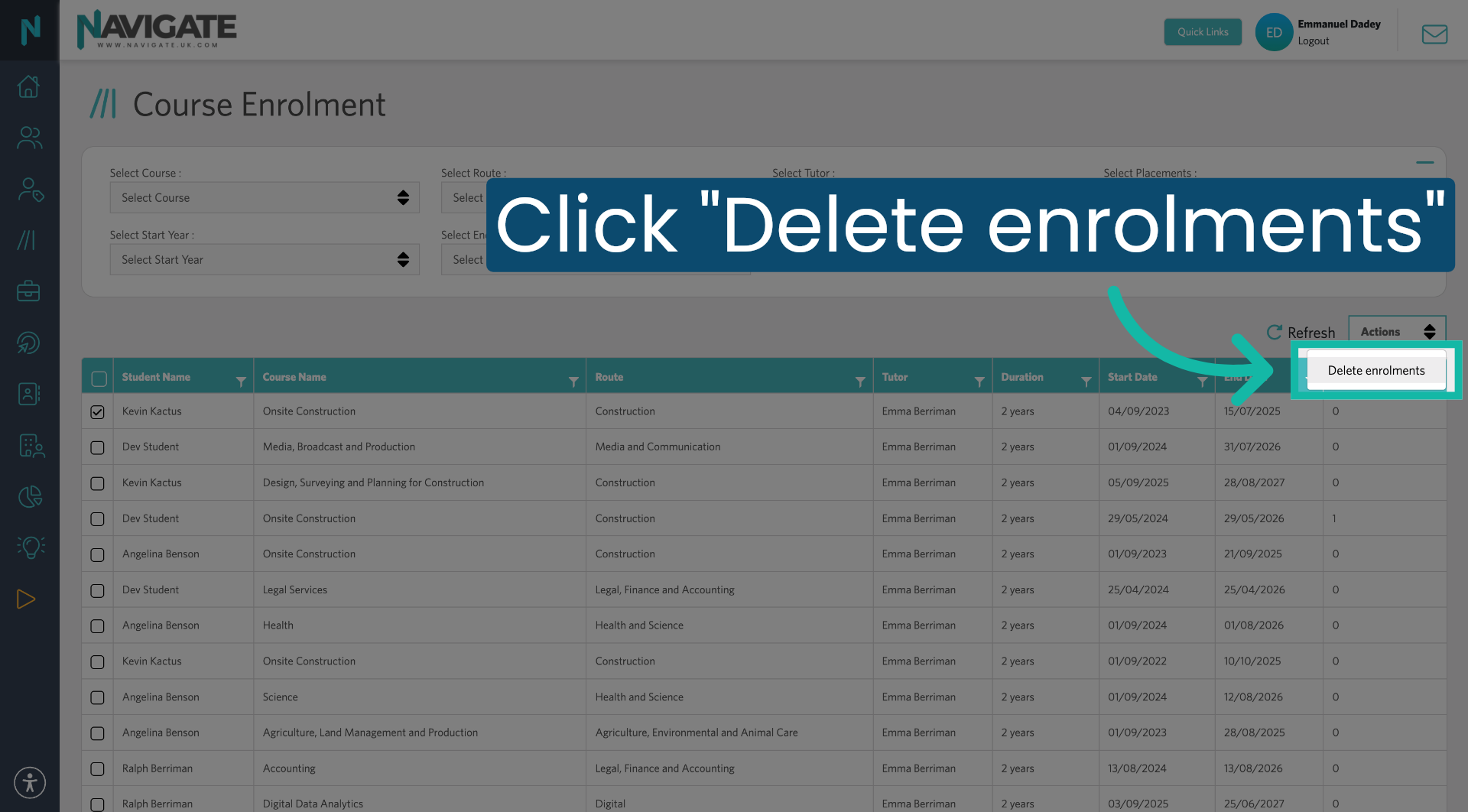
5. Delete Enrolments Option
Click "Delete Enrolments" to remove the selected course enrolment from the student.
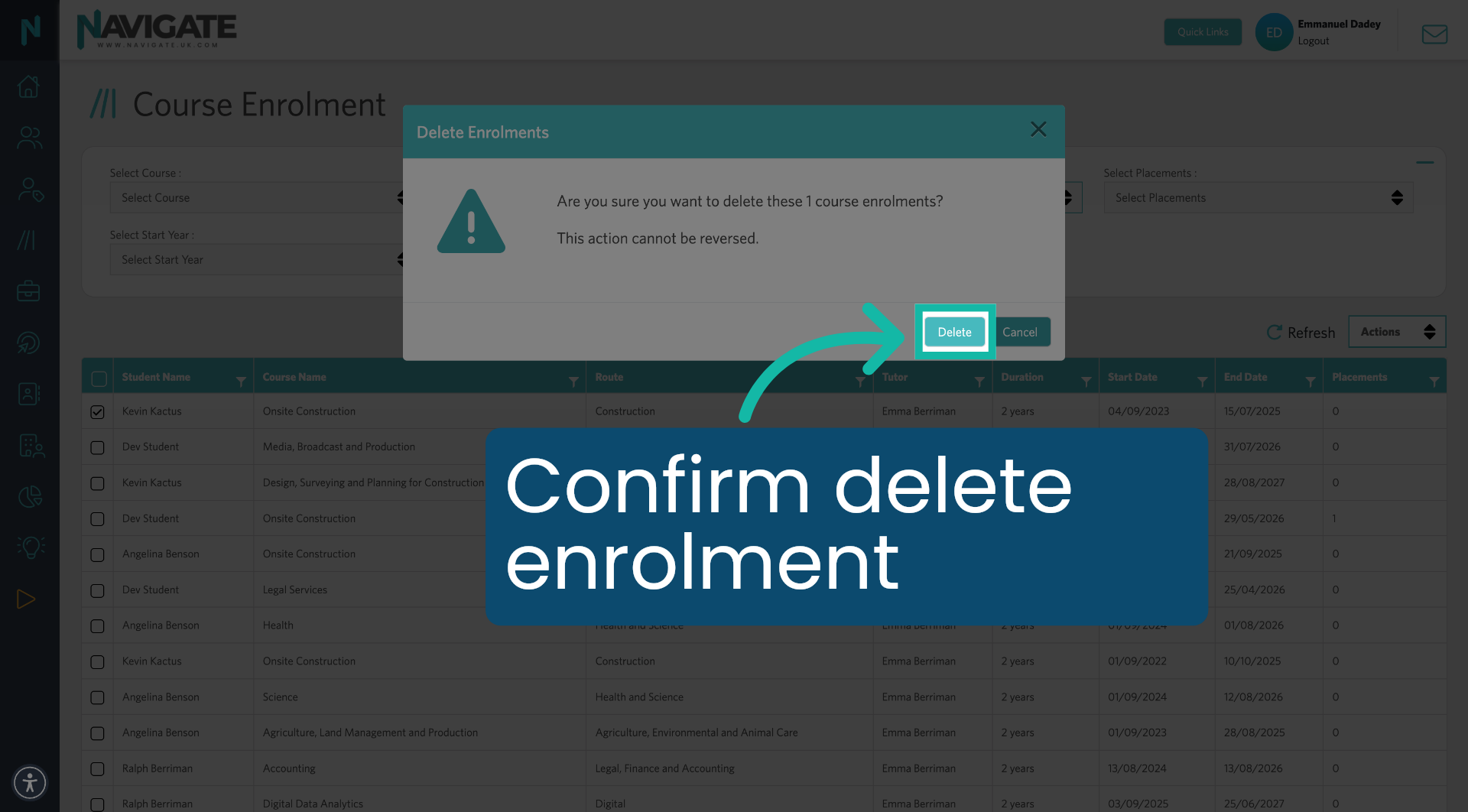
6. Confirm Deletion
Click "Delete" to confirm the action.
Was this article helpful?
That’s Great!
Thank you for your feedback
Sorry! We couldn't be helpful
Thank you for your feedback
Feedback sent
We appreciate your effort and will try to fix the article