Go to login.navigate.uk.com
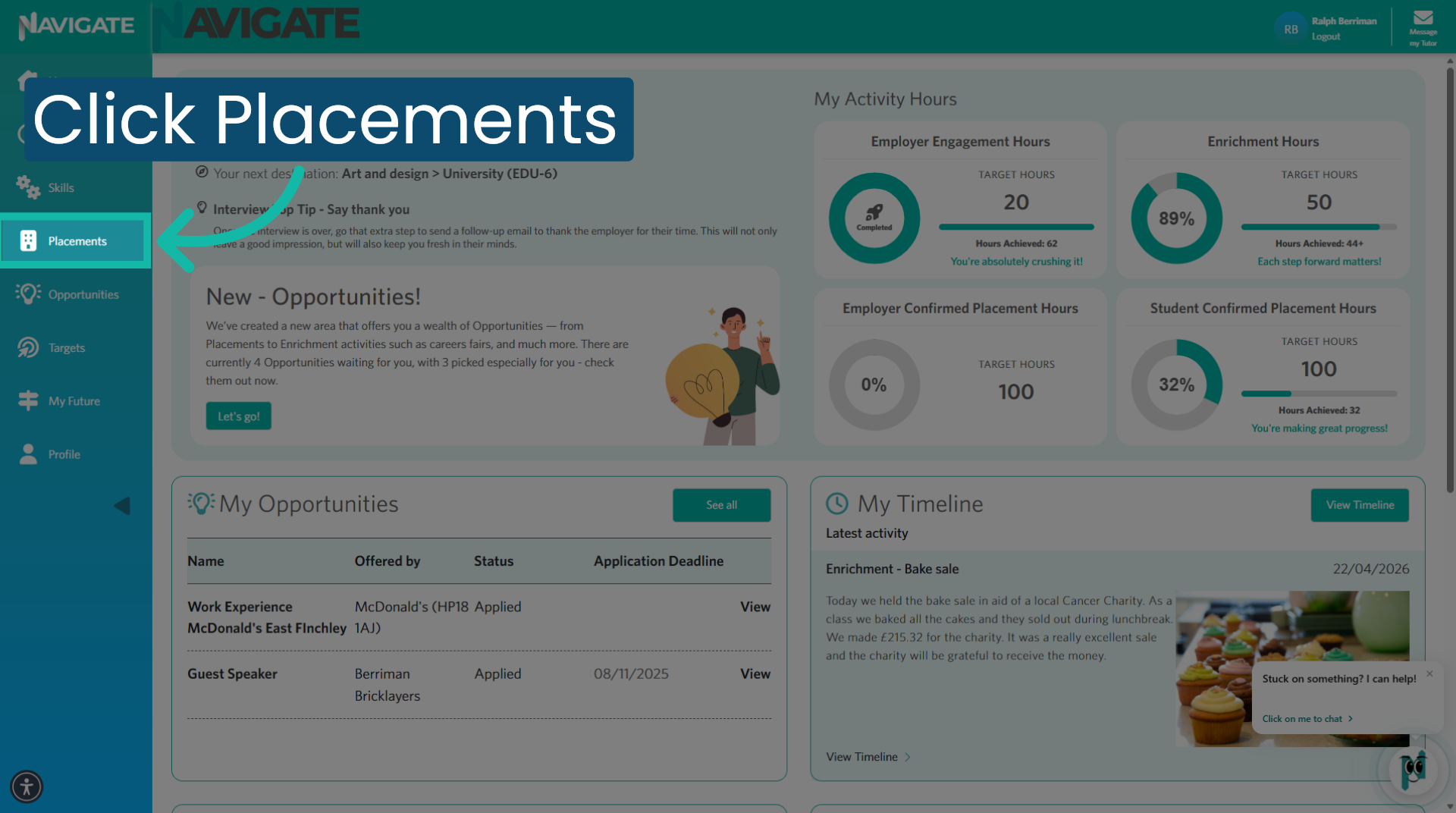
1. Click into the placement module
Once logged in, click 'Placements' to open the placements module.
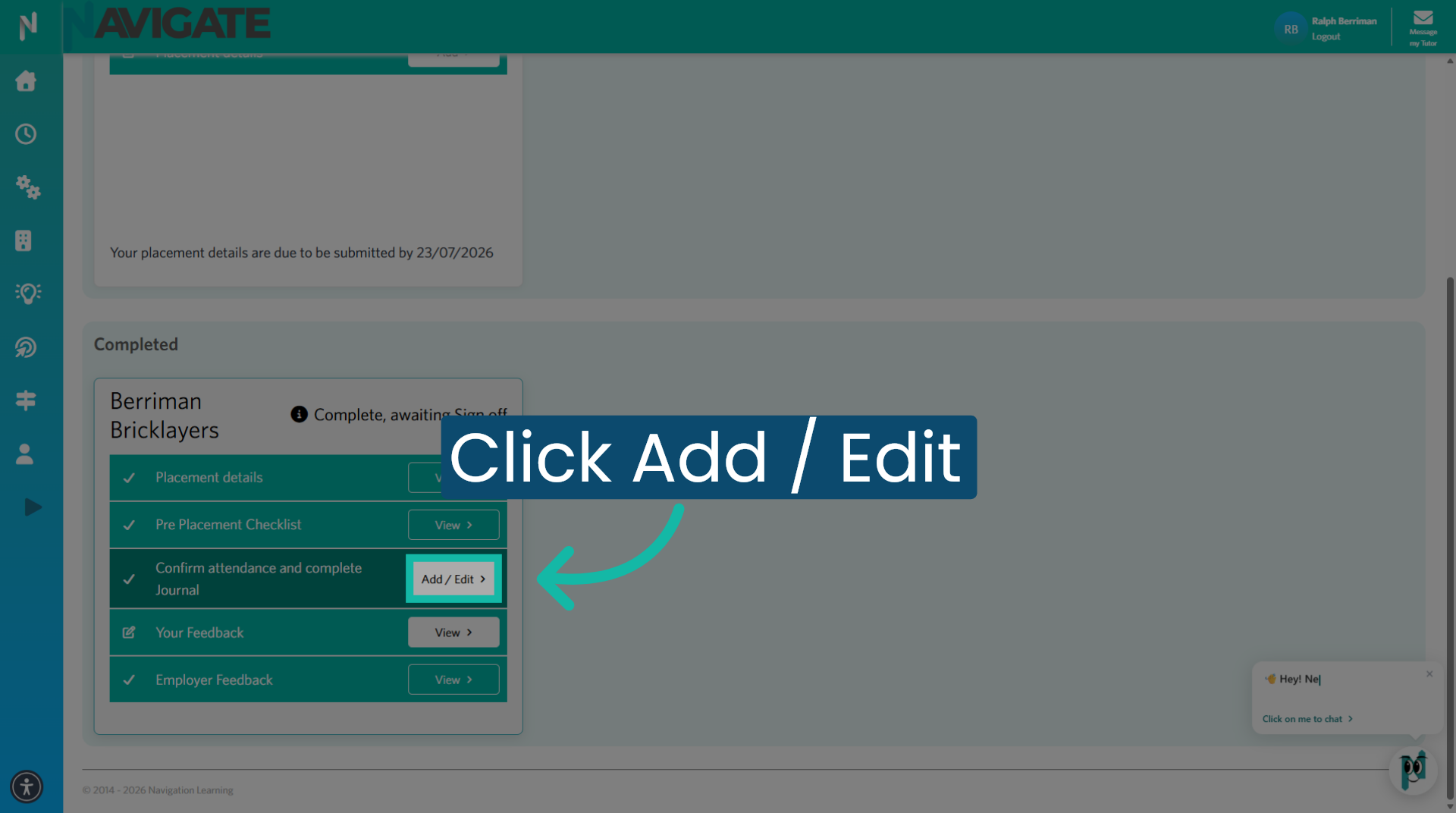
2. Access the Placement you wish to edit a journal for
Find the correct placement, then click the add/edit button next to the confirm attendance and complete journal to begin editing any previously confirmed placement days and journals.
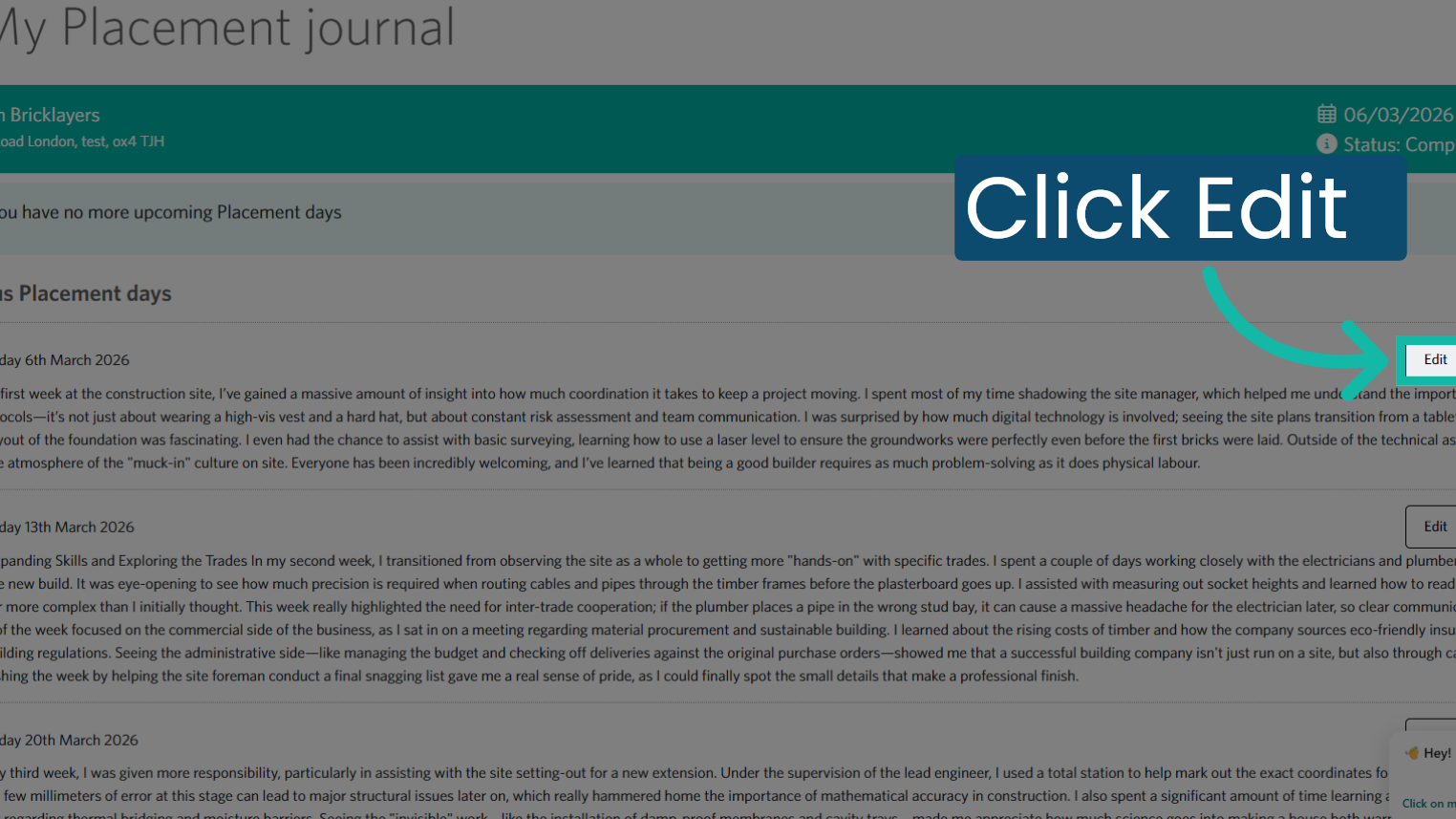
3. Locate the date requiring edits
Click edit on the date that requires editing.
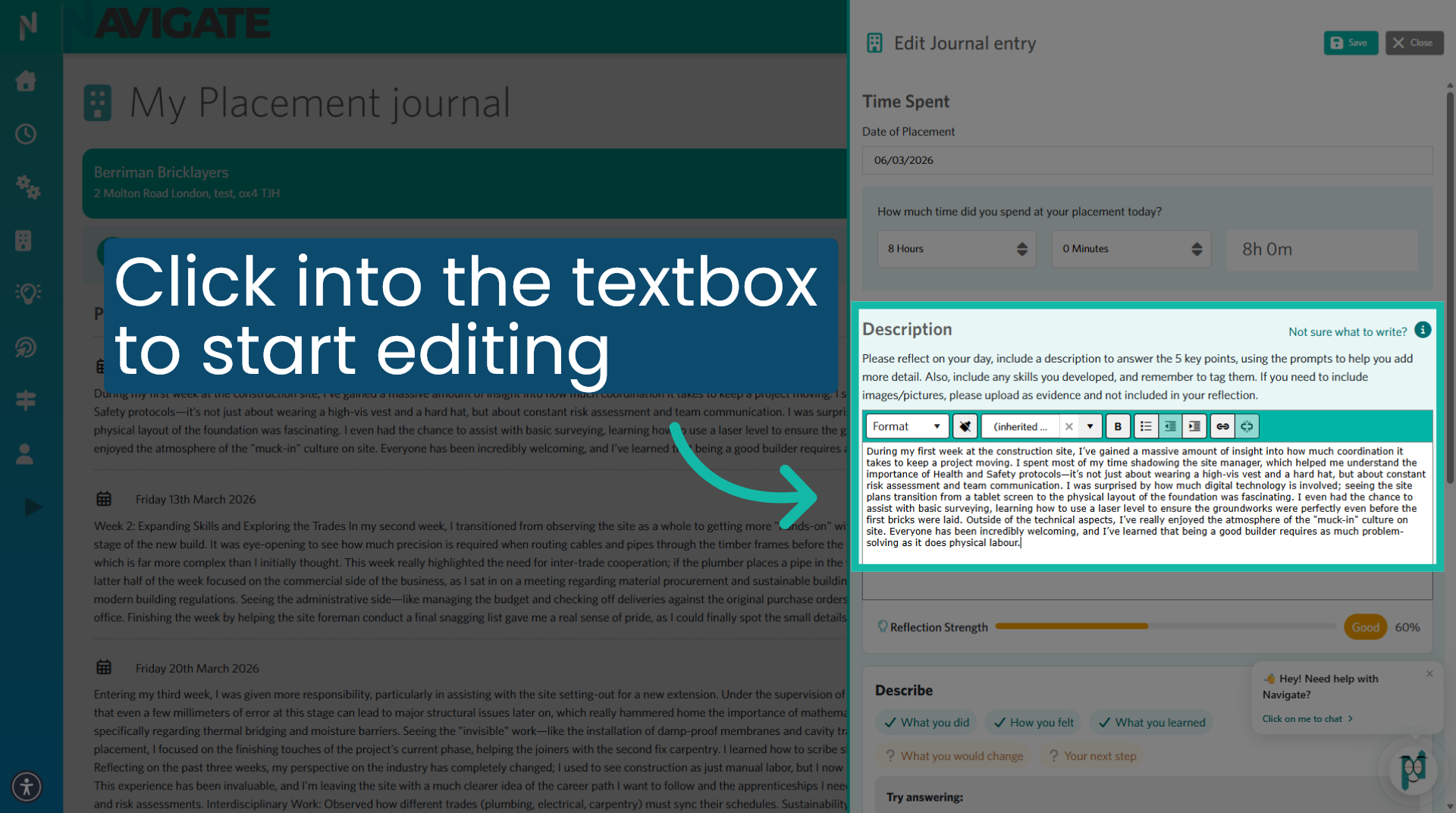
4. Locate the section that requires editing
For this placement day, you may want to amend the journal entry to get a reflection score of 100%. Simply click into the text box and make your changes.
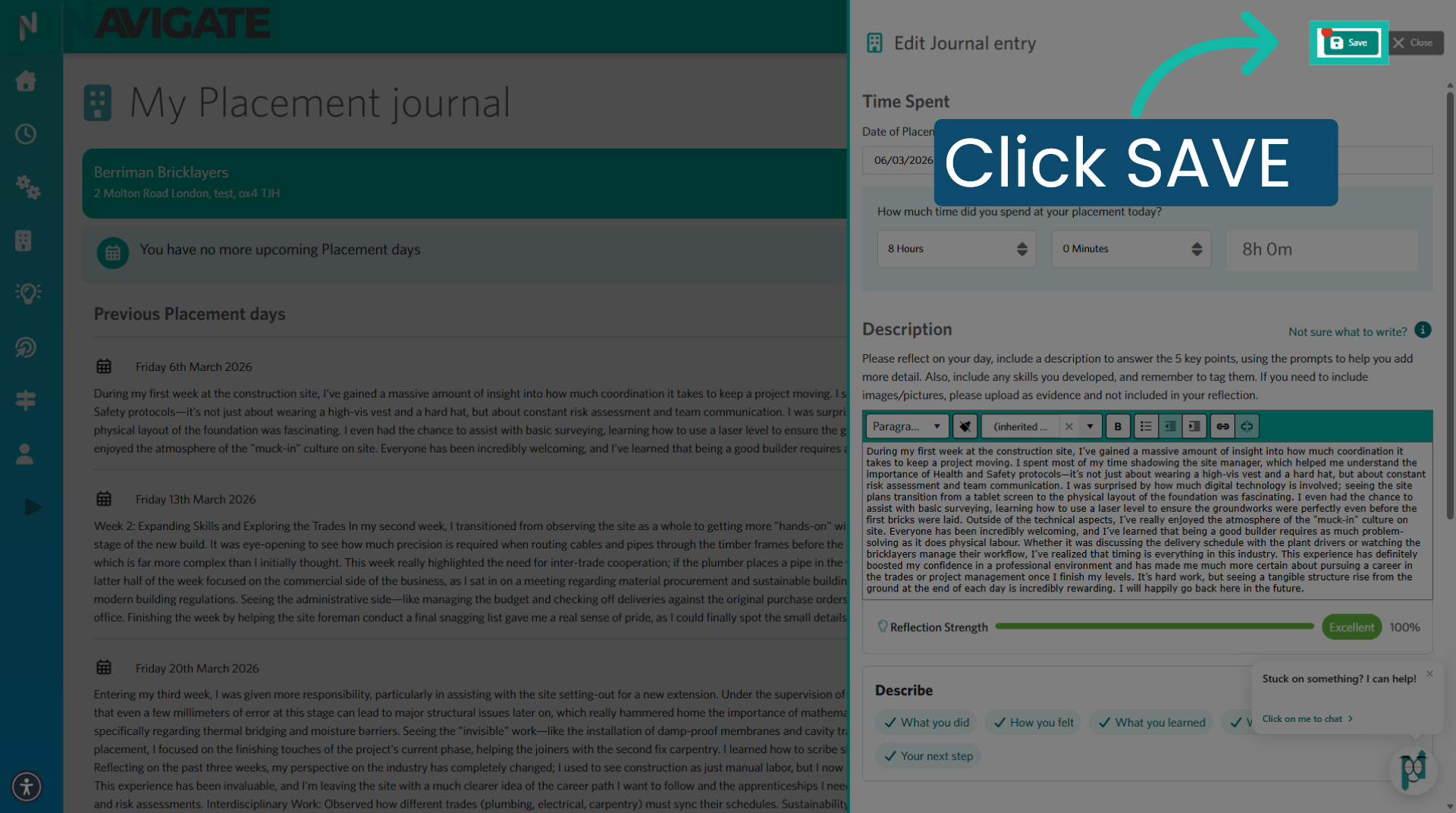
5. When complete - Click SAVE
When you are happy with the edits you have made, click the save button to save the changes you have made.
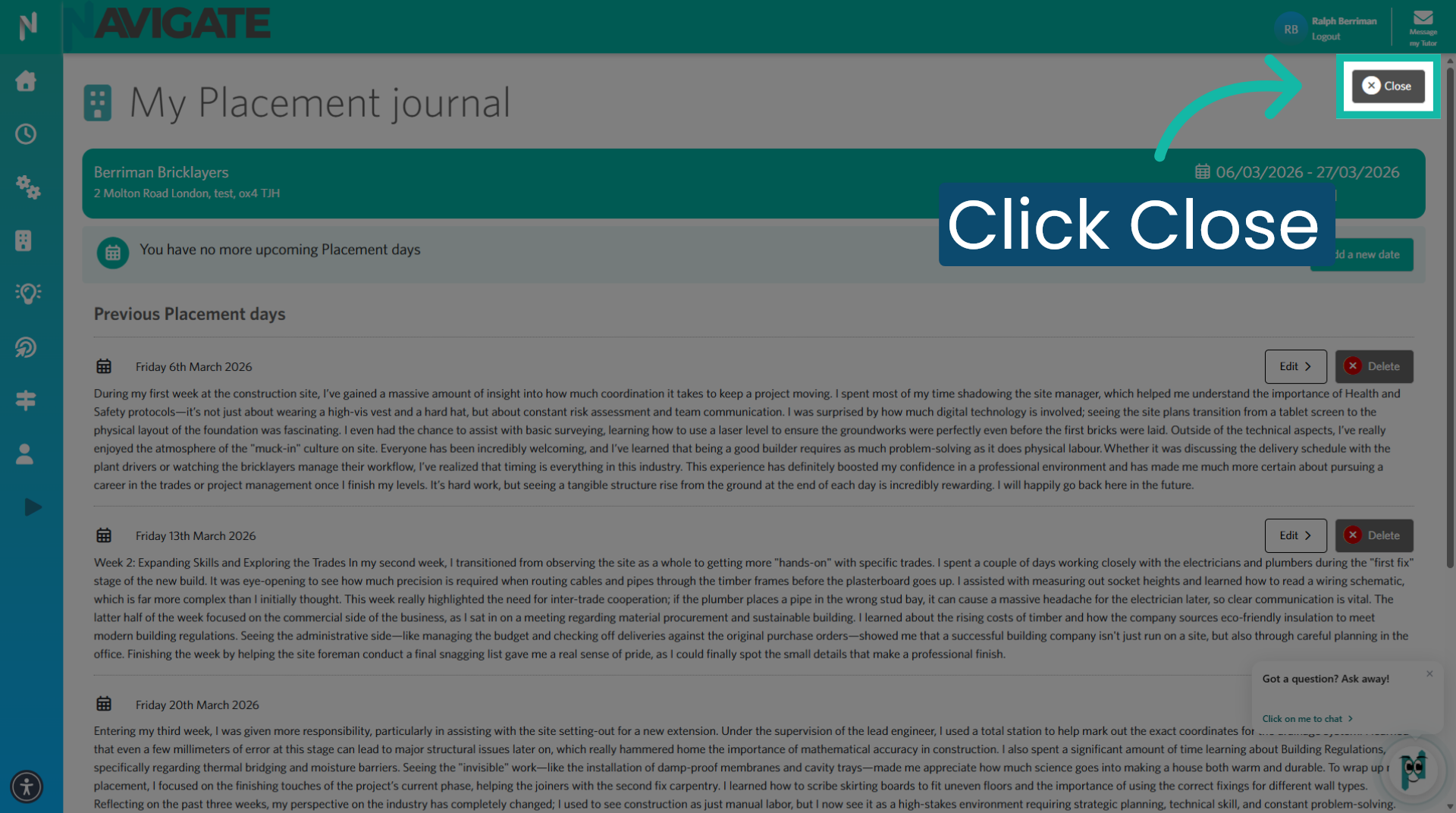
6. Close Placement Journal
Click close to exit the placement Journal section.
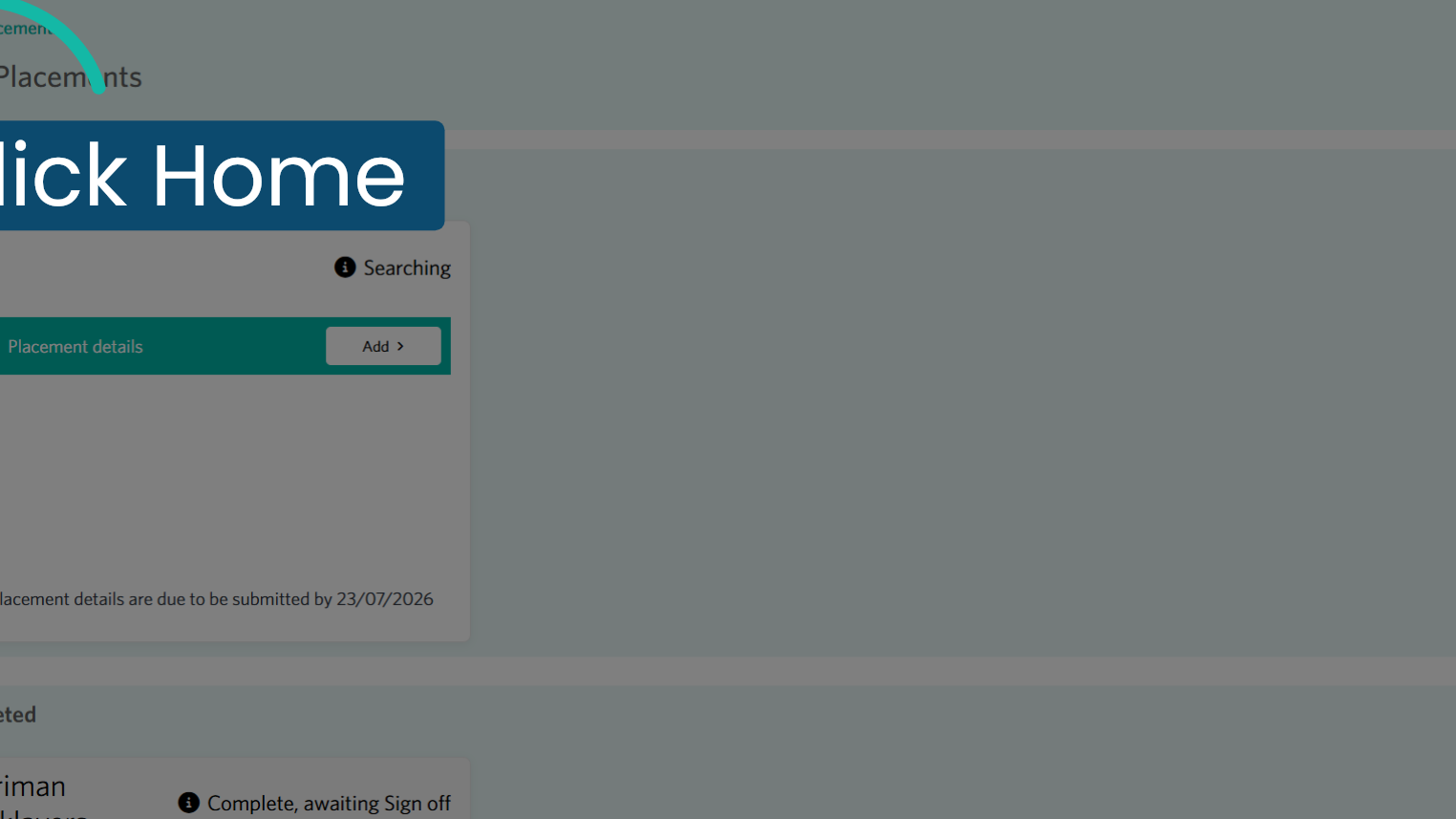
7. Return to the homepage
Click on the home menu to return to the home screen. Your updated Placement Journal will be amended and visible in the placement module and on your timeline.
Was this article helpful?
That’s Great!
Thank you for your feedback
Sorry! We couldn't be helpful
Thank you for your feedback
Feedback sent
We appreciate your effort and will try to fix the article