Go to login.navigate.uk.com
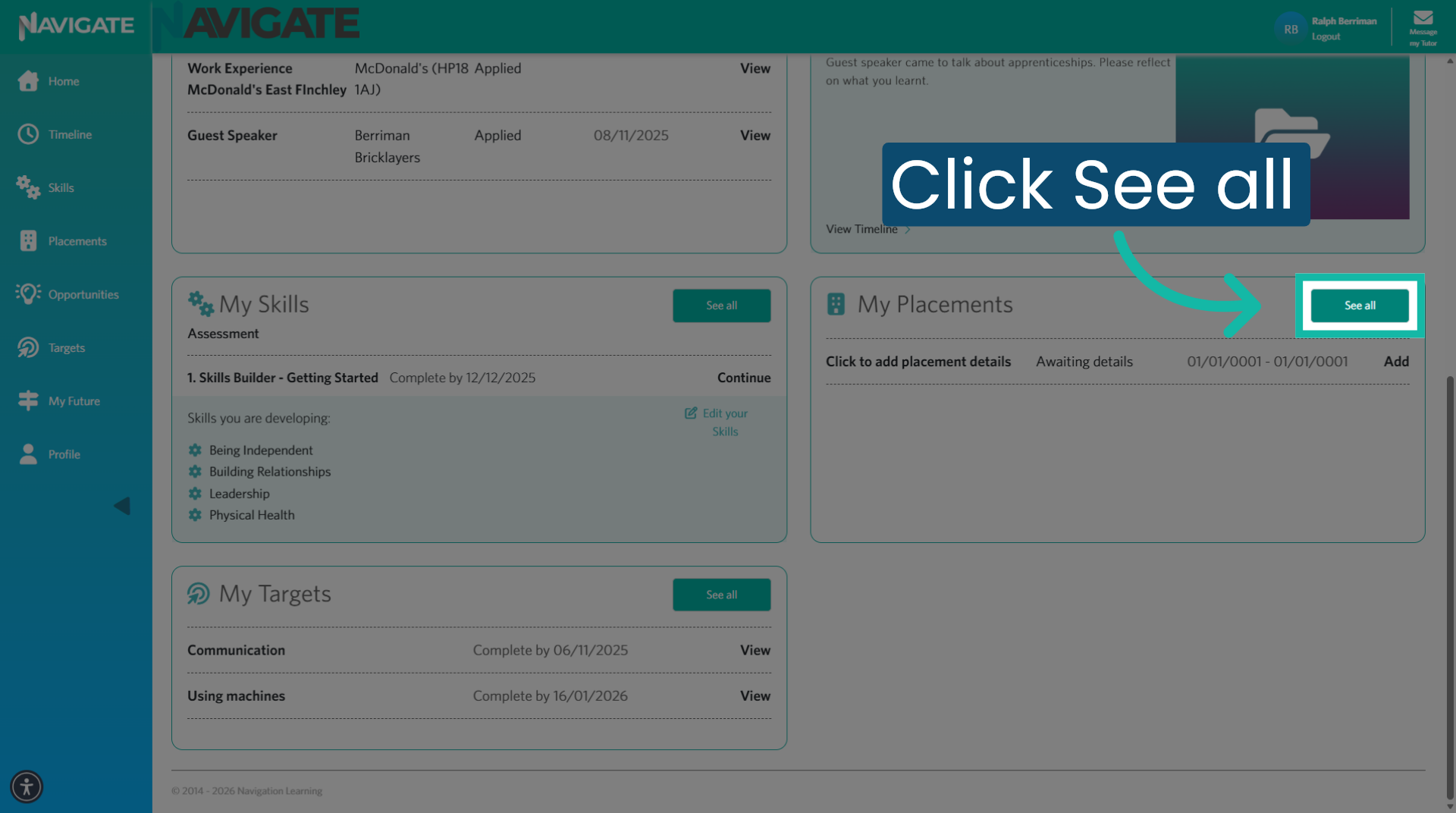
1. Click into the Placement module
Once logged in, click 'See all' in the placement section to access the placement module.
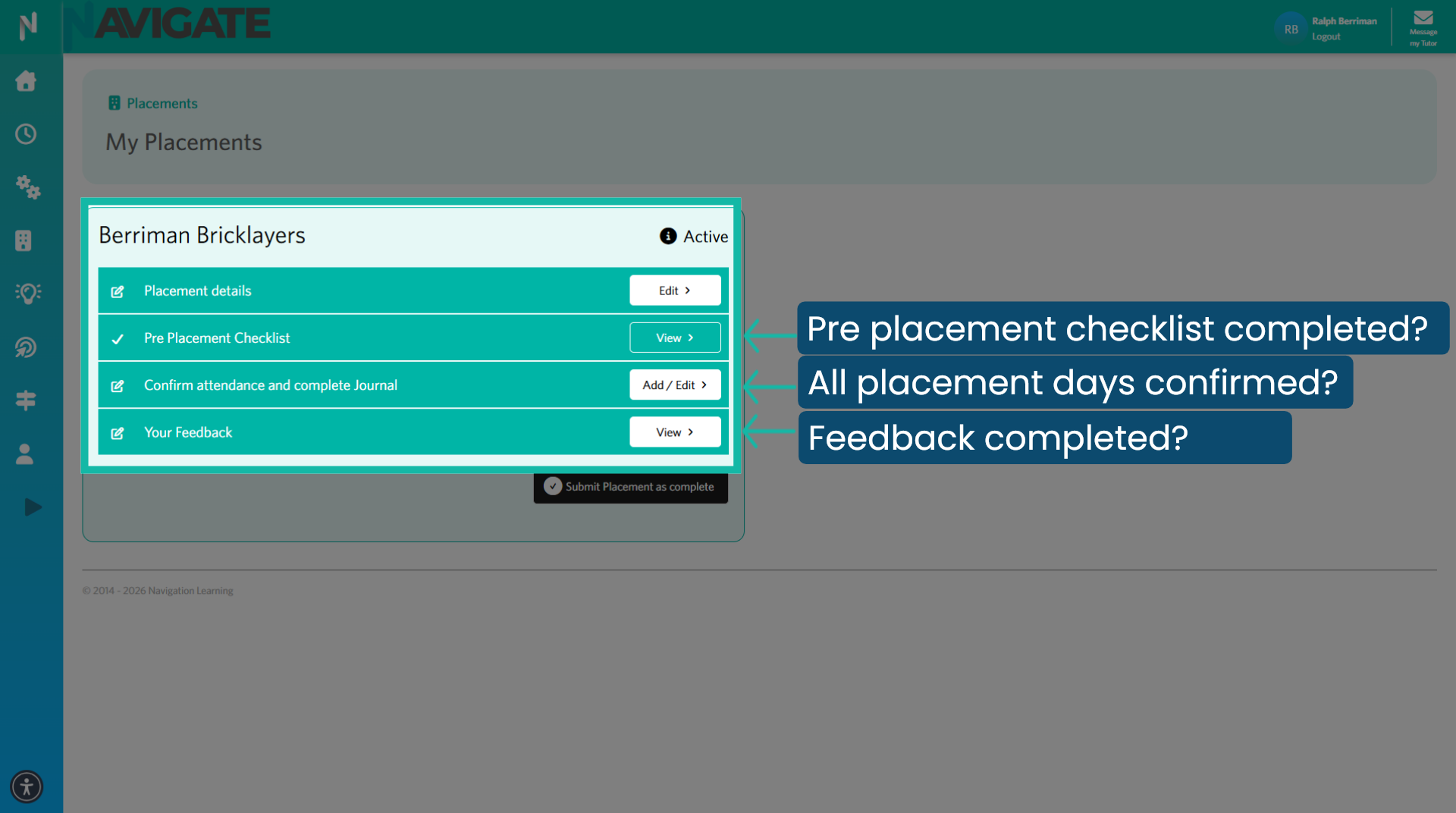
2. Check all elements are completed
Find the placement you wish to submit as complete. Check that you have completed all stages of the placement.
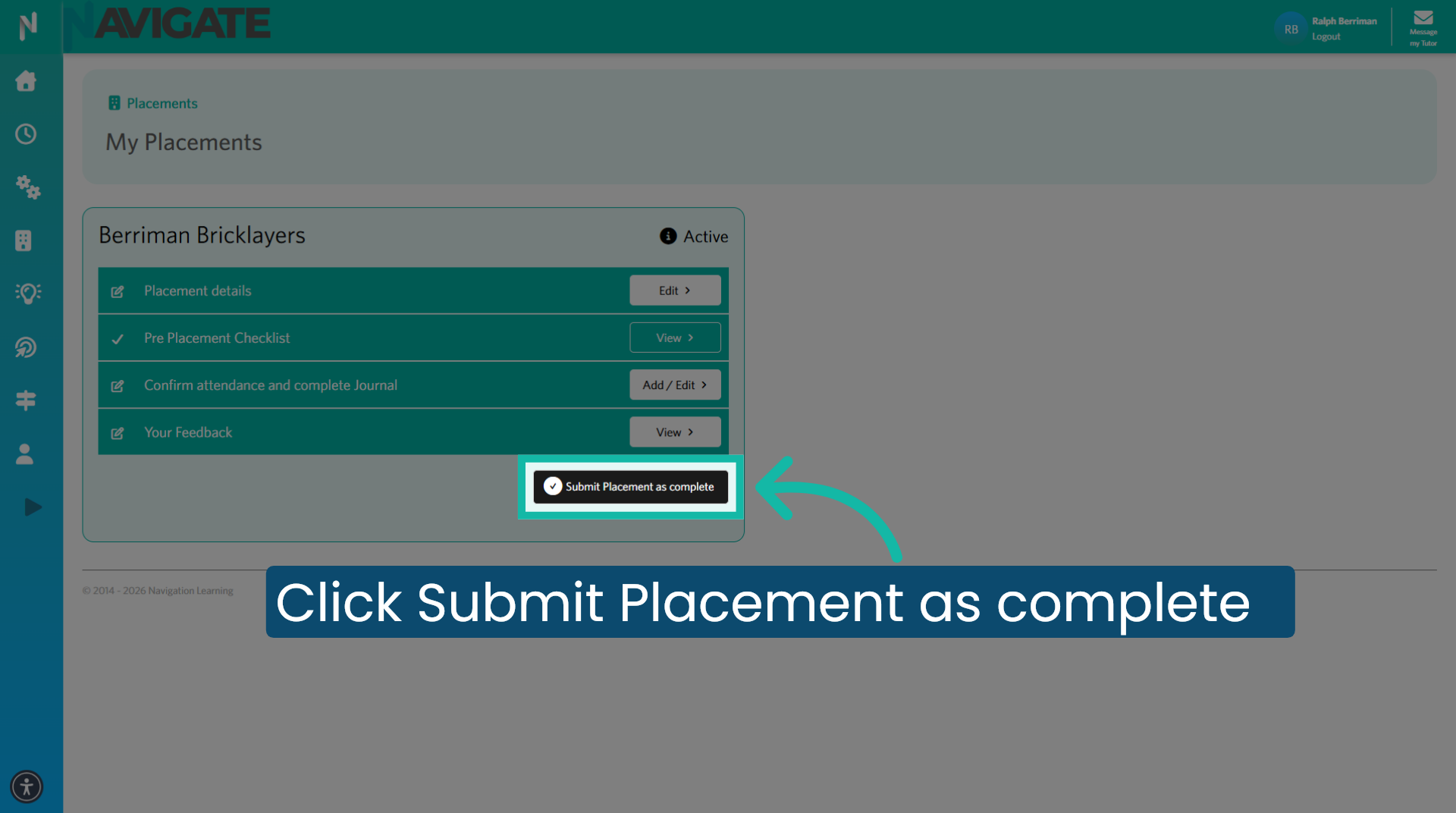
3. Click Submit Placement as complete
Then click on 'submit placement as complete' to submit the placement.
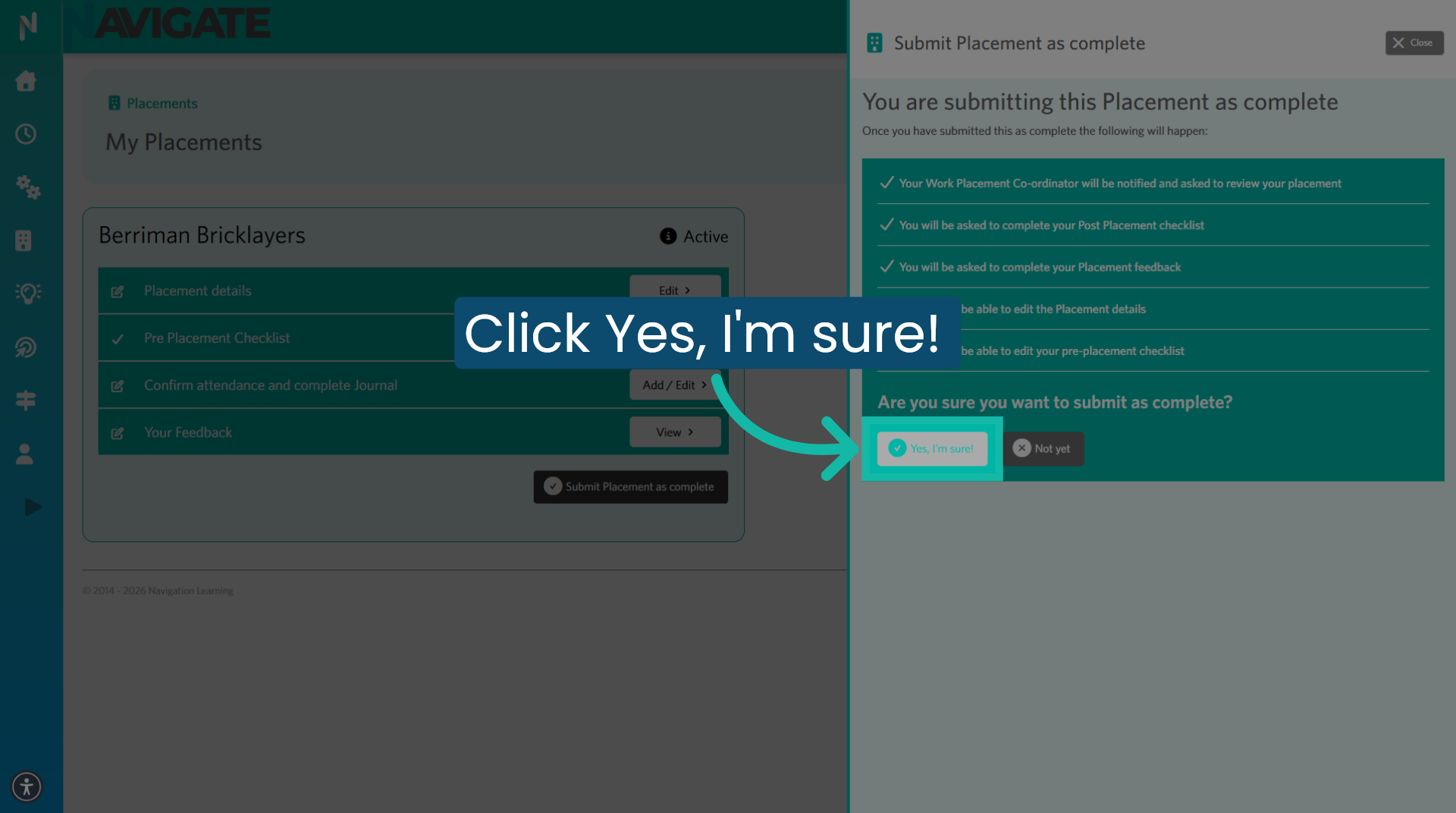
4. Confirm Completion Action
Click "Yes, I'm sure" to confirm and finalise the placement's completion.
Was this article helpful?
That’s Great!
Thank you for your feedback
Sorry! We couldn't be helpful
Thank you for your feedback
Feedback sent
We appreciate your effort and will try to fix the article